
Commerce Hub: Partners
The Partners screen provides a centralized view of all partners available in the system, making it easy to discover and evaluate potential integrations and services. Each partner listing includes a description of the partner along with relevant industry tags, helping you quickly understand their offerings and identify solutions that align with your business needs.
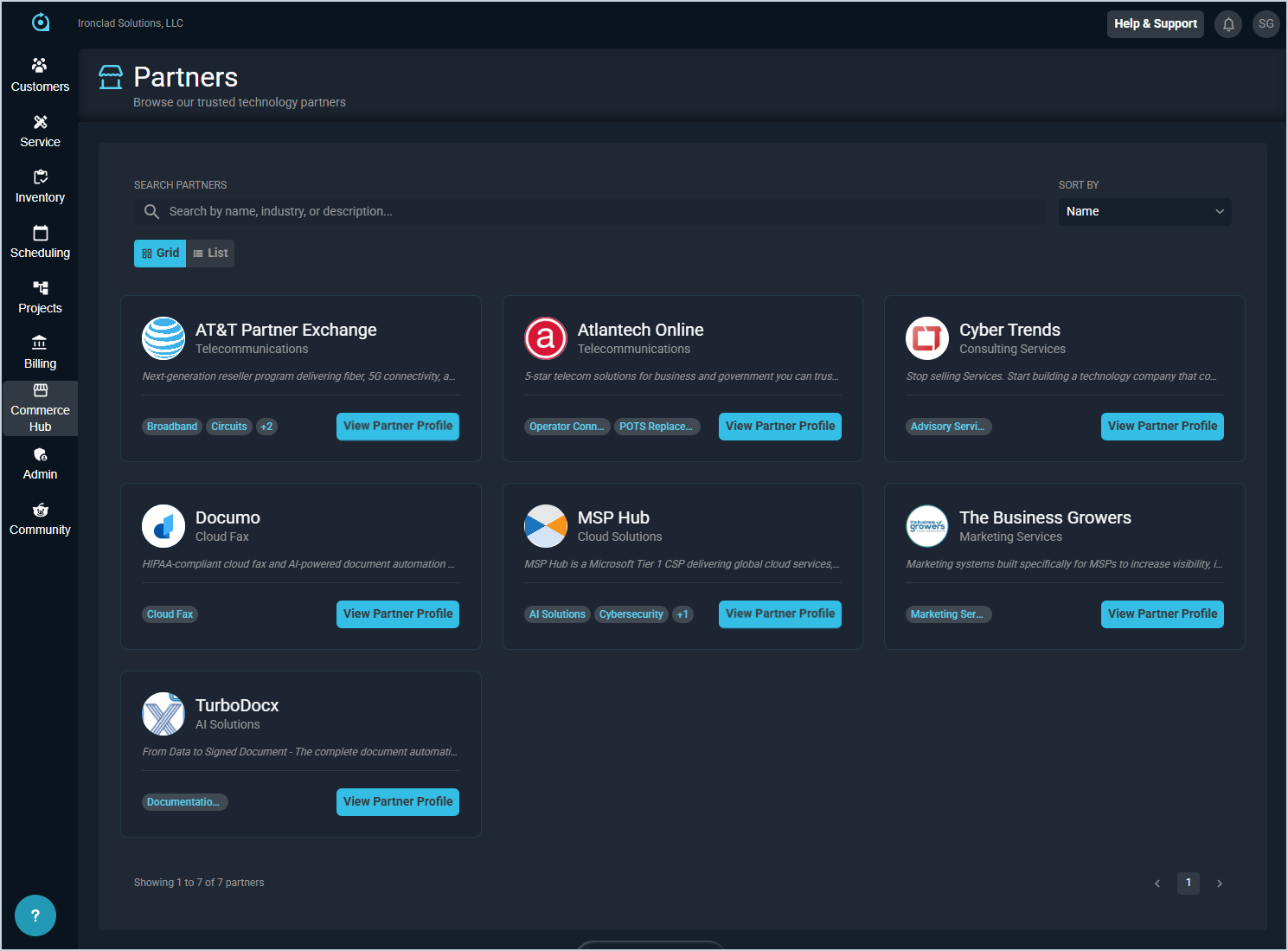
These actions are available on the Partners screen.
- Search the partners displayed on this screen by entering text in the Search field. The results update in real time as you enter text in this field.
- Sort the partners displayed by selecting an option in the Sort By dropdown. The results update to display in the order you selected.
- View the available partners in a specific format by selecting the Grid or List option underneath the Search bar.
- View additional details for a partner by clicking the View Partner Profile button for the specific partner. See the View Partner Profile Details article for more information.