
View Project: Details
The Project Details screen allows you to view all relevant details for individual projects, including its phases, tickets, tasks, and linked quote(s) across three different tabs and various sections.
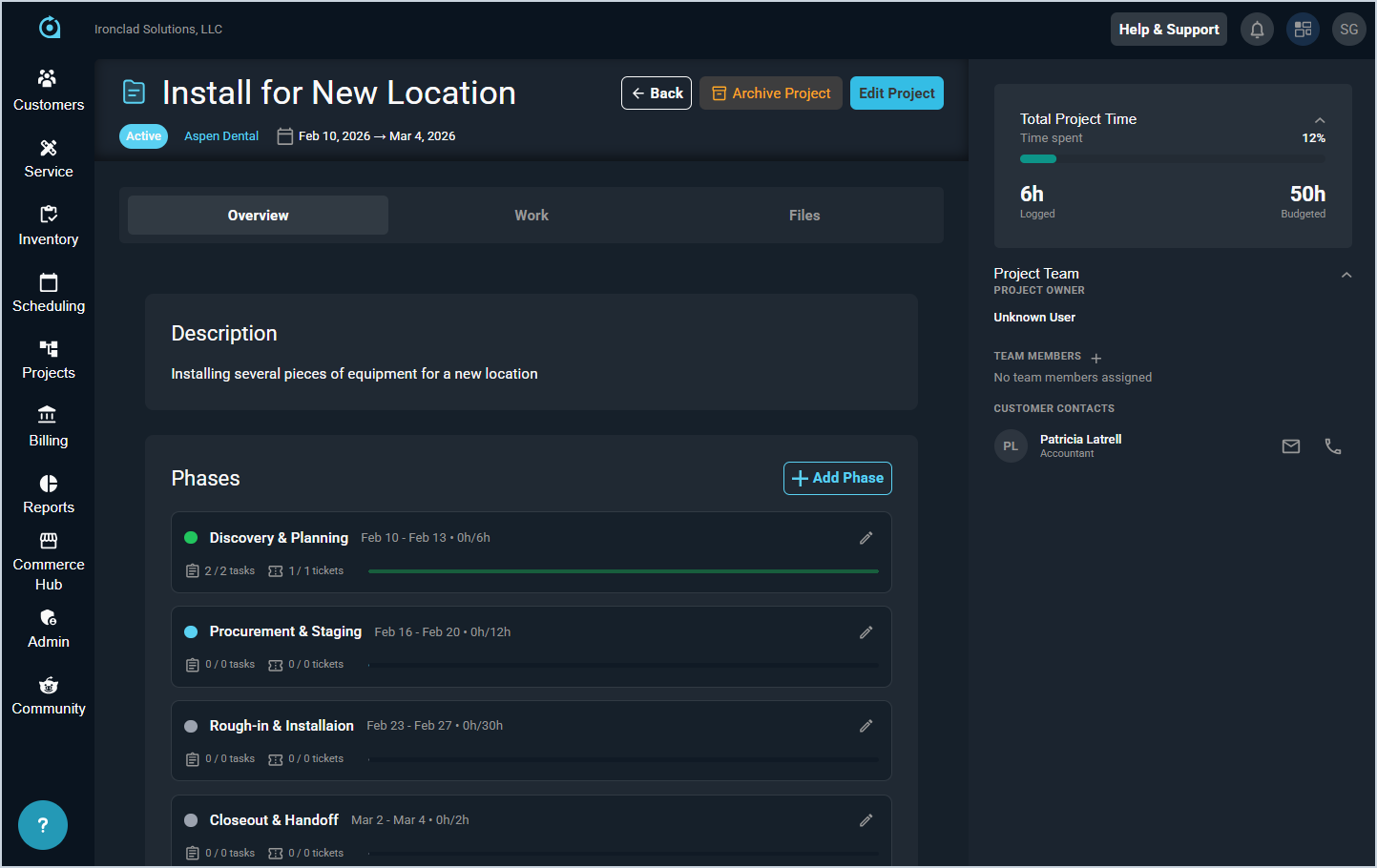
Each field in the Project Details header is defined below.
| No. | Label | Definition |
| 1 | <Project Name> | Name of the project. |
| 2 | <Status> | Status of the project. Status options include Active, Complete, Not Started, In Progress, At Risk, On Hold, and Cancelled. |
| 3 | <Customer> | Customer for which the project was created. |
| 4 | <Duration> | Duration for the project in the format of Start Date to End Date. |
Available Actions
These actions are available on the Project Details screen.
- Click the Back button to return to the Project Management list view.
- Archive the project by clicking the Archive Project button.
- Edit the project by clicking the Edit Project button and making your desired changes. See the Add/Edit Projects article for more information.
Areas on the Project Details Screen
For information on the other areas of the Project Details screen, see the related articles.