
Bulk Operation History: Overview
The Bulk Operations History screen displays a log of all past bulk imports and updates run from the Bulk Tools section, including the operation type, status, file name, date, and results. Use this screen to verify that a bulk operation completed successfully or to investigate any errors that occurred. Bulk Operations History is accessible from Admin > Bulk Tools > Operation History.
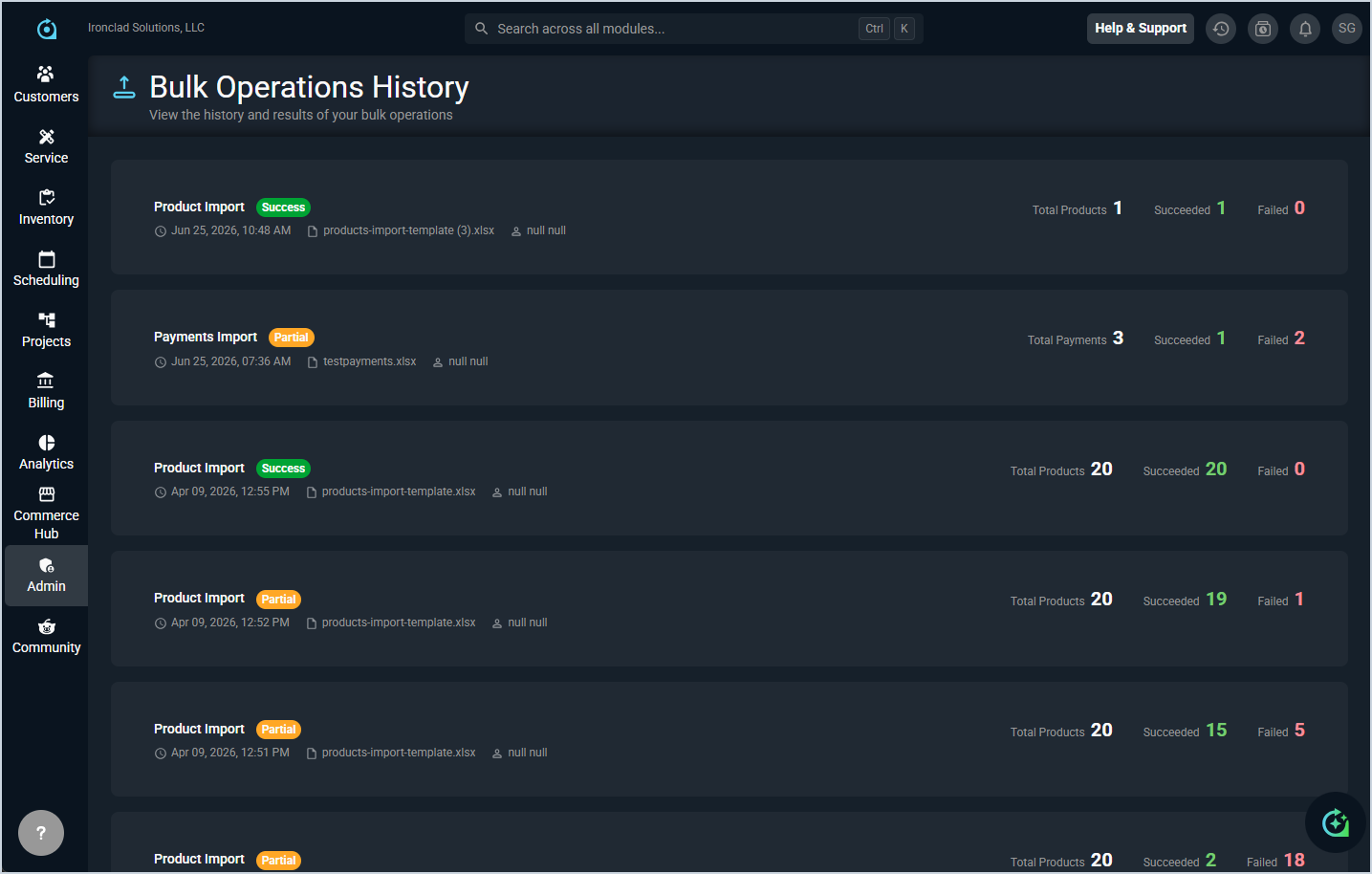
Each field in the Bulk Operations History is defined below.
| No. | Label | Definition |
|---|---|---|
| 1 | Operation Type | Type of bulk operation that was run, such as Product Import or Payments Import. |
| 2 | Status | Result of the operation, displayed as a badge. Status options include Success, Partial, and Failed. |
| 3 | Date | Date and time the operation was run. |
| 4 | File Name | Name of the file that was uploaded for the operation. |
| 5 | User | User who initiated the bulk operation. |
| 6 | Total | Total number of records included in the upload. |
| 7 | Succeeded | Number of records that were successfully processed. |
| 8 | Failed | Number of records that failed to process. |
The following actions are available on the Bulk Operations History screen.
- View the details of a past operation by clicking the row.