
✨AI-Powered: Revii Scheduled Automations
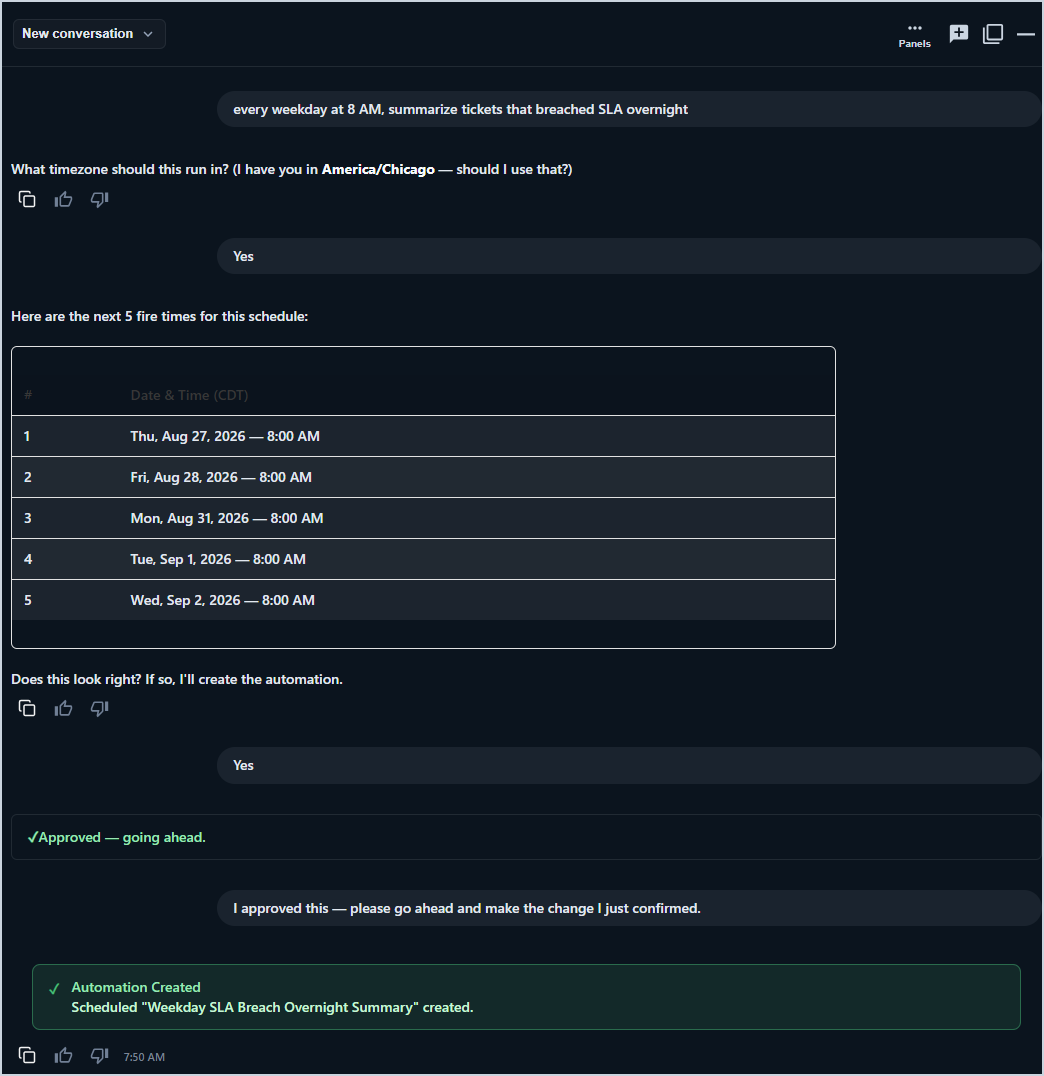
Revii Scheduled Automations allow you to schedule read-only tasks to run automatically on a recurring basis. Describe what you want in plain English and Revii sets up the automation. For example, you might say "every weekday at 8 AM, summarize tickets that breached SLA overnight." Any read-only task you can ask Revii to do in chat can be scheduled as a Scheduled Automation. Write actions are planned for a future release.
Creating a Scheduled Automation
To create a Scheduled Automation, describe the task and schedule you want to Revii in plain English. Before the automation activates, Revii displays the schedule in your time zone along with the next three run times and gives you the option to run a one-time test first. Nothing runs until you approve it.
Scheduled Automation Results
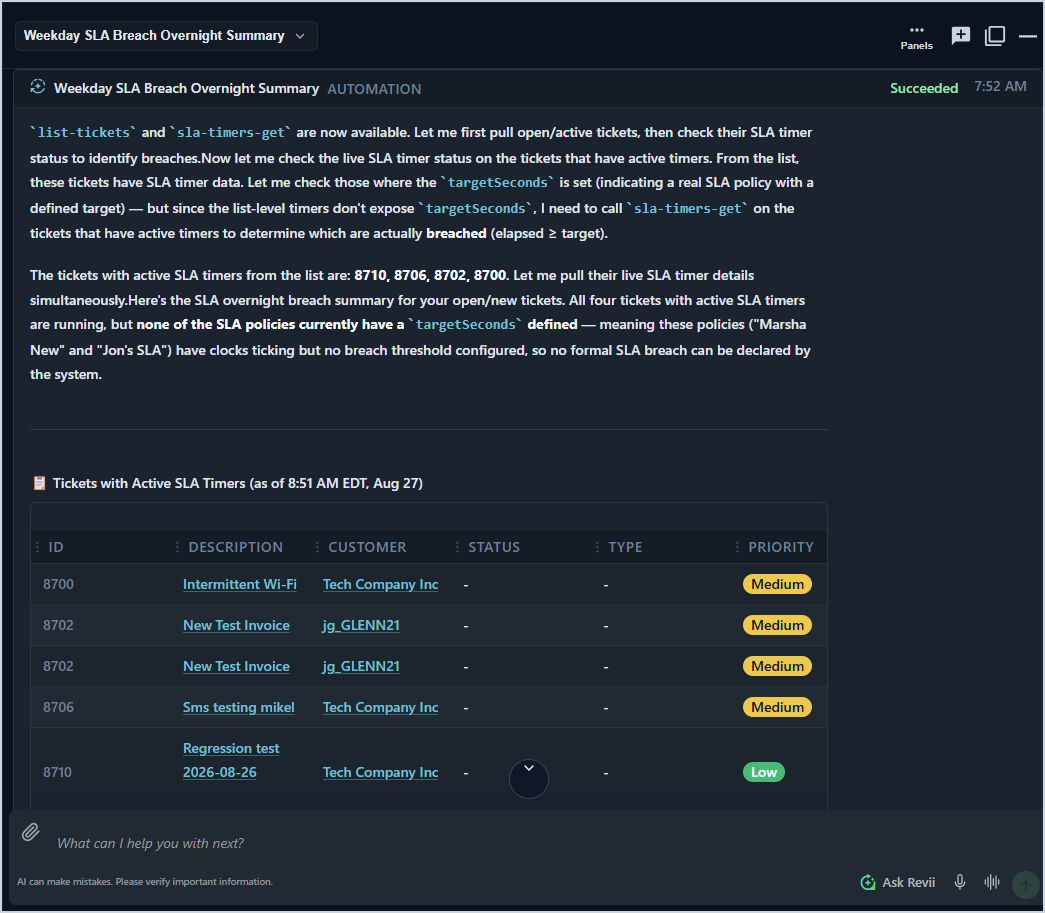
Results from each run are posted to a dedicated conversation labeled and sent from Revii Scheduled Automations, separate from your regular Revii chats.
Managing Scheduled Automations
All Scheduled Automations are visible in the Automations view, which displays each automation's last run, next run, and current state. To access your Scheduled Automations, open the Revii chat window and use one of the following options.
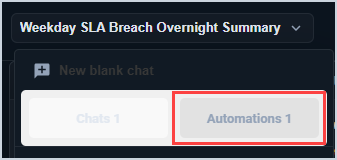
- Click the down arrow next to the name of your current chat and select the Automations tab.
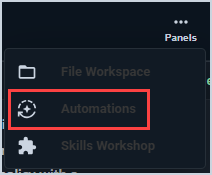
- Click the Panels icon at the top of the Revii chat window and select Automations.
The following actions are available for each Scheduled Automation.
- Pause - temporarily stop the automation from running.
- Resume - restart a paused automation.
- Run immediately - trigger a manual run outside of the scheduled time.
- Delete - permanently remove the automation.
These actions can be performed by asking Revii directly.
Permissions and Failed Runs
Scheduled Automations run under your existing permissions. If a run fails, Revii retries automatically. If the problem persists, Revii posts an explanation in the Scheduled Automations conversation. Repeated failures will pause the automation and notify you.