
Add/Edit Number Groups
The Add Number Group and Edit Number Group screens allow you to create and manage number groups, which are a way to sort and organize your telephone numbers together. To add a group, click the Add Number Group button on the Number Management screen. To edit a group, click the three-dot menu at the end of its row and select Edit, or click the Edit Group button on the group's details screen.
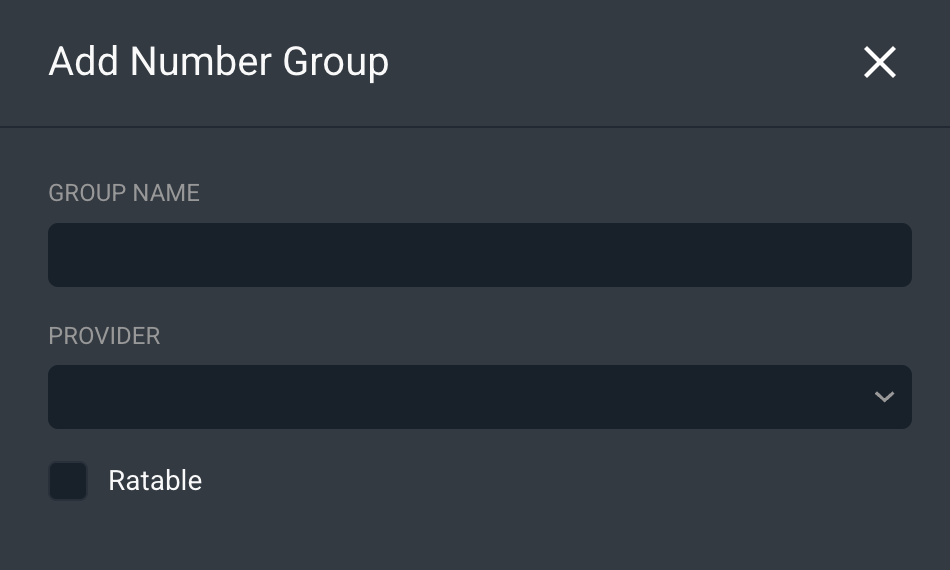
Each field on the Add/Edit Number Group screen is defined below.
No. | Label | Definition |
|---|---|---|
1 | Group Name | The name of the number group. |
2 | Provider | The provider associated with the number group, if any. |
3 | Ratable | Indicates whether the numbers in the group are ratable. [CONFIRM] |
The following actions are available on the Add/Edit Number Group screen.
- Save the number group by clicking the Save button.
- Discard changes and return to the previous screen by clicking Cancel.
Related Articles