
Rebill Customer
Clicking the Rebill Customer button on the Unposted tab in the Billing section on the customer profile screen allows you to rebill charges on the customer account on a new invoice. This feature allows you to rebill specific items either through a chosen date or for a defined number of future billing cycles.
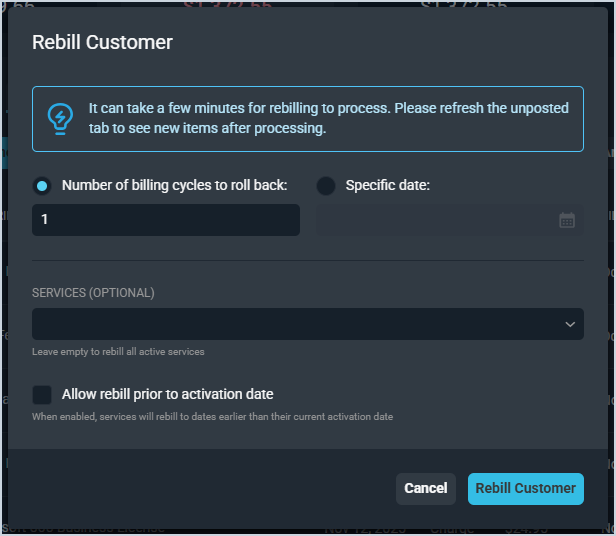
Each field on the Rebill Customer window is defined below.
| No. | Label | Definition |
| 1 | Number of billing cycles to roll back | Select a specific number of billing cycles to rebill charges. |
| 2 | Specific date | Select a date to rebill charges to that point in time. |
| 3 | Services | Select a service from the dropdown to rebill a specific service or leave this dropdown blank to rebill all active services on the customer account. |
| 4 | Allow rebill prior to activation date | Select this option to allow the service to rebill earlier than the customer's current activation date. |