
View Agreement: Overview Tab
The Overview tab on the agreement details screen displays a summary of the agreement's financial performance and core details at a glance.
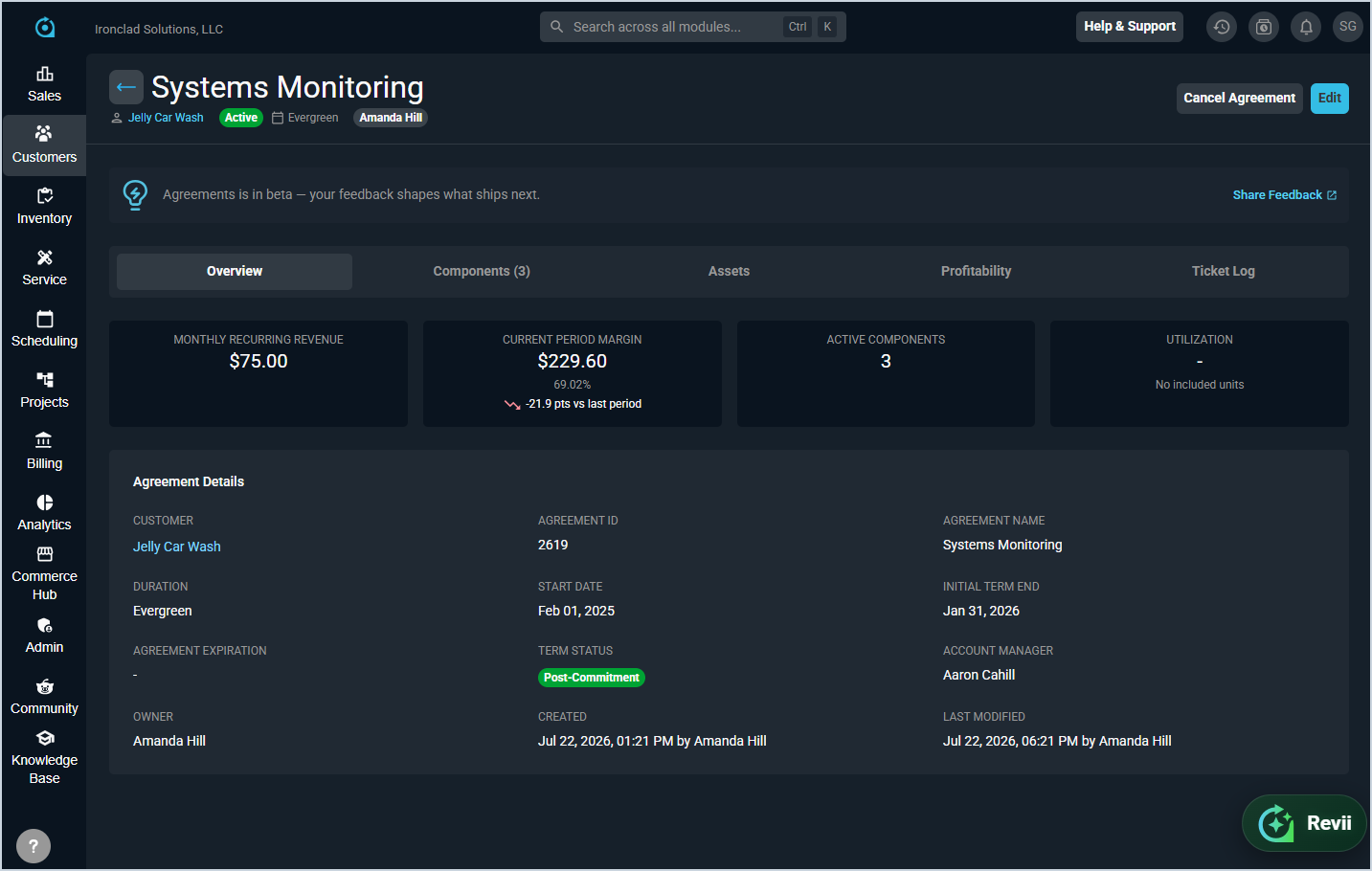
The following summary metrics display at the top of the screen across all tabs.
| Metric | Definition |
|---|---|
| Monthly Recurring Revenue | Total monthly recurring revenue generated by the agreement's active components. |
| Current Period Margin | Margin for the current billing period across all active components. |
| Active Components | Number of currently active components on the agreement. |
| Utilization | Percentage of included hours used across all block hour pools on the agreement. |
The Agreement Details section displays core information about the agreement. Each field is defined below.
| No. | Label | Definition |
|---|---|---|
| 1 | Customer | Customer the agreement belongs to. |
| 2 | Agreement ID | Unique numerical identifier for the agreement. |
| 3 | Agreement Name | Name of the agreement. |
| 4 | Duration | Duration type of the agreement, such as Evergreen or Fixed Term. |
| 5 | Start Date | Date the agreement begins. |
| 6 | Initial Term End | Date the initial term of the agreement ends. |
| 7 | Agreement Expiration | Date the agreement expires, if applicable. |
| 8 | Term Status | Current term status of the agreement, such as Initial Term. |
| 9 | Account Manager | User assigned as the account manager for the agreement. |
| 10 | Owner | User assigned as the owner of the agreement. |
| 11 | Created | Date and user who created the agreement. |
| 12 | Last Modified | Date and user who last modified the agreement. |
For information on other areas of the agreement details screen, see the following articles.