Rev.io Mobile App: Calendar
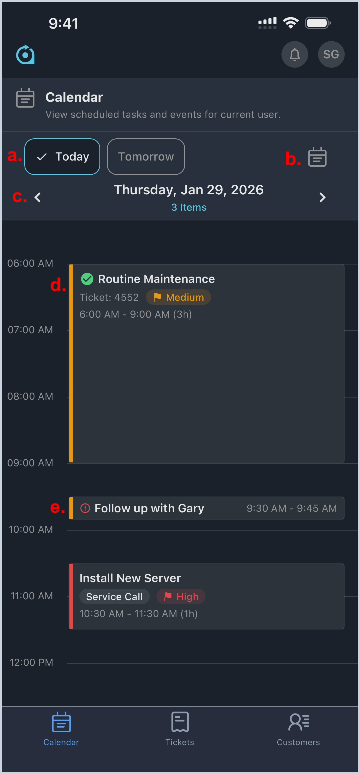
The Calendar screen in the Rev.io Mobile App provides a centralized view of all scheduled tasks and activities for the logged-in user.
- Use the Today and Tomorrow buttons to easily access relevant calendar items.
- Tap the calendar icon to select a specific date.
- Use the right and left arrows to navigate between calendar days.
- Tap a ticket-related item to open the associated ticket.
NOTE: Completed tasks display with a green checkmark icon. - Tap a non-ticket item to edit its details.
NOTE: Past-due tasks display with a red exclamation point icon.