
Inventory Views: Reservations
The Reserved Products screen displays all products currently reserved across tickets and locations. It provides a consolidated view of reserved inventory, allowing you to easily track which items are allocated, their source and destination locations, and the tickets where they’re reserved. To open it, click Inventory in the sidebar menu, select Inventory Management, and click the Reservations tab.
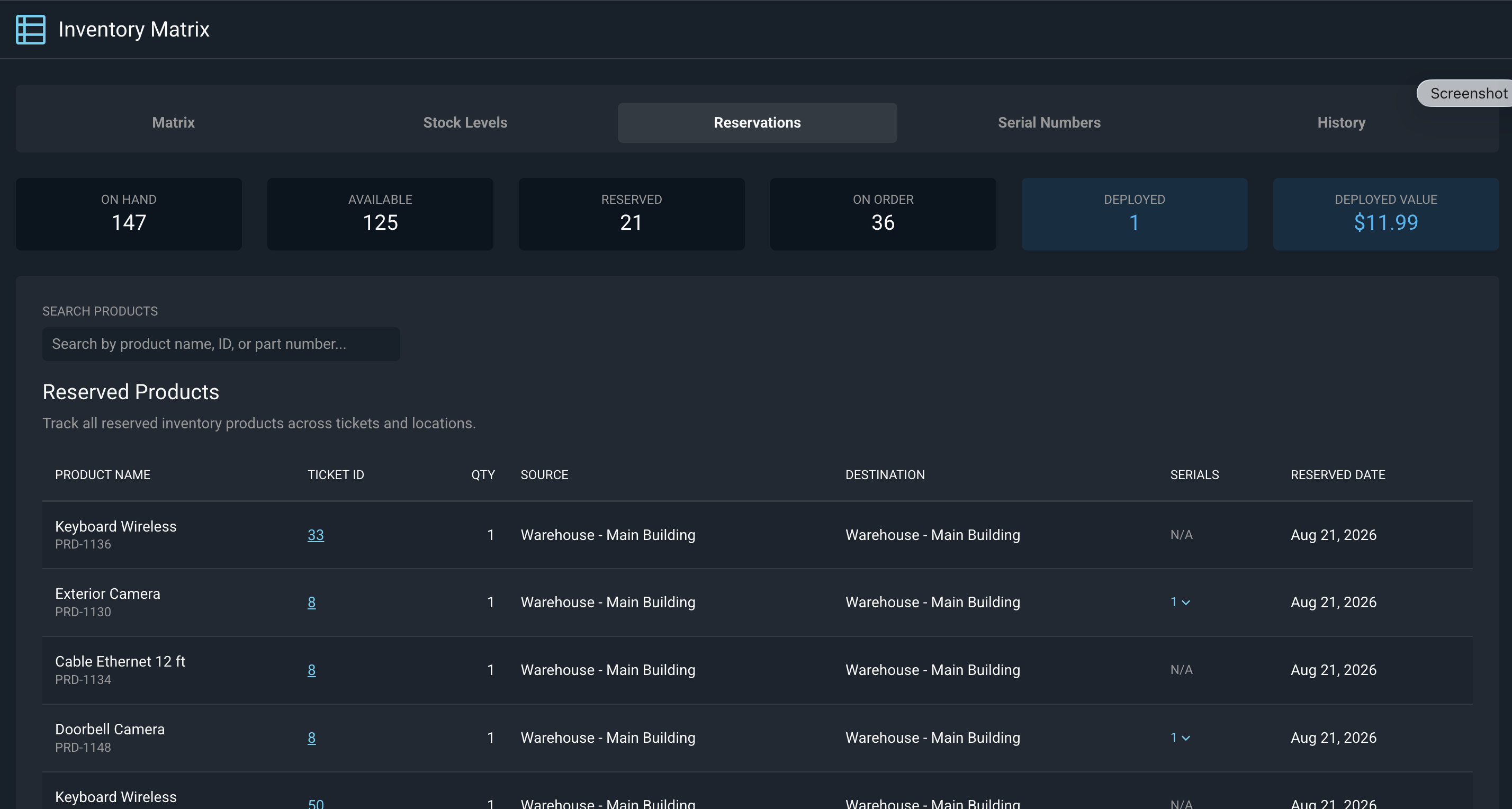
Each field on the Reserved Products list view is defined below.
| Label | Definition |
| Product Name | Name and numerical identifier of the reserved product. |
| Ticket ID | Numerical identifier for the ticket where the product is reserved. |
| QTY | Total number of the product reserved for the ticket. |
| Source | Location where the product was originally stored. |
| Destination | Location where the product is being transferred during reservation. |
| Serials | Total number of serial numbers reserved for the product. NOTE: Clicking the arrow in this column shows you which serial numbers are reserved. |
| Reserved Date | Date the product was reserved for the ticket. |
These actions are available on the Reserved Products list view.
- Switch to the Inventory Management Matrix by clicking the Matrix tab at the top of the screen. See the Inventory Views: Matrix article for more information.
- Switch to the Stock Levels view by clicking the Stock Levels tab. See the Inventory Views: Stock Levels article for more information.
- Switch to the Inventory Management Serial Numbers list view by clicking the Serial Numbers tab. See the Inventory Views: Serial Numbers article for more information.
- Switch to the history of inventory actions by clicking the History tab. See the Inventory History article for more information.
- View the ticket where the product is reserved by clicking the link in the Ticket ID column.
- View the specific serial number reserved for the ticket by clicking the arrow in the Serials column.
- Release reserved inventory by opening the ticket from the Ticket ID column and deleting the reservation on the ticket’s Parts & Labor tab. The stock becomes available again. See the View Parts & Labor Item Details article for more information.