
Customer Profile: Quotes Tab
The Customer Profile screen contains relevant details for the selected customer. Fields shown in the profile can vary based on the data entered on customer creation or over time. If a field is left blank while editing the customer profile, it will not appear in the customer profile section. The Quotes tab contains general information for managing opportunities for the customer, including opportunities, quotes, and proposals.
| NOTE: Once a quote is in a Completed Status (signed by all signers), the system creates a new ticket with all one-time products on the quote and a new recurring service with all recurring products on the quote. See the View Ticket Details and Customer Profile: Billing Section - Recurring Services Tab articles for more information. |
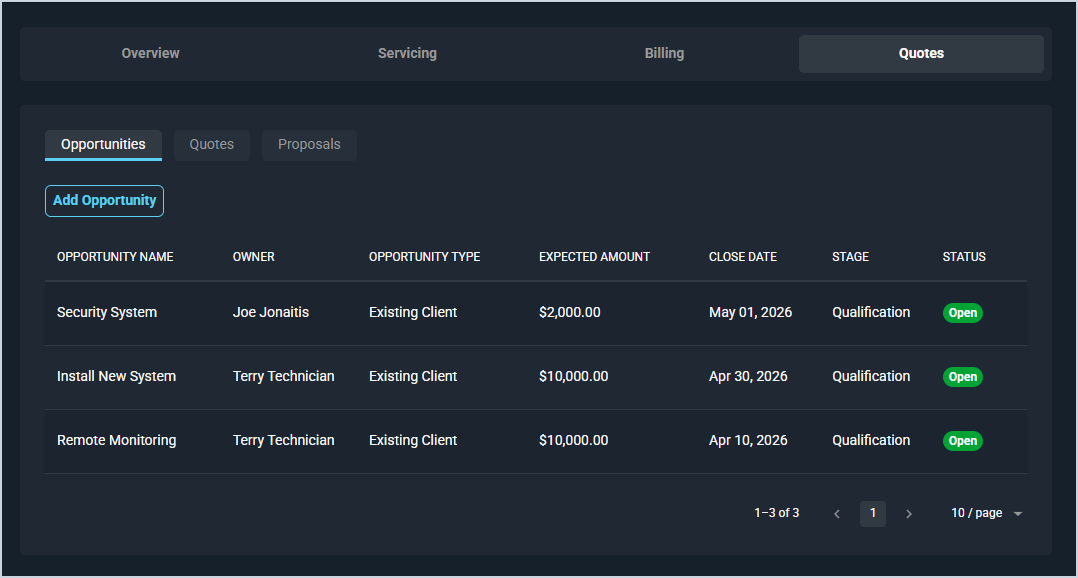
Areas on the Customer Profile
For information on other areas of the Customer Profile screen, see the related articles.
- Customer Profile: Header
- Customer Profile: Overview Tab
- Customer Profile: Service Tab
- Customer Profile: Billing Tab
- Customer Profile: Quick Actions
- Customer Profile: Stage
Tabs in the Quotes Section
For information on tabs in the Quotes section of the Customer Profile screen, see the related articles.