
View Agreement Details
The agreement details screen displays information about an agreement and provides tools for managing it over its lifetime. The header displays the customer name, status, duration, and owner at a glance.
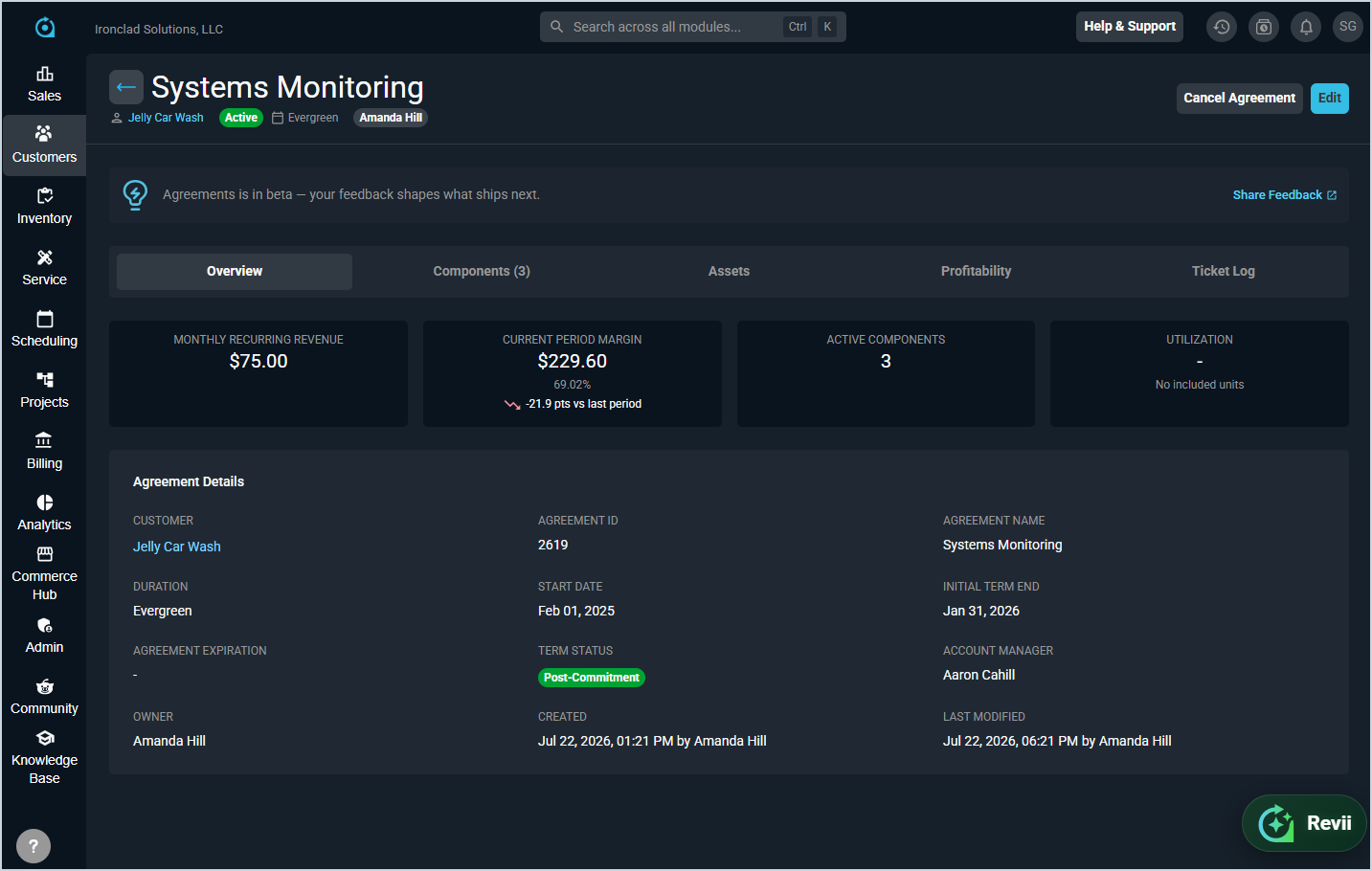
The following actions are available from the header.
- Edit the agreement by clicking Edit.
- Cancel the agreement by clicking Cancel Agreement.
- Return to the Agreements List view by clicking the back arrow.
The agreement details screen is organized into four tabs: Overview, Components, Profitability, and Ticket Log. Summary metrics are displayed at the top of the screen across all tabs and include the following.
| Metric | Definition |
|---|---|
| Monthly Recurring Revenue | Total monthly recurring revenue generated by the agreement's active components. |
| Current Period Margin | Margin for the current billing period across all active components. |
| Active Components | Number of currently active components on the agreement. |
| Utilization | Percentage of included hours used across all block hour pools on the agreement. |
The Agreement Details section on the Overview tab displays core information about the agreement. Each field is defined below.
| No. | Label | Definition |
|---|---|---|
| 1 | Customer | Customer the agreement belongs to. |
| 2 | Agreement ID | Unique numerical identifier for the agreement. |
| 3 | Agreement Name | Name of the agreement. |
| 4 | Duration | Duration type of the agreement, such as Evergreen. |
| 5 | Start Date | Date the agreement begins. |
| 6 | Initial Term End | Date the initial term of the agreement ends. |
| 7 | Agreement Expiration | Date the agreement expires, if applicable. |
| 8 | Term Status | Current term status of the agreement, such as Initial Term. |
| 9 | Account Manager | User assigned as the account manager for the agreement. |
| 10 | Owner | User assigned as the owner of the agreement. |
| 11 | Created | Date and user who created the agreement. |
| 12 | Last Modified | Date and user who last modified the agreement. |
For information on the other tabs on the agreement details screen, see the following articles.