
View Collection Batch History Details
The Collection Batch History screen lets you review the processing history for the letter collection step and download generated documents as PDFs for reference or recordkeeping.
| NOTE: This screen is only available for the Letter collection step. |
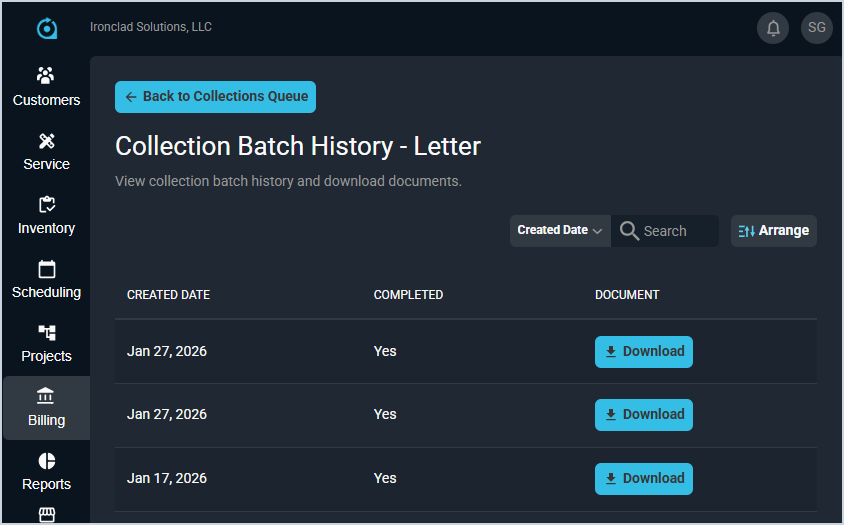
Each field on the Collection Batch History screen is defined below.
| No. | Label | Definition |
| 1 | Created Date | Date the document was created for the collection step execution. |
| 2 | Completed | Yes displays if the collection step was completed. No displays if the collection step was not completed. |
| 3 | Document | Click the Download button to download the document(s) related to the collection step. |
These actions are available on the Collection Batch History screen.
- Search the records displayed on this view by selecting a column from the dropdown above the grid and entering text in the Search field. The list view updates to display records matching your search in the column you selected.
- Customize which columns display in the list view and the order in which they display by clicking the Arrange button and making the desired changes. See the Arrange Columns article for more information.
- Download the document(s) as a .PDF file by clicking the Download button in the Document column.