
Add/Edit Project Milestones
The Add Milestone button on the Overview tab allows you to mark critical dates and deadlines within a project. Milestones help teams track whether key events have occurred on time, making it easy to see at a glance where the project stands relative to its most important targets. Once a milestone has been reached, you can mark it as complete directly from the Overview tab.
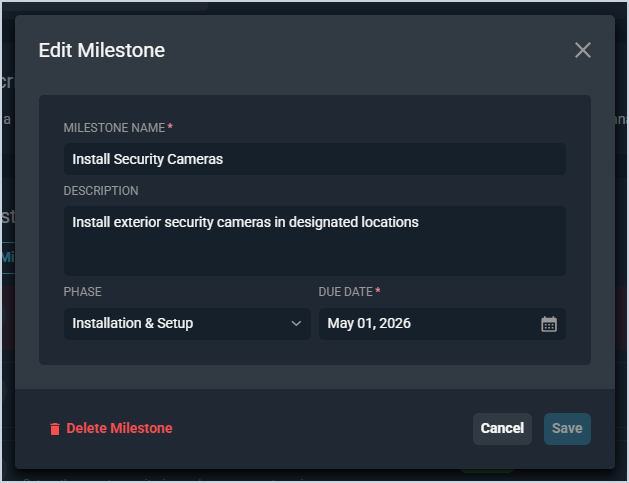
Each field in the Add/Edit Milestone modal is defined below.
| No. | Label | Definition |
| 1 | Milestone Name | Name of the milestone. This field is required. |
| 2 | Description | Description of the milestone. |
| 3 | Phase | The phase the milestone is associated with. Select a phase from the dropdown. |
| 4 | Due Date | The date the milestone is due. This field is required. |