
Number Management: Group Details
The group details screen shows a summary of a number group and every telephone number in it, including who each number is assigned to. To open it, click the three-dot menu at the end of a group's row on the Number Management screen and select View.
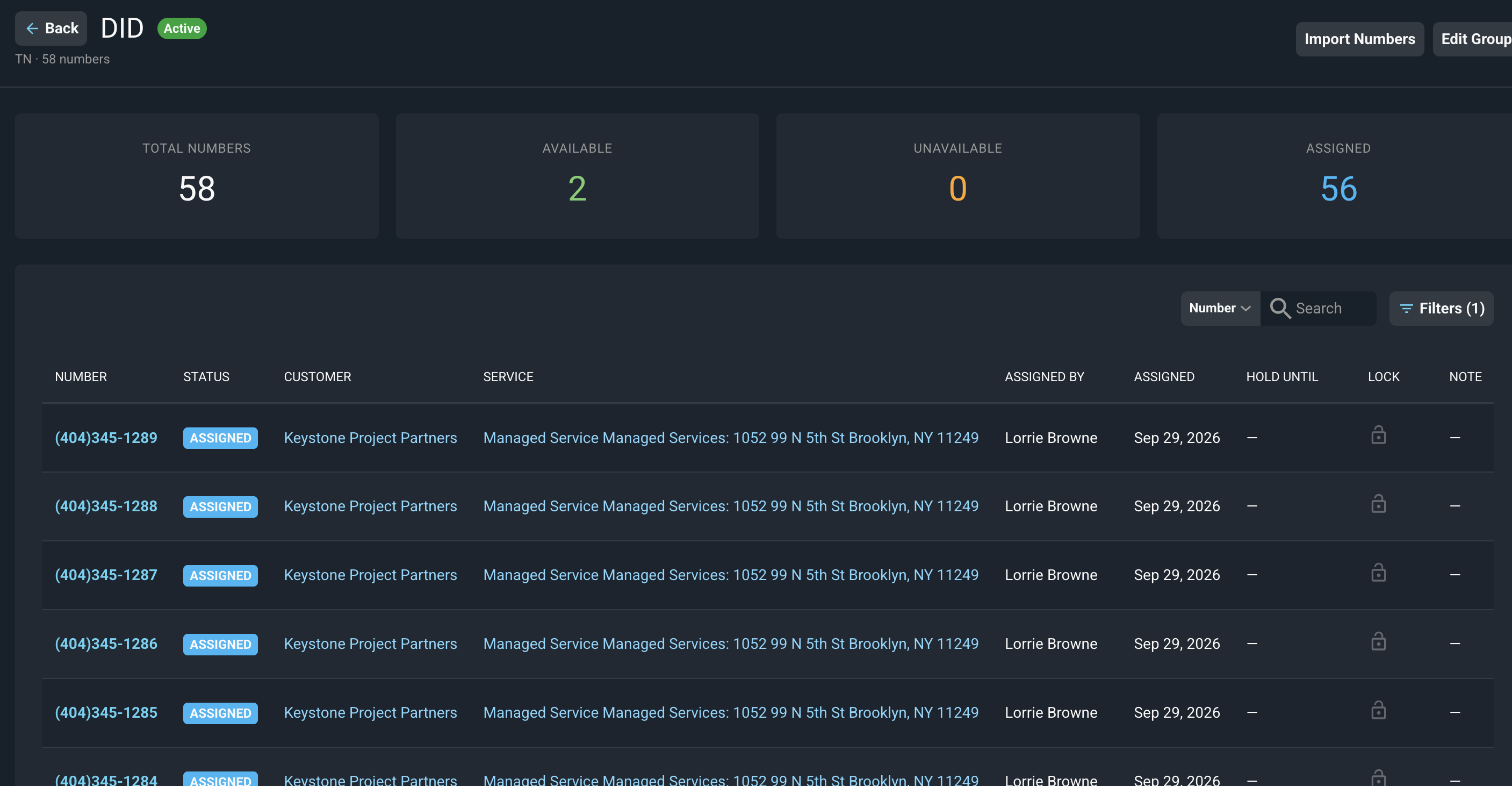
The metrics at the top of the screen are defined below.
Label | Definition |
|---|---|
Total Numbers | The total number of numbers in the group. |
Available | The number of numbers that are available to assign to a customer. |
Unavailable | The number of numbers that are currently unavailable. |
Assigned | The number of numbers that are assigned to a customer's service. |
Each column in the list of numbers is defined below.
No. | Label | Definition |
|---|---|---|
1 | Number | The telephone number. |
2 | Status | The current status of the number, such as Assigned. |
3 | Customer | The customer the number is assigned to. |
4 | Service | The recurring service the number is assigned to. |
5 | Assigned By | The user who assigned the number. |
6 | Assigned | The date the number was assigned. |
7 | Hold Until | The date the number is on hold until, if applicable, based on Unavailable Reasons defined in System Tables > Number Management |
8 | Lock | Shows whether the number is locked. |
9 | Note | Any note saved for the number. |
These actions are available on the group details screen.
- Return to the Number Management list by clicking the Back button.
- Search for a number by selecting a field from the dropdown next to the Search box (set to Number by default) and entering text.
- Filter the numbers displayed by clicking the Filters button. The number on the button shows how many filters are currently applied.
- Open a customer by clicking the customer name in the Customer column.
- Open the service a number is assigned to by clicking the service in the Service column.
- Add numbers to the group by clicking the Import Numbers button. See the Number Management: Import Numbers article for more information.
- Update the group's settings by clicking the Edit Group button. See the Add/Edit Number Groups article for more information.
NOTE: Numbers are assigned to customers from the customer's recurring service. See the Assigning Telephone Numbers to Recurring Services article for more information. |
Related Articles
- Number Management: Overview
- Number Management: List View
- Number Management: Import Numbers
- Assigning Telephone Numbers to Recurring Services
- System Settings: System Tables - Number Management