
Workflows: Notifications
The Notifications tab displays all workflow notifications configured for the selected context. Workflow notifications are automated alerts that fire when a specific event occurs in the system, such as a ticket being created or a ticket status being updated. All workflow notifications you have previously built are still in place and accessible from this tab, now organized by context.
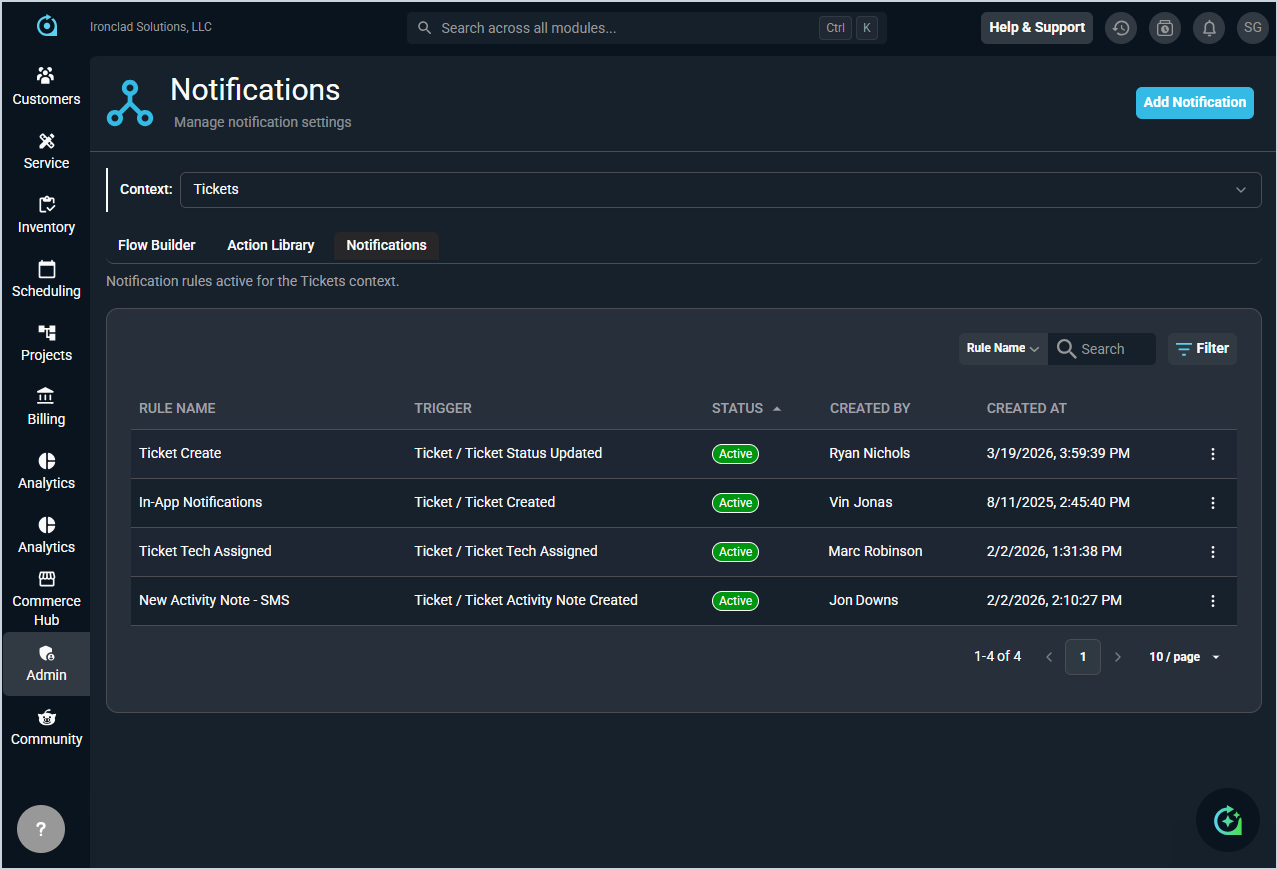
Each field on the Notifications tab is defined below.
| No. | Label | Definition |
| 1 | Rule Name | Name of the workflow notification. |
| 2 | Trigger | Module and event that triggers the workflow notification, displayed as Module / Event. |
| 3 | Status | Current status of the workflow notification. Status options include Active, Inactive, and Incomplete. |
| 4 | Created By | User who created the workflow notification. |
| 5 | Created At | Date and time the workflow notification was created. |
The following actions are available on the Notifications tab.
- Create a new workflow notification by clicking the Add Notification button. See the Create/Edit Workflow Notifications article for more information.
- Search for a workflow notification by selecting a column from the dropdown and entering text in the Search field.
- Filter the workflow notifications displayed by clicking the Filter button and selecting the desired filter criteria.
- Sort the results in the table by clicking the column label in the table header.
- View more details for a workflow notification by clicking the row or by clicking the ellipsis at the end of the row and selecting View.
- Edit a workflow notification by clicking the ellipsis at the end of the row and selecting Edit. See the Create/Edit Workflow Notifications article for more information.
- Export a workflow notification by clicking the ellipsis at the end of the row and selecting Export.
- Activate or deactivate a workflow notification by clicking the ellipsis at the end of the row and selecting Activate or Deactivate.
- See the Configuring Billing Email Notifications article for specific instructions for billing invoice email notifications.