
Add/Edit Project Phases
The Add Phase button on the Overview tab allows you to break a project into clear, manageable phases. Phases help organize work by grouping related tasks, tickets, and time, making it easier to track progress and understand where each part of the project stands.
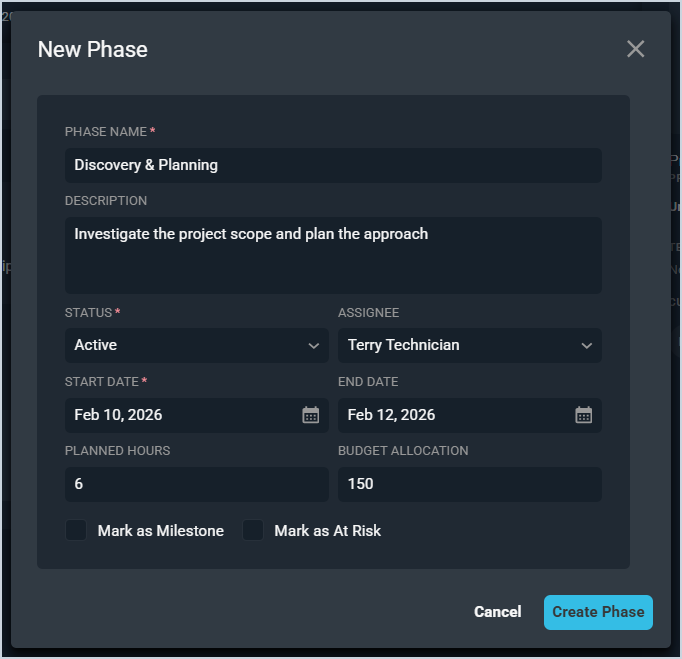
Each field on the New Phase window is defined below.
| No. | Label | Definition |
| 1 | Phase Name | Name of the phase. |
| 2 | Description | Description of the phase. |
| 3 | Status | Status of the phase. Status options include Active, Completed, On Hold, and Planned. |
| 4 | Assignee | Technician assigned to the phase. |
| 5 | Start Date | Start date for the phase. |
| 6 | End Date | End date for the phase. |
| 7 | Planned Hours | Estimated number of hours planned for the phase. |
| 8 | Budget Allocation | Estimated dollar value planned for the phase. |
| 9 | Mark as Milestone | This option is currently not available. |
| 10 | Mark as At Risk | This option is currently not available. |