
Workflows: Action Library
The Action Library displays all reusable actions available for use in flows. Actions are built once and can be added to as many flows as needed, eliminating the need to recreate the same action each time you want to use it.
To access the Action Library, navigate to Admin > Workflows > Action Library tab.
| NOTE: The Action Library is only available in the Tickets context. Today, actions support task creation only. Additional action types, such as calendar events, will be added in future releases. |
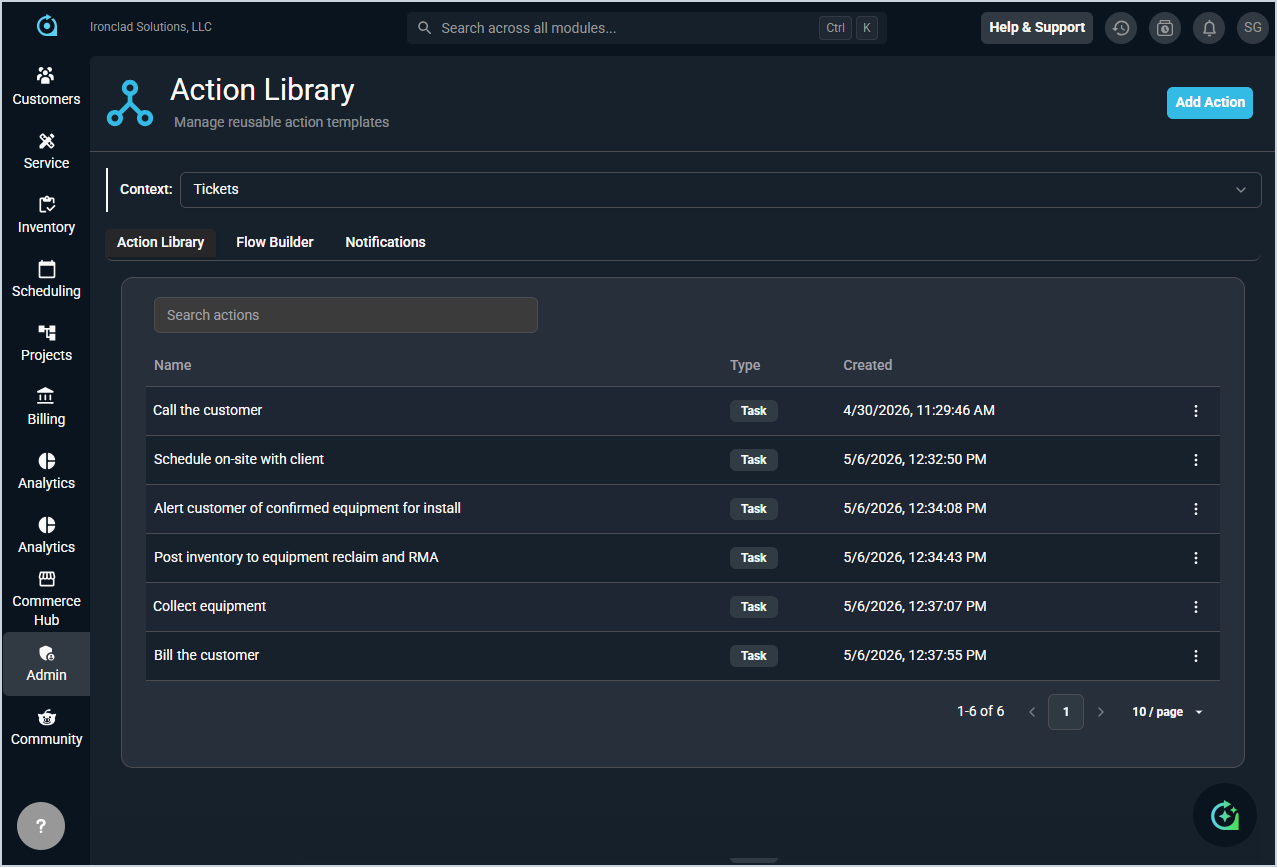
Each field in the Action Library is defined below.
| No. | Label | Definition |
| 1 | Name | Name of the action. |
| 2 | Type | Type of action. Task is currently the only supported option. |
| 3 | Created | Date and time the action was created. |
Available Actions
The following actions are available in the Action Library.
- Create a new action by clicking the Add Action button. See the Create/Edit Workflow Actions article for more information.
- Search for an action by entering text in the Search Actions field.
- View an action by clicking the ellipsis at the end of the action row and selecting View.
- Edit an action by clicking the ellipsis at the end of the action row and selecting Edit.