
Add/Edit Rate Deck Groups
The Rate Deck Groups tab in the Metered Usage category on the System Settings screen allows you to manage various rate deck groups in your database. Rate deck groups allow you to ensure you have rate decks for each type of usage that could occur by grouping individual rate decks into rate deck groups. These groups make it easy to manage usage rating by copying a rate deck group and switching out one rate deck for another in the new rate deck group if you need to rate usage differently for a specific usage type for different customers or services.
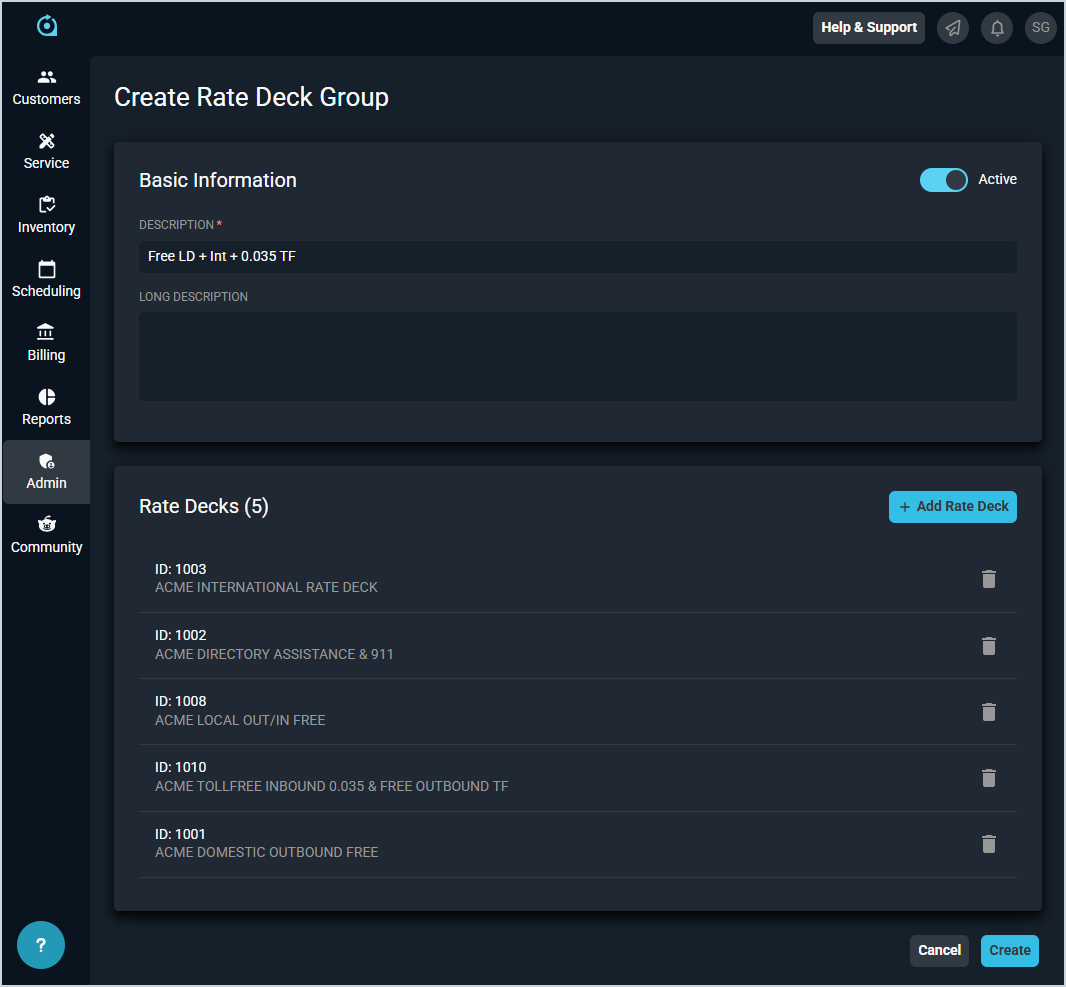
Each field on the New Rate Deck Group screen is defined below.
| No. | Label | Definition |
| Basic Information | ||
| 1 | Active | Indicates the rate deck group is currently active. |
| 2 | Description | Description or name for the rate deck group. |
| 3 | Long Description | Long description for the rate deck group. |
| Rate Decks | ||
| 3 | Add Rate Deck | Click the Add Rate Deck button to select from a list of rate decks in your instance. |
| 4 | ID | Numerical identifier for the rate deck group. |
| 5 | Description | Description or name for the rate deck group. |
The following actions are available on the Create/Edit Rate Deck Group screens.
- Add a new rate deck to the group by clicking the Add Rate Deck button and selecting a rate deck from the list.
- Delete a rate deck from the group by clicking the delete icon at the end of the rate deck's row in the Rate Decks section.