
Add/Edit Recurring Services
The Add Recurring Service and Edit Recurring Service screens allow you to create and manage recurring services on a customer account, including service type, provider, address, products, and billing settings. A recurring service is the main record that products and their associated recurring charges are grouped under for billing purposes.
| NOTE: Once a quote reaches a Completed Status (signed by all signers), the system automatically creates a new recurring service in a Pending Status containing all recurring products on the quote. |
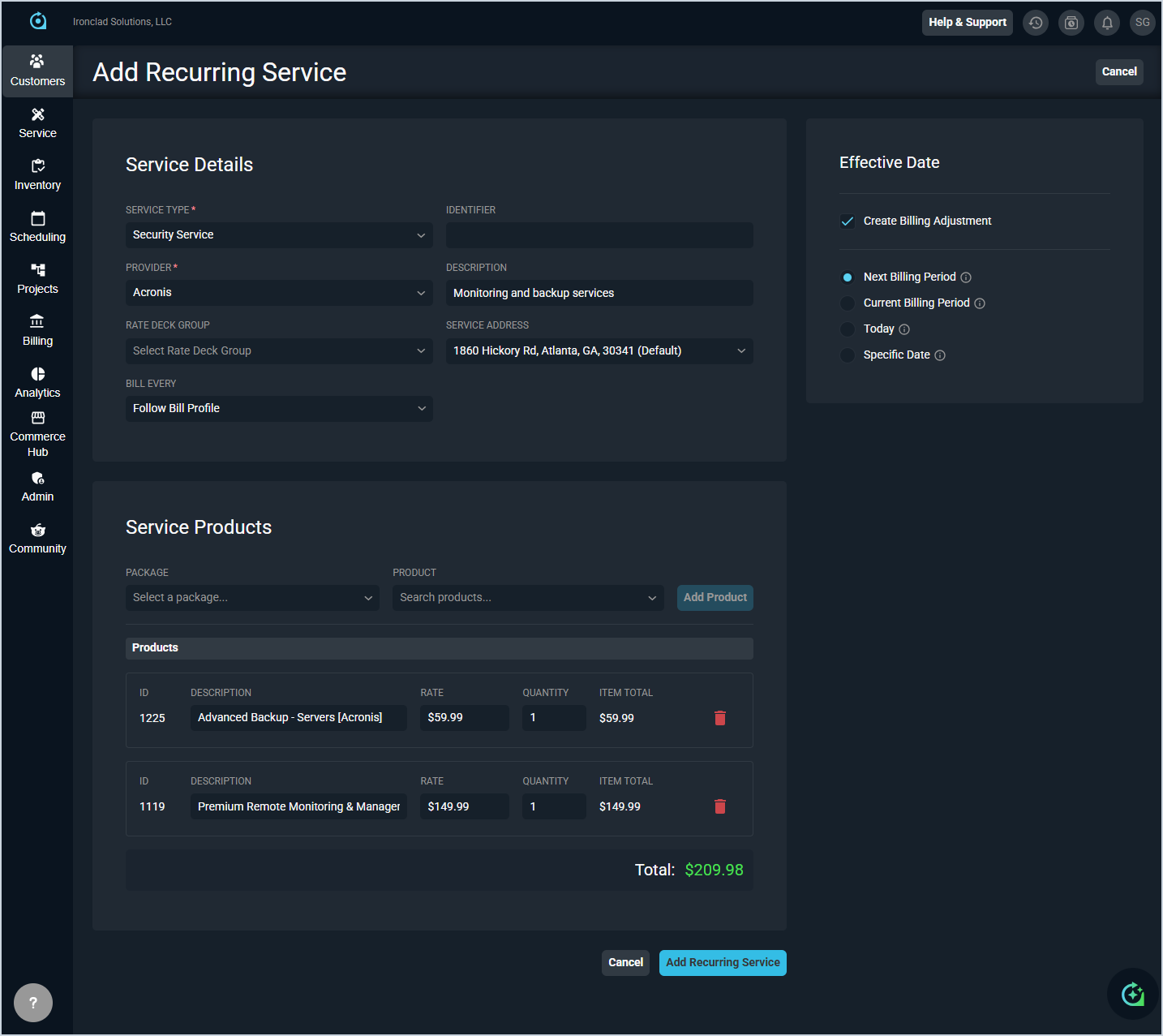
Each field on the Add/Edit Recurring Service screen is defined below.
| No. | Label | Definition |
| Service Details | ||
| 1 | Service Type | Type of service being added, such as Voice Services, Data Service, or Managed Services. |
| 2 | Identifier | Identifier for the service. For telecom services, this is the telephone number or other service identifier. This field can be left blank for most other services. If left blank, the system will assign a numerical Service ID for reference. |
| 3 | Provider | Provider associated with the service. |
| 4 | Description | Description of the service. |
| 5 | Rate Deck Group | Rate deck group associated with the service, if applicable. |
| 6 | Service Address | Address associated with the service. |
| 7 | Bill Every | Billing frequency for the service. Defaults to Follow Bill Profile. |
| Effective Date | ||
| 8 | Create Billing Adjustment | When checked, a billing adjustment will be created to account for any charges between the effective date and the next billing period. |
| 9 | Next Billing Period | Sets the effective date to the start of the next billing period. Changes take effect next billing period. No billing adjustment will be created. |
| 10 | Current Billing Period | Sets the effective date to the start of the current billing period. Changes apply from the start of this period. Billing adjustment for the full period. |
| 11 | Today | Sets the effective date to today's date. Changes take effect today. Billing adjustment for the remaining period. |
| 12 | Specific Date | Sets the effective date to a date you specify. Changes take effect on selected date. Billing adjustment if within current or past periods. |
| Service Products | ||
| 13 | Package | Package to filter the available products by, if applicable. |
| 14 | Product | Product to add to the service. Search for a product and click Add Product to add it to the service. |
| 15 | ID | System-assigned identifier for the product. |
| 16 | Description | Name of the product. |
| 17 | Rate | Billing rate for the product. |
| 18 | Quantity | Quantity of the product to include in the service. |
| 19 | Item Total | Total charges for the product based on the rate and quantity. |
The following actions are available on the Add/Edit Recurring Service screen.
- Add a product to the service by selecting a package and product and clicking the Add Product button.
- Edit a product's Description, Rate, or Quantity by typing directly in the product's row.
- Remove a product from the service by clicking the delete icon at the end of the product row.
- Save the recurring service by clicking the Add Recurring Service button.
- Discard changes and return to the previous screen by clicking Cancel.