
Customer Profile: Servicing Section - Service Information Tab
The Service Information tab on the Customer Profile screen displays the default service settings configured for the customer record, including the default ticket type, primary technician, and SLA policy. These defaults are applied automatically when new tickets are created for this customer.
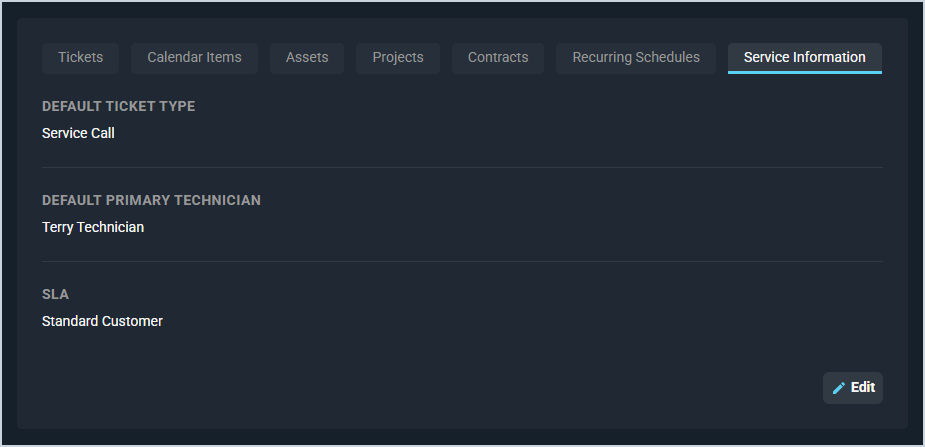
Each field on the Service Information tab is defined below.
| No. | Label | Definition |
| 1 | Default Ticket Type | Default ticket type applied when a new ticket is created for this customer. Ticket type options are configured in System Settings: System Tables - Ticket. |
| 2 | Default Primary Technician | Default technician assigned as the primary tech when a new ticket is created for this customer. |
| 3 | SLA | SLA policy assigned to this customer. The assigned policy determines the response and resolution time targets that appear on the customer's tickets. See the System Settings: SLA Policies article for more information. |
The following actions are available on the Service Information tab.
- Edit the service information settings by clicking the Edit button.
Tabs in the Servicing Section
For information on other tabs in the Servicing section of the Customer Profile screen, see the related articles.
- Customer Profile: Servicing Section - Tickets Tab
- Customer Profile: Servicing Section - Calendar Items Tab
- Customer Profile: Servicing Section - Assets Tab
- Customer Profile: Servicing Section - Projects Tab
- Customer Profile: Servicing Section - Contracts Tab
- Customer Profile: Servicing Section - Recurring Services Tab