Add/Edit Datasets
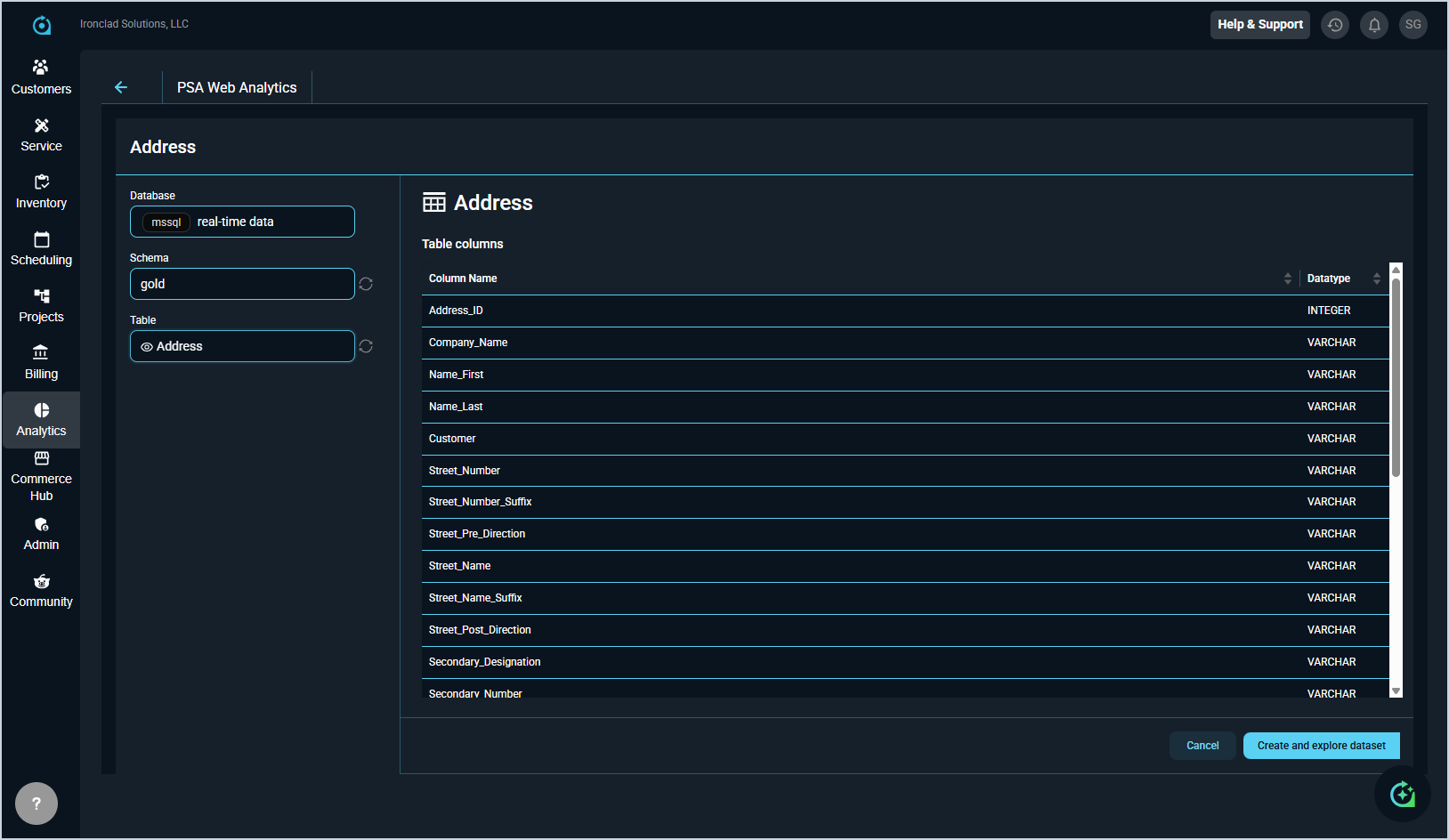
Clicking + Dataset from the Datasets list view opens the Add Dataset screen. Here you can select the Database, Schema, and Table that will serve as the source for your new dataset. A preview of the table's columns and their data types is displayed on the right side of the screen to help you confirm you have selected the correct source.
Once you have selected your table, click Create and explore dataset to create the dataset and be redirected to the chart builder, where you can immediately begin building a visualization using your new dataset. For detailed information on configuring and saving your chart from there, see the Add/Edit Charts article.
| NOTE: Only create a new dataset if you need a data source that does not already exist. Always check the existing dataset list first. Our analytics team may have already built what you need. |