
Recently Viewed
The Recently Viewed icon in the top right toolbar displays a list of the customers and tickets you have visited most recently, allowing you to quickly navigate back to records you were working on without having to search for them. Click the Recently Viewed icon to open the panel.
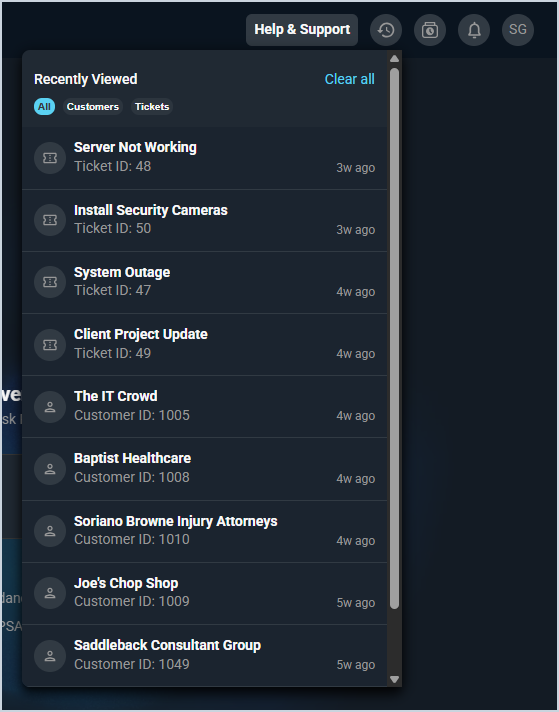
Each field in the Recently Viewed panel is defined below.
| No. | Label | Definition |
| 1 | Name | Name of the recently viewed record. |
| 2 | ID | Identifier for the record, displayed as either a Customer ID or Ticket ID. |
| 3 | Time | How long ago the record was last viewed. |
The following actions are available in the Recently Viewed panel.
- Clear all recently viewed records by clicking Clear All.
- Filter the list to show all records, customers, or tickets by clicking the All, Customers, or Tickets tabs at the top of the panel.
- Navigate to a record by clicking it in the list.