
Add/Edit Projects
The New Project and Edit Project screens allow you to create and edit projects for managing related work items. A 'project' in Rev.io represents a collection of related work, such as tasks, tickets, and phases, managed together to achieve a defined outcome.
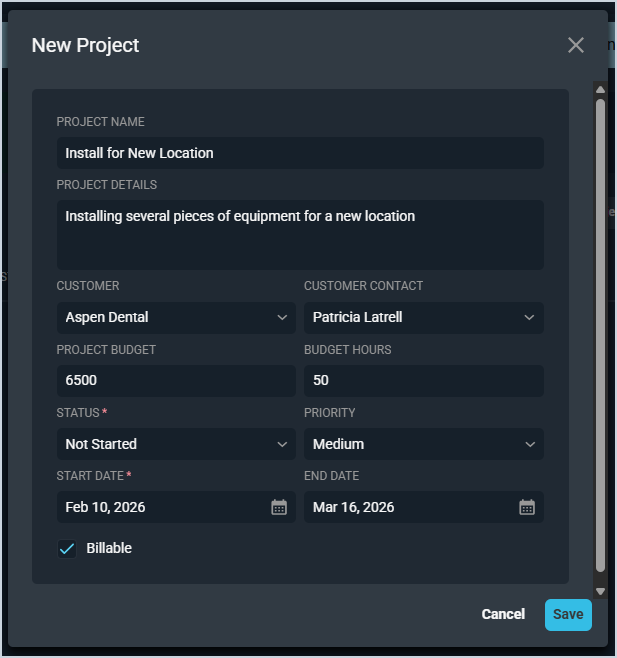
Each field on the New Project modal is defined below.
| No. | Label | Definition |
| 1 | Project Name | Name of the project. |
| 2 | Project Details | Additional details or description for the project. |
| 3 | Customer | Customer account for which the project was created. |
| 4 | Customer Contact | Contact at the customer's company for the project. |
| 5 | Project Budget | Estimated budget for the project. |
| 6 | Budget Hours | Estimated number of hours budgeted for the project. |
| 7 | Status | Status of the project. Status options include Active, Complete, Not Started, In Progress, At Risk, On Hold, and Cancelled. |
| 8 | Priority | Priority of the project. Priority options include High, Medium, and Low. |
| 9 | Start Date | Start date for the project. |
| 10 | End Date | End date for the project. |
| 11 | Billable | Check this option to indicate the project is billable. |
| 12 | Mark as At Risk | Check this option to indicate the project is at risk. |