
Bulk Product Import: Overview
The Bulk Product Import tool allows you to create multiple products in your Rev.io catalog at once by uploading a CSV or Excel file. This is useful when adding a large number of new products and eliminates the need to create them one at a time. The Bulk Product Import tool is accessible from Admin > Bulk Tools > Bulk Product Import.
The import process runs through four steps: Upload File, Validate, Review, and Results.
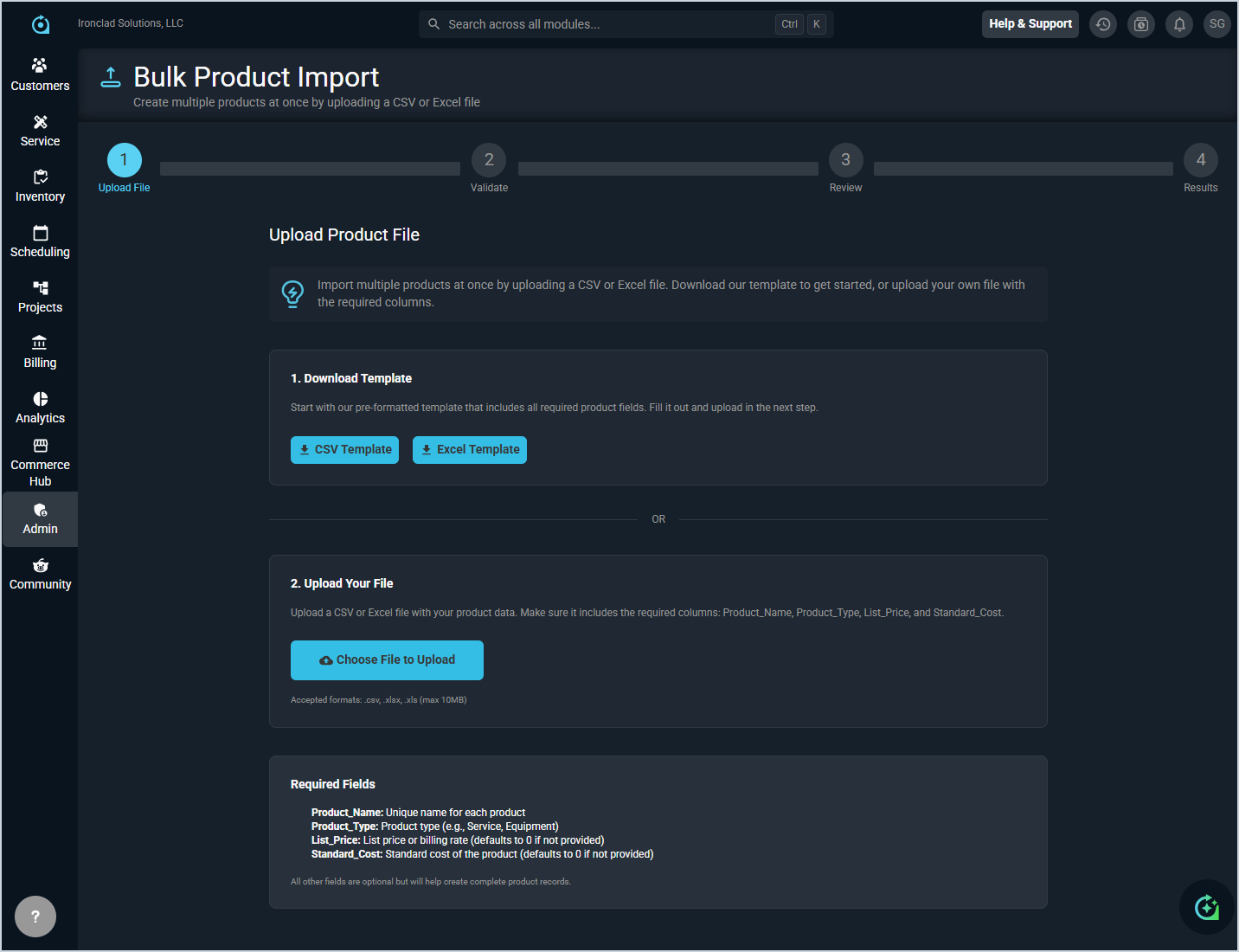
Step 1: Upload File
In the Upload File step, prepare and upload your product file. You can either download a pre-formatted template and fill it out, or upload your own file as long as it includes the required columns.
- Download a pre-formatted template by clicking the CSV Template or Excel Template button. The template includes all required product fields.
- Upload your completed file by clicking the Choose File to Upload button. Accepted formats are .csv, .xlsx, and .xls with a maximum file size of 10MB.
Your file must include the following required columns. All other fields are optional but will help create more complete product records.
- Product_Name: Unique name for each product.
- Product_Type: Product type, such as Service or Equipment.
- List_Price: List price or billing rate. Defaults to 0 if not provided.
- Standard_Cost: Standard cost of the product. Defaults to 0 if not provided.
Step 2: Validate
In the Validate step, Rev.io checks your file for errors and confirms that all required fields are present and correctly formatted before the import runs.
Step 3: Review
In the Review step, you can review the records that will be created before committing to the import.
Step 4: Results
The Results step displays the outcome of the import, including the number of records successfully created and any records that failed. See the Bulk Operation History: Overview article for more information on reviewing past import results.