
Create/Edit Quoting Macros
Quoting macros allow you to pre-define a set of products and services that can be quickly applied when building quotes, saving time on frequently quoted configurations. You can create and manage quoting macros from the Quoting Macros list view, accessible by navigating to Admin > Quotes and clicking the Quoting Macros tab.
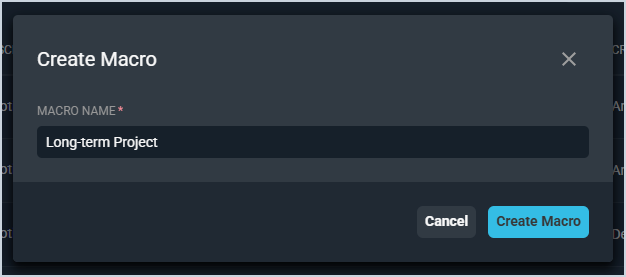
To create a new quoting macro, click Create Macro, enter a Macro Name, and click Create Macro to open the macro editor. To edit an existing macro, click the ellipsis next to the macro in the list and select Edit.
Products and Services
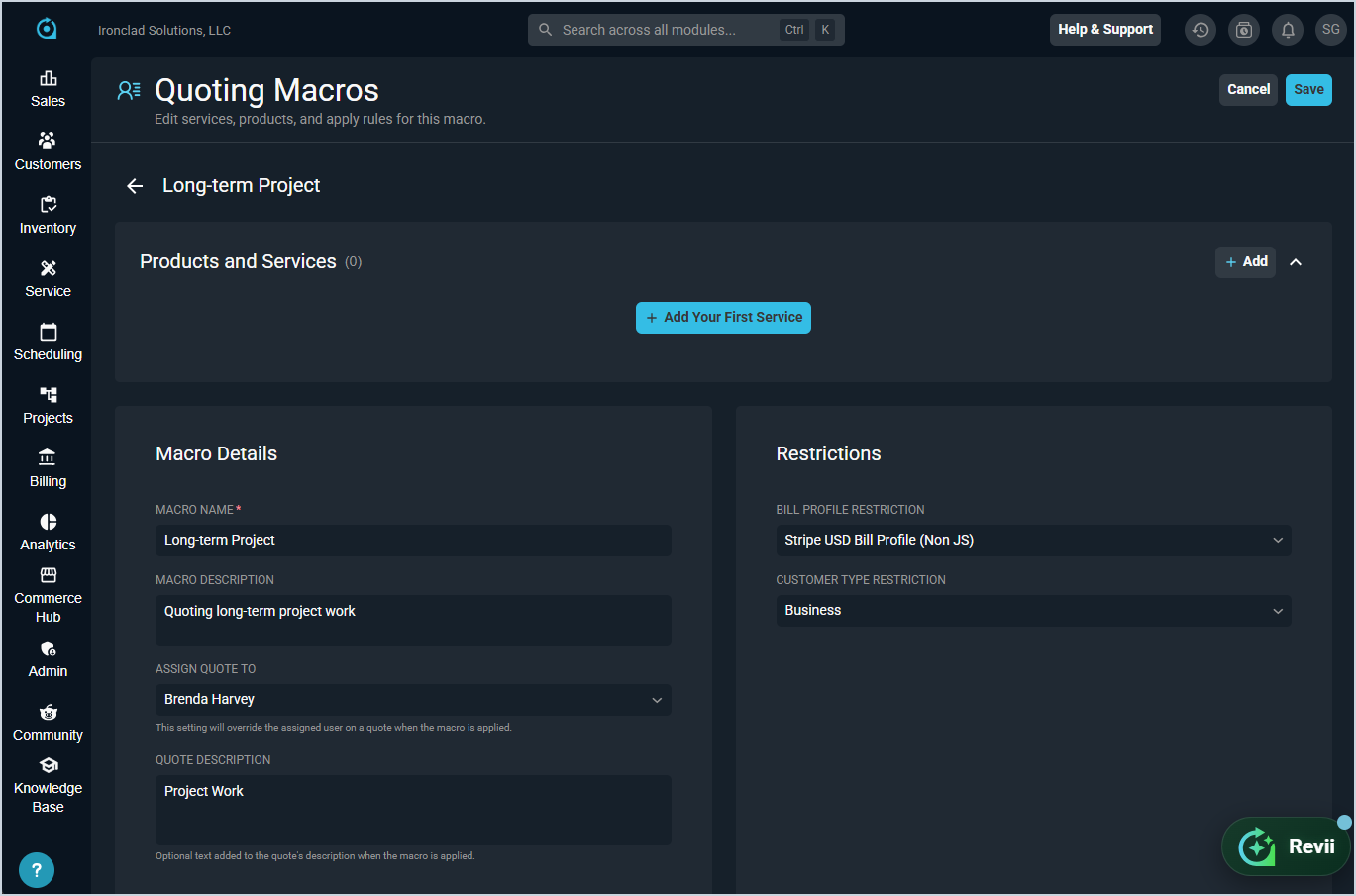
The Products and Services section displays the products and services included in the macro. Click Add or Add Your First Service to add items to the macro. Items added here will be pre-populated on a quote when the macro is applied. See the Adding Services, Products, and Packages to Quotes article for more information on adding items to quotes.
Macro Details
The Macro Details section defines the macro's general settings. Each field is defined below.
| No. | Label | Definition |
| 1 | Macro Name | Name of the quoting macro. |
| 2 | Macro Description | Description of the quoting macro. |
| 3 | Assign Quote To | User to assign the quote to when the macro is applied. This setting overrides the assigned user on the quote when the macro is applied. |
| 4 | Quote Description | Optional text added to the quote's description when the macro is applied. |
Restrictions
The Restrictions section limits which quotes the macro can be applied to. Each field is defined below.
| No. | Label | Definition |
| 1 | Bill Profile Restriction | Restricts the macro to quotes for customers with the selected bill profile. If blank, the macro is available for all bill profiles. |
| 2 | Customer Type Restriction | Restricts the macro to quotes for customers of the selected type, such as Business. If blank, the macro is available for all customer types. |
Click Save to save your changes or Cancel to discard them.