
Quote Templates List View
The Quote Templates list view displays every quote template defined in your database. A quote template allows you to standardize the appearance and layout of your quotes. Rev.io provides a few default quote templates, which are available for use in your instance immediately. You can modify these templates directly when creating individual quotes, or you can define your own templates from the Quote Templates list view. See the Create/Edit Quotes article for more information about creating quotes and applying quote templates.
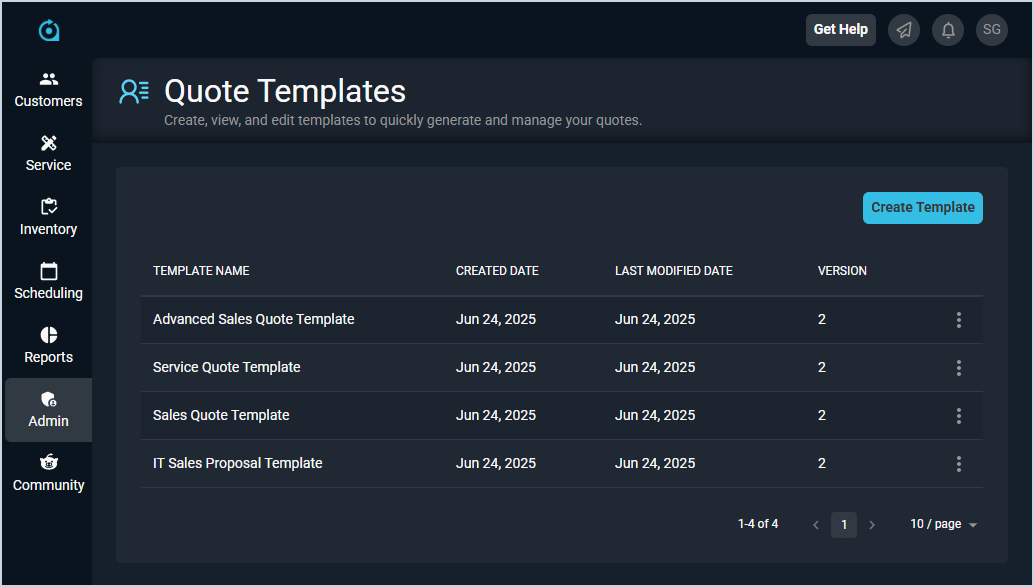
Each field on the Quote Templates list view is defined below.
| No. | Label | Definition |
| 1 | Template Name | Name of the quote template. |
| 2 | Created Date | Date the quote template was created. |
| 3 | Last Modified Date | Date the quote template was last updated. |
| 4 | Version | Version of the quote template. |
These actions are available on the Quote Templates list view.
- Create a new workflow by clicking the Create Template button. See the Create/Edit Quote Templates article for more information.
- Sort the results in the table by clicking the column label in the table header.
- Edit a quote template by clicking the ellipsis at the end of a row and selecting Edit from the menu options. See the Create/Edit Quote Templates article for more information.
- Delete a quote template by clicking the ellipsis at the end of a row and selecting Delete from the menu options.