
The features and updates below will be releasing this Thursday, 7/30/26. Bug fixes and minor updates are released as they are completed throughout the week.
Interested in taking a deep dive on different features in Rev.io? Check out our Power Hour webinar series.
New Features
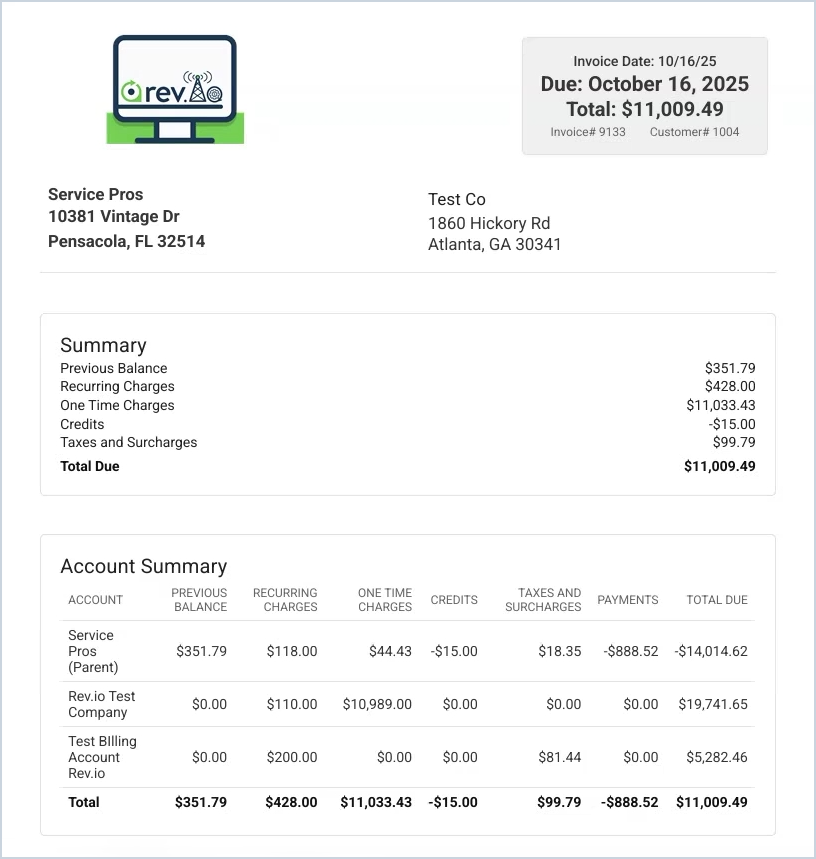
- Parent and child account invoices can now be managed as a unified billing family. In the custom invoice builder, you can display child account details as a summary block or detailed block with full line items, placed anywhere in the layout. Each parent invoice automatically includes the complete individual invoices for every child appended at the end. Parent invoices can be created, downloaded, and paid, including paying a specific child's invoice, directly from the parent account record. In Invoice Management, parent and child invoices are visually marked and can be filtered separately. [65582]
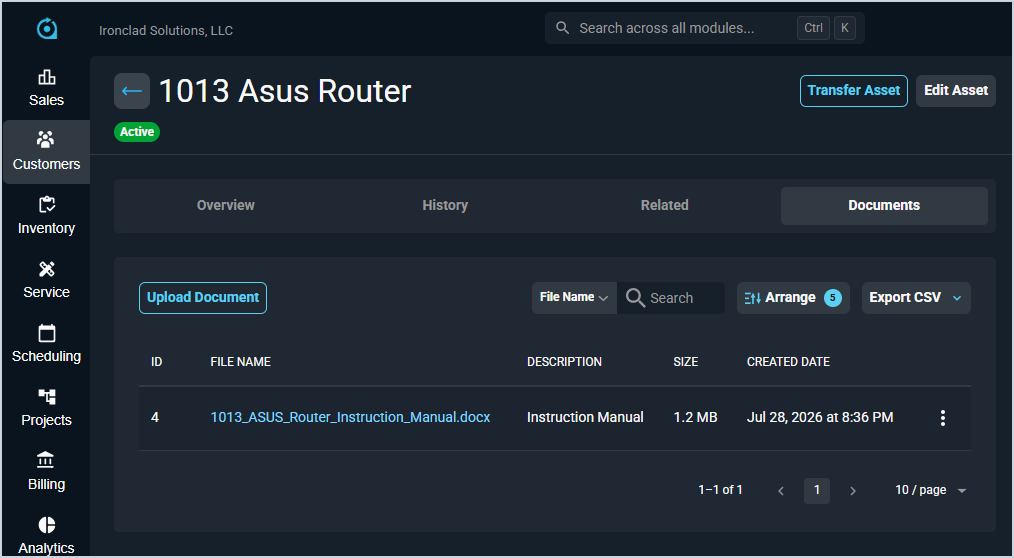
- Documents can now be attached directly to assets, giving technicians quick access to warranty cards, configuration backups, receipts, and service records at the device level. The new Documents tab on the asset detail screen supports uploading, viewing, downloading, editing, and deleting files up to 25 MB with full permission controls. [65725, 65726]
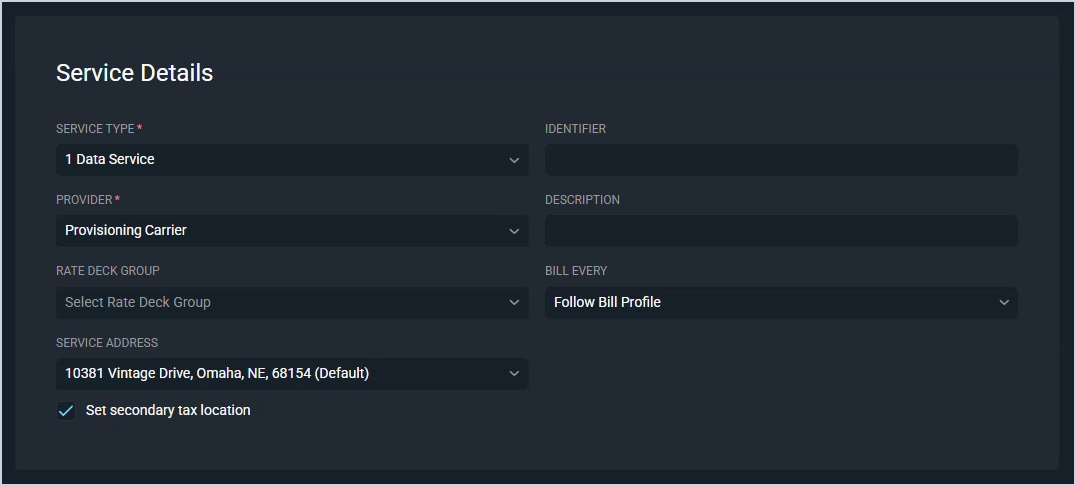
- Split-location taxation for recurring services can now be configured directly in Rev.io by selecting a secondary tax location and specifying the allocation percentage. [65865]
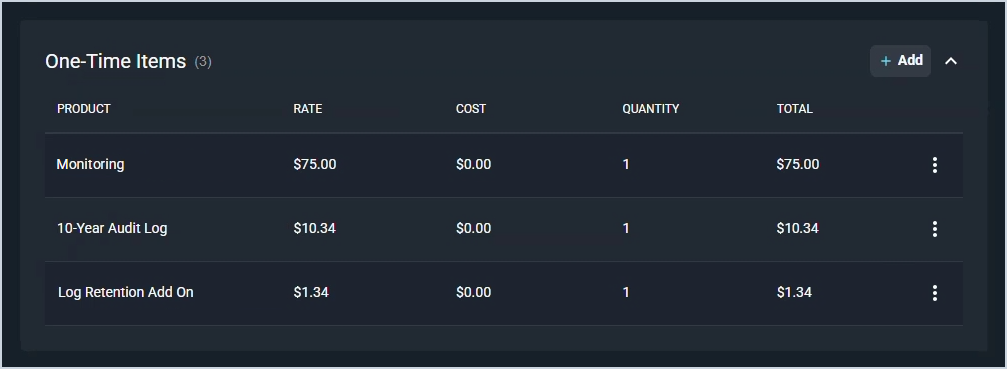
- One-time products can now be added directly to quotes without attaching them to a service, allowing you to quote standalone charges such as hardware or installation fees. A new One-Time Items section on the quote page lets you select products from the catalog and edit the description, quantity, price, and cost. When the quote is approved, these items are automatically added to a one-time items ticket and follow the standard ticket billing process. [65895]
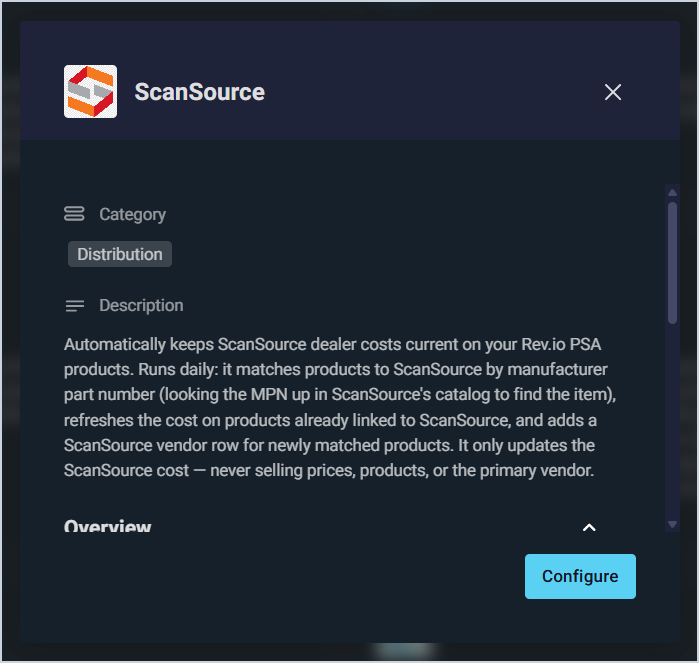
- Rev.io now integrates with ScanSource to automatically sync your dealer product costs daily. The integration updates costs on products already linked to ScanSource and adds ScanSource as a vendor on newly recognized products by manufacturer part number, including obsolete and end-of-life items. The cost written reflects your actual dealer price for your account. Only ScanSource costs are updated; selling prices, primary vendors, and product setup are never affected.
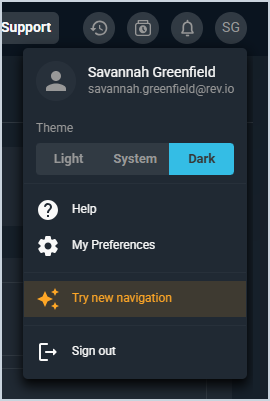
- You can now rearrange and reorder modules and submenu items on the navigation sidebar using the new navigation experience, accessible by clicking Try new navigation under your profile in the top right corner. All changes are saved per user. The panel can be collapsed using the << icon in the top right for a full-width experience, and when collapsed, hovering over the menu icon in the top left of the header lets you peek at the navigation without fully expanding it. Clicking the menu icon anchors the full panel back to the left side of the screen.
Updates
- Sales reps can now capture a Next Step directly on Leads to track the next action needed to qualify or advance a prospect. The free-text field is available when creating and editing Leads and is displayed in the Lead's Stage panel for quick visibility. [65934, 65936]
- The QuickBooks Online integration can now automatically push approved Rev.io purchase orders into QuickBooks Online, eliminating manual re-entry for your AP team. When a purchase order is approved, the integration creates the matching PO in QuickBooks within one poll cycle, resolving the vendor from your provider-to-vendor mapping, applying your Accounts Payable account, and building item-level lines with quantity and rate for linked products. An optional auto-create step handles unlinked products, and a fallback expense account ensures no line is dropped. Shipping address, Ship Via method, and vendor email are also carried over. Each purchase order is pushed exactly once and stamped with its QuickBooks PO ID and status on the Rev.io side. Rejected POs notify their creator and approver with the reason so they can be corrected and retried. The feature is off by default and enabled per instance after mapping vendors and selecting the required accounts.
- Rev.io now automatically creates tickets from Huntress security incidents and ITDR escalations. Endpoint alerts generate EDR Alert tickets with the affected device linked in the Items Serviced tab, while identity incidents and escalations generate ITDR Alert tickets. Severity levels map to ticket priority, a configurable severity floor controls which alerts create tickets, and tickets automatically update and close when Huntress resolves or dismisses the alert. [64773]
- Workflow notification templates now support HTML formatting, allowing you to create more visually rich and structured communications. [61714]
- A new QBR Preparation dashboard is now available in Analytics, designed for users preparing for Quarterly Business Reviews. The dashboard provides a portfolio-level view across all customers, helping you quickly identify which clients need attention and which are your strongest accounts so prep time and outreach go where they matter most. A Quarter filter at the top scopes the revenue and quarter-over-quarter charts to the period you are preparing for, while the client tables show current-state snapshots.
Bug Fixes
- Tags assigned to a customer no longer overflow beyond the visible container on the customer detail page. Tags now wrap to additional lines to ensure all assigned tags remain visible. [65714]
Mobile Updates
Due to App Store and Google Play approval processes, these updates may take time to appear in the app.
- Full lead management is now available in Rev.io Mobile, including viewing, searching, filtering, creating, and editing leads. You can manage lead activity, contacts, and addresses, view and create opportunities and quotes, and convert leads into customers. [60072]
- The mobile app now integrates with the Revii 2.0 backend platform, providing access to enhanced functionality through updated API connections. [64736]
- Recurring services can now be created and edited from the Customer Billing tab in Rev.io Mobile, including managing service details, adding and removing products, adjusting rates and quantities, selecting packages, and modifying package quantities. Custom fields are fully supported, and services can be disconnected when editing using a selected effective date. [65739]
- Analytics dashboards are now available in Rev.io Mobile, giving you access to the same dashboards you use in Rev.io Web directly on your phone or tablet. Tap Analytics from the menu in the top left corner to view your dashboard list, open any dashboard to view its charts and data, and use the filter icon to search and narrow results by name, status, tag, owner, and more. Access follows your existing Rev.io Web permissions. Analytics on mobile is view-only and an internet connection is required as dashboards display live data.