
Starting this week, release notes will be posted every Tuesday, with new features and major updates released on Thursday. Bug fixes and minor updates will continue to be released as they are completed throughout the week.
Interested in taking a deep dive on different features in Rev.io? Check out our Power Hour webinar series! New topics are added to the schedule every week.
New Features
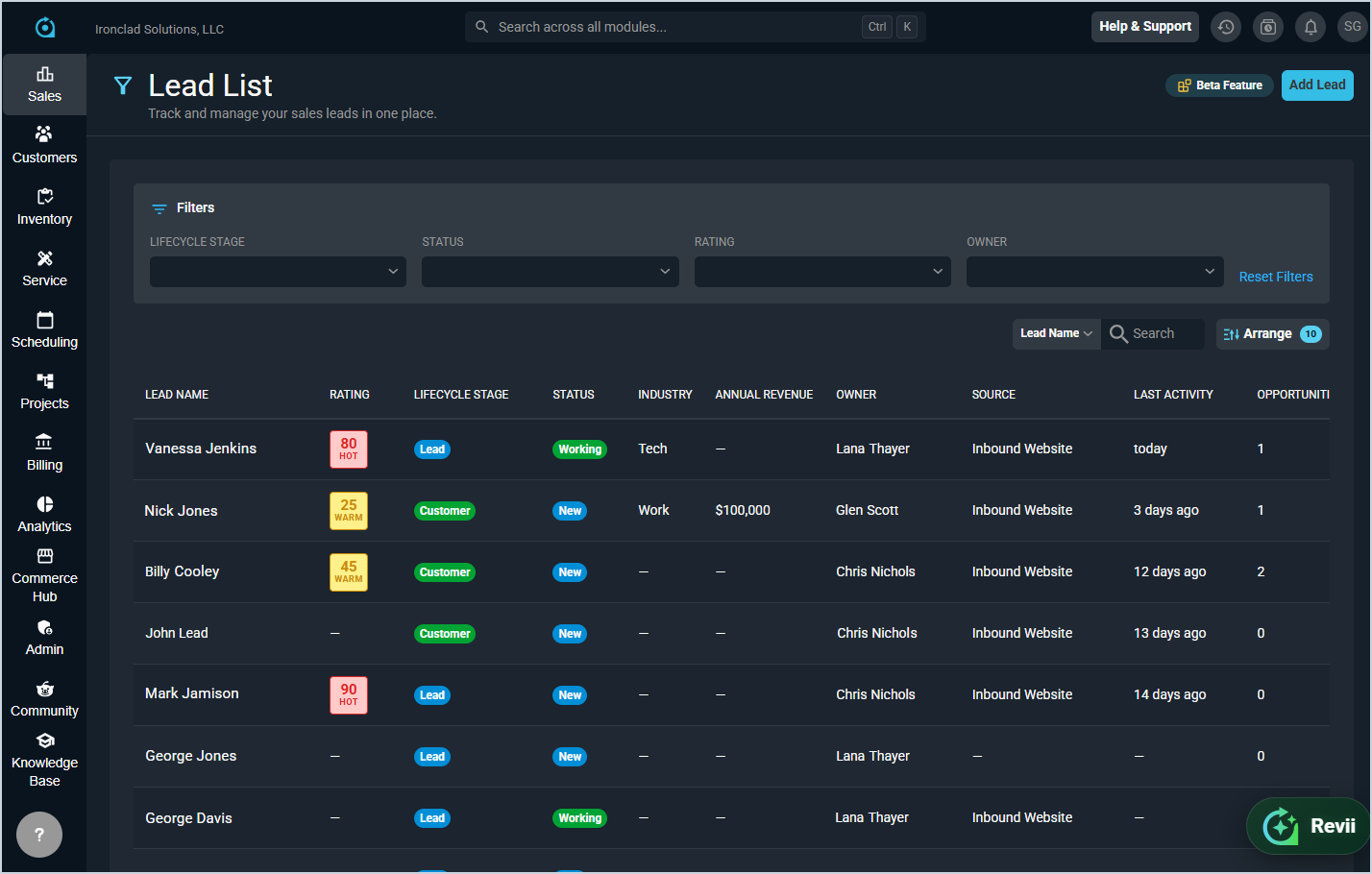
- The new Leads module is now available, allowing you to create and manage leads through a dedicated Lead List page and Lead Profile. The profile includes inline editing for lead information and contact details, a highlights row showing key metrics, and five tabs for managing Contacts, Addresses, Opportunities, Quotes, and Activity. Leads can be converted to customers directly from the lead profile or opportunity detail screen, preserving all associated records on the newly created customer. Revii can also create, view, update, and convert leads directly through chat. [64699, 64726, 64729, 64730, 64731, 65603]
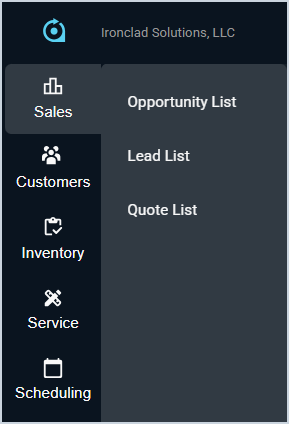
- The new Sales module is now available in the left navigation sidebar, consolidating your sales-related tools in one place. The Opportunity List, Lead List, and Quote List are all accessible from the Sales module, with Opportunities and Quotes moved here from their previous location in the Customer module.
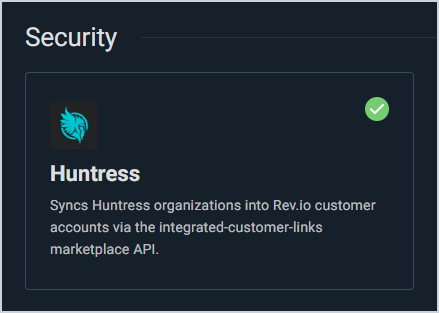
- Rev.io now integrates with Huntress, automatically linking Huntress organizations to customers with confident matches linking automatically and unmatched organizations flagged as Pending for review. Huntress EDR endpoints are synced as equipment assets, matched by serial number, hostname, or MAC address, with new assets created on demand when incidents require them. [64765, 64769]
Updates
- Ticket invoices can now be reversed to return all items back to the original ticket in an unbilled state, allowing you to reinvoice directly from the ticket. The Invoices tab on the customer record now includes a Source Doc column displaying the related ticket ID as a clickable link. [65328]
- The cancel button when adding an item serviced to a ticket is now labeled Close to better reflect its function. [65561]
- The default label for the service number field on services without a configured label now displays as "Identifier" instead of "TN" to better support non-telecom service types. [65736]
Bug Fixes
- The date token for recurring charges on invoices now correctly displays the full charge date range instead of only the start date. [64888]
- Timesheets that contain time entries with zero minutes duration can now be viewed without encountering an error. [65560]
- Tax amounts now display correctly in quote totals on all pages of multi-page proposals in the Quote Viewer. [65612]
- Filtering by package name in the Recurring Services tab search now correctly returns filtered results. [65627]
- Tickets can now be printed without encountering an error. [65631]
- Invoices generated from tickets now correctly include ticket details according to the default invoice template configured in Billing Config > Custom Invoices. [65632]
- Recurring products on the proposal quote block now display their billing frequency label such as "Monthly." [65721]
- The Work Requested field in the customer portal ticket view now correctly displays formatted text instead of raw HTML tags. [65746]
- Products added to a ticket from an approved quote now correctly display the catalog cost instead of the product rate on the Parts and Labor tab. [65599]
Mobile Updates
Due to App Store and Google Play approval processes, these updates may take time to appear in the app.
- Technicians can now view and manage timesheets directly in Rev.io Mobile with daily and weekly utilization summaries, list and timeline views, and the ability to filter and edit time entries. Users with appropriate permissions can also view timesheets for other technicians. [65278]
- Charges, credits, and invoices can now be created for customers directly from Rev.io Mobile through the New Action menu, with support for product selection, rate and quantity entry, and optional invoice generation for outstanding unposted transactions. [65325]
- A Collections section is now available on the Customer Billing tab in Rev.io Mobile, providing read-only access to a customer's collection history with search and expandable cards for detailed information. [65501]