
Check out the latest updates in Rev.io as of 7/16/26!
Interested in taking a deep dive on different features in Rev.io? Check out our Power Hour webinar series! New topics are added to the schedule every week.
New Features
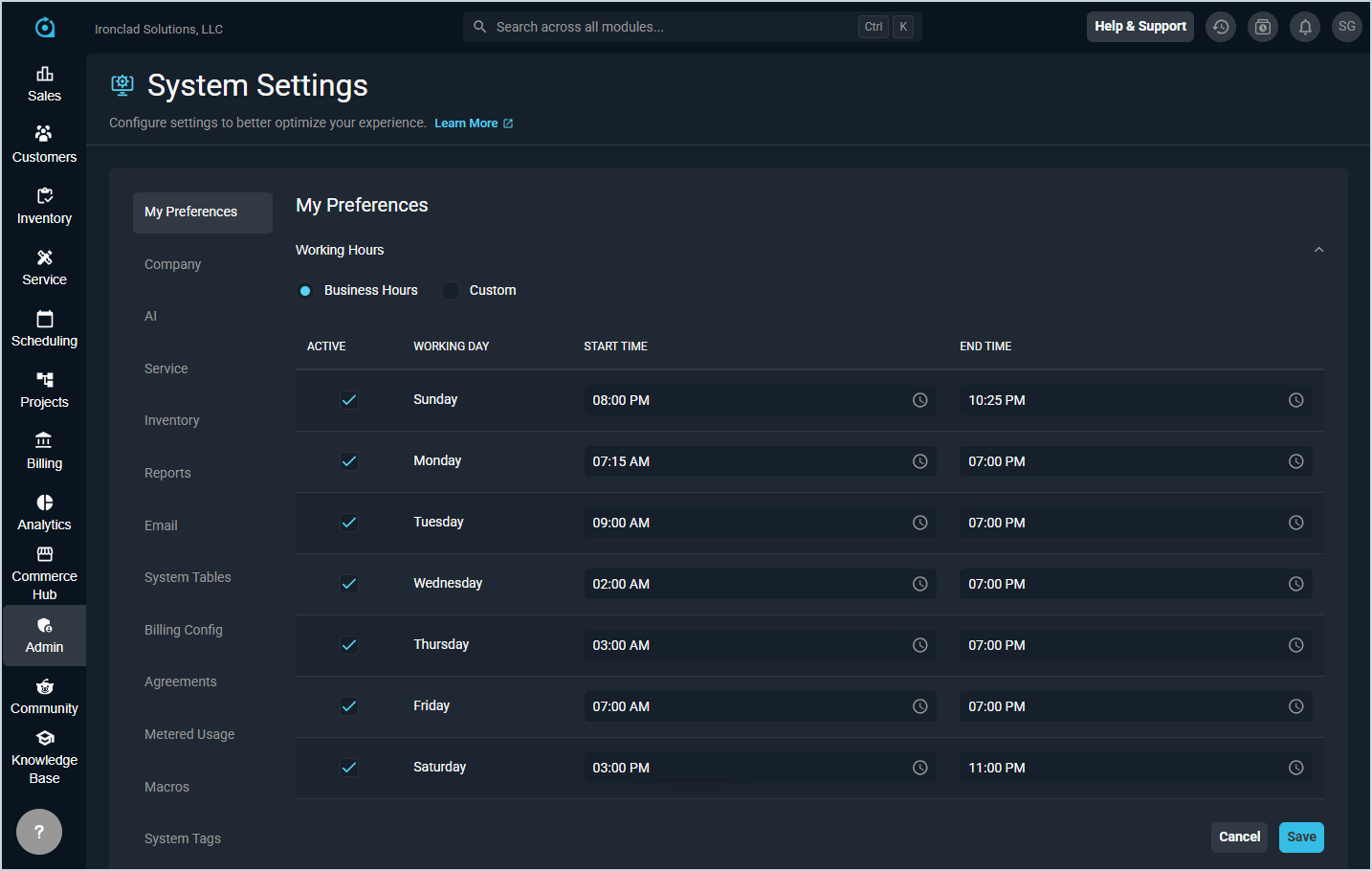
- Users can now define working hours and schedule time off directly in My Preferences, displayed as shaded areas on the calendar and dispatch board to help with accurate scheduling. Users can follow business hours or set custom schedules for each day of the week, and company holidays automatically appear in time off settings. [64696]
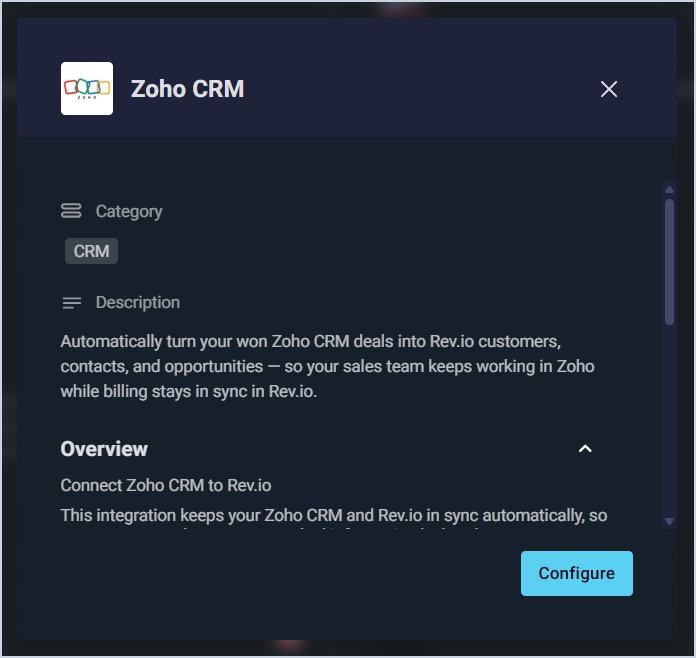
- Rev.io now integrates with Zoho CRM, automatically converting won deals into Rev.io Opportunities along with their associated company and contact as a customer and contact record. The integration maps stage, status, owner, and amount, matches existing records before creating new ones to prevent duplicates, and links every record back to Zoho. Setup is completed through a guided wizard where you connect both systems, select your pipeline and trigger stages, and map your stages.
Updates
- Progressive billing now supports invoicing multiple tickets at once, with system components updated to work independently from the ticketing module for greater flexibility. [65584]
- Payments are now visible in the Unposted tab, allowing you to select them when choosing which transactions to add while creating an invoice. Payment Details also shows the correct Created By user name instead of "system," and the payment amount displays correctly in the invoice grid. [65422]
- Revii can now answer questions using Pax8 catalog, pricing, subscription, and order information, making it easier to research products, understand what a customer already has, and find relevant Pax8 details while working with customers.
- Revii can now answer PSA how-to and product usage questions using content from the PSA Help Center, with articles regularly synced to keep answers grounded in current approved documentation.
- Revii now supports real-time voice conversations, allowing you to speak naturally and hear Revii respond out loud without restarting each turn. Voice mode supports Revii's PSA tools during the conversation with secure connection and AI agent access handled behind the scenes.
- The Revii chat experience has been refreshed with a cleaner launcher, simpler header, and improved conversation history access. Conversation timestamps now appear on hover, full-screen conversations use more of the available space, and expanded table views give you more room to review, sort, and rearrange columns.
- Revii's generated results are now more interactive, particularly for customer and ticket information. Generated tables can show more detail in modal windows, support bulk editing where available, and allow you to click related information to navigate PSA in the background without leaving the conversation. Revii also now uses a shared display experience for more types of PSA information, including products, vendors, inventory, assets, contacts, and more.
- Analytics Revii now runs through the Revii experience with improved routing for analytical questions. Revii can automatically send reporting-style questions to Analytics Revii, stream answers through the chat, and download results as CSV files.
Bug Fixes
- Workflow notification tokens for start and end times now display in the time zone set in the company hours instead of UTC. [65102]
- Creating a ticket from the list view no longer causes the application to lock up when selecting a customer in accounts with a large number of customers. [65285]
- The Payment Summary section on invoices now correctly displays payments received and calculates the total due amount based on the current account balance. [65422]
- When adding parts to a new ticket macro, the product name column now correctly displays the product ID and name instead of the product description. [65556]
- Invoices can now be successfully created from tickets without encountering errors or being unexpectedly logged out. [65607]
Mobile Updates
Due to App Store and Google Play approval processes, these updates may take time to appear in the app.
- Invoices can now be searched by invoice ID and filtered by created date, due date, remaining balance, and overdue status in Rev.io Mobile. Invoice cards now display status on both collapsed and expanded views, with remaining balance shown in the expanded view. [65317]
- The Customer Billing tab in Rev.io Mobile now includes a Recurring Services section for viewing and managing a customer's recurring services and associated products, with search and filter options and the ability to activate pending services directly from the expanded service card. [65500]