
Check out the latest updates in Rev.io as of 6/18/26!
Interested in taking a deep dive on different features in Rev.io? Check out our Power Hour webinar series! New topics are added to the schedule every week.
New Features
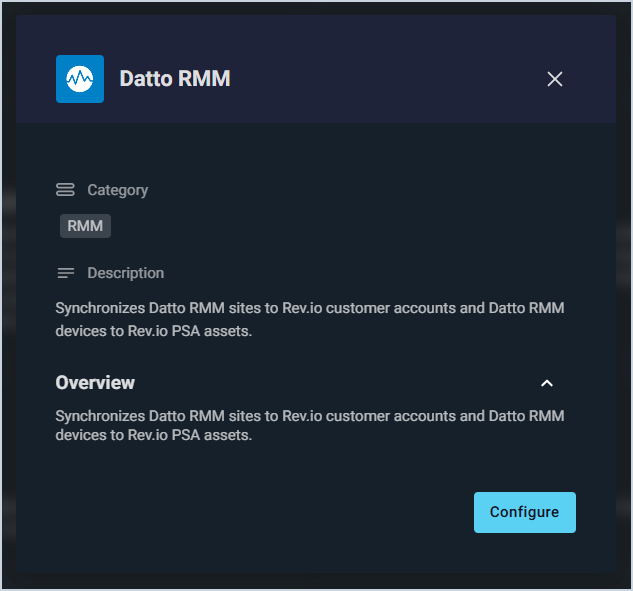
- The Datto RMM integration now syncs monitored devices into Rev.io as assets, automatically creating and updating asset records with details such as operating system, IP address, serial number, model, and antivirus status. Device classes can be mapped to Rev.io asset types, and asset sync can be enabled or disabled at any time. 📍Admin > Integrations Library > Marketplace tab > RMM section. [64753]
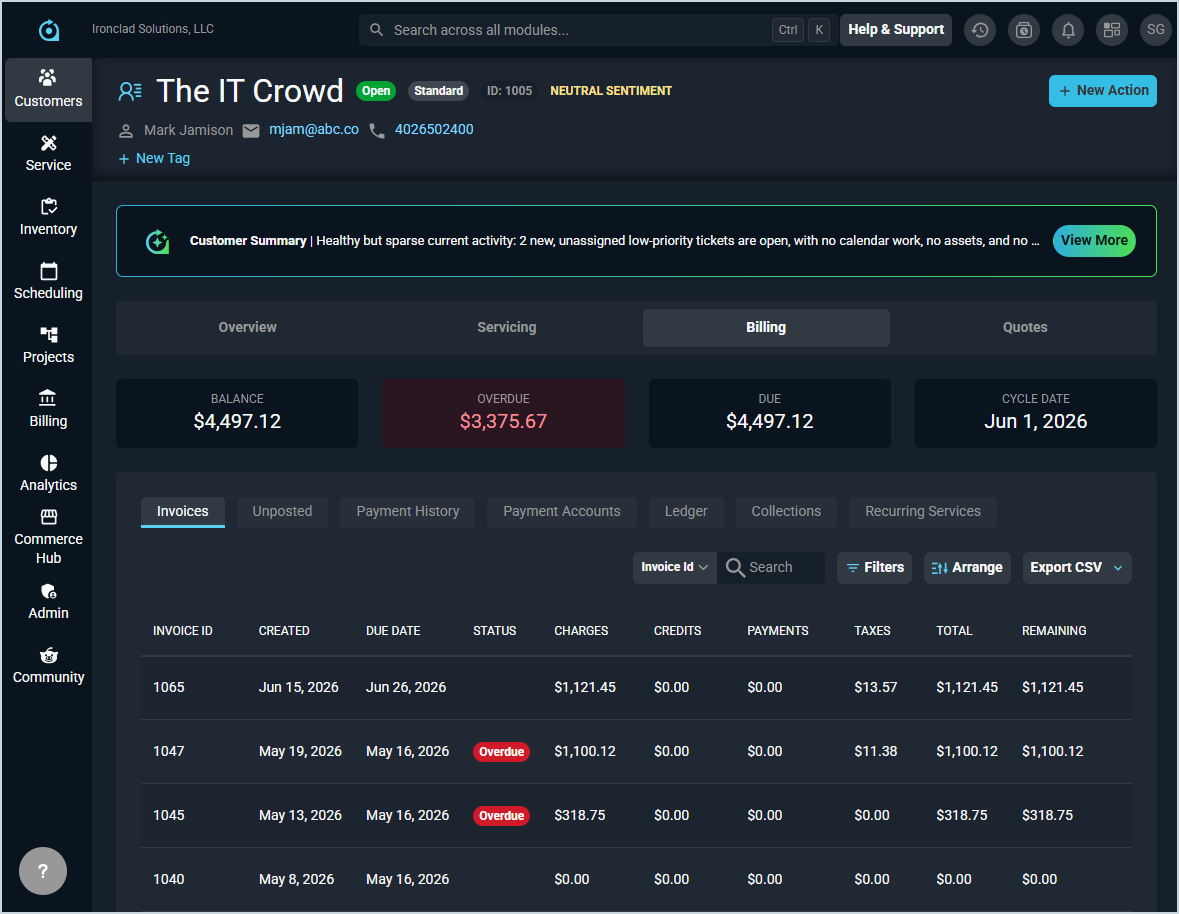
- The invoices grid now displays the remaining balance for each invoice, with the ability to filter by outstanding balance and identify overdue invoices with a red overdue tag. The overdue and due summary cards now filter the grid when clicked.📍Customers > Customer List > Select a customer > Billing section > Invoices tab. [64941]
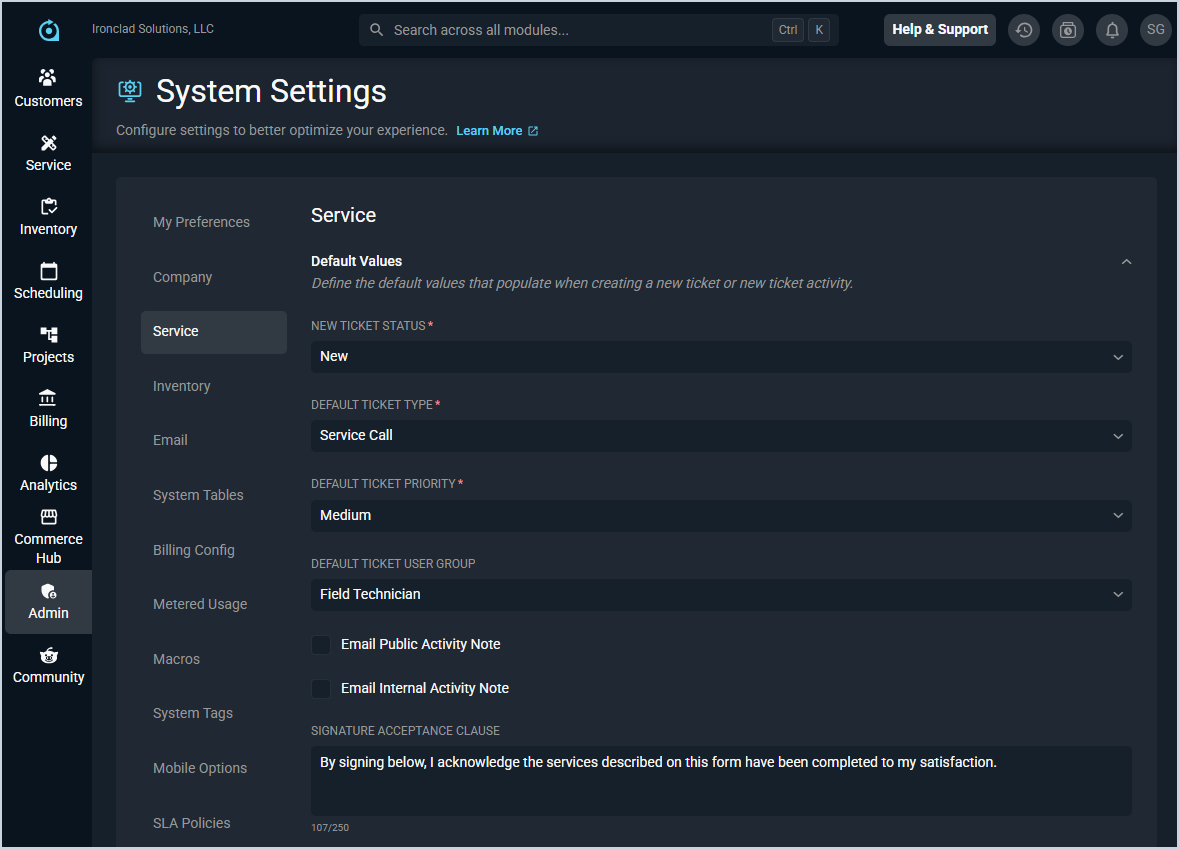
- The Service Settings screen now includes separate email default options for public and internal ticket activity notes, allowing you to independently control whether each note type defaults to email or activity note when submitted.📍Admin > System Settings > Service. [64992]
Updates
- You can now set up automated workflow notifications that trigger when purchase order events occur, including when a purchase order is created, approved, completed, or changes status. Use the workflow builder to configure notifications with dynamic tokens like purchase order ID, provider name, and total cost, just as you already do for ticket workflows. 📍Admin > Workflows > Set Context to Purchase Orders. [63258]
- A new customer.serviceaddress token is now available for custom invoice templates, allowing you to display the customer's service address on invoices. 📍Admin > System Settings > Billing Config > Invoice Templates. [64344]
- Products can now be searched by part number when adding items to a quote, in addition to searching by product name. Part numbers display in search results with matching characters highlighted. 📍Customers > Quote List > Select or create a quote > Products and Services section. [64526]
- A Check for Conflicts option is now available in My Preferences, allowing you to receive notifications when scheduling calendar items that overlap with existing events. The Calendar Items List navigation and interface have also been updated to better reflect the ability to view and manage all types of calendar items from one location. 📍Admin > System Settings > My Preferences > Scheduling Conflicts section. [64551, 64891]
- Projects milestones can now be duplicated using the duplicate project feature alongside phases, tickets and tasks. 📍Projects > Menu at the end of a project's row > Duplicate Project. [65006]
Bug Fixes
- One-time invoices now correctly display the total amount due when there is no previous account balance. [64427]
- Company holiday records can now be archived and new holiday entries can be created without errors. The end time picker now functions correctly, and holidays now sort by start date and time from oldest to newest. [64877]
Mobile Updates
Due to App Store and Google Play approval processes, these updates may take time to appear in the app.
- Notes can now be added to asset records and activity history can be viewed from the Activity tab in the mobile app by users with the appropriate permissions. [64255]
- Customer payment methods can now be viewed and managed from the mobile app through the new Payment Accounts section in Billing, including adding cards and bank accounts, editing and deleting payment methods, and configuring autopay settings. [64386]