
Check out the latest updates in Rev.io as of 6/4/26!
Interested in taking a deep dive on different features in Rev.io? Check out our Power Hour webinar series! New topics are added to the schedule every week.
New Features
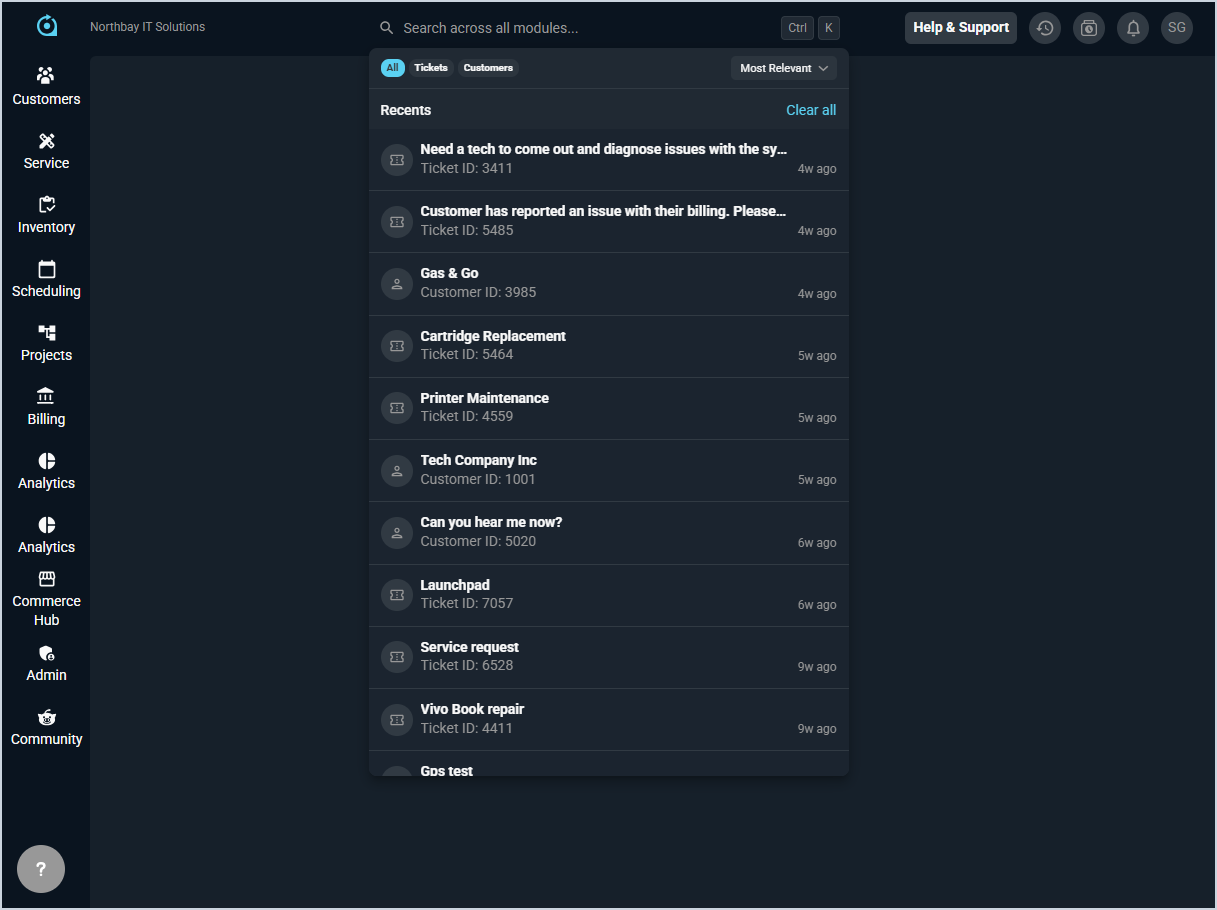
- A new global search experience is now available in Rev.io, allowing you to search across customers and tickets from a single search bar. Search supports natural-language queries with smarter result ranking, improved typo tolerance, and fuzzy matching. Results can be filtered by module and sorted by newest, oldest, or last modified, with deep links that take you directly to the matching record. Search data covers the last 2 years. The following fields are searchable. Customers: Customer Name, Customer ID, Account Number, Email, Customer Type, Class, Status, Parent Company, Service Address, Agent, Bill Profile. Tickets: Description, Ticket ID, Customer Name, Type, Status, State, Priority, Severity, Created By. 📍Top toolbar.
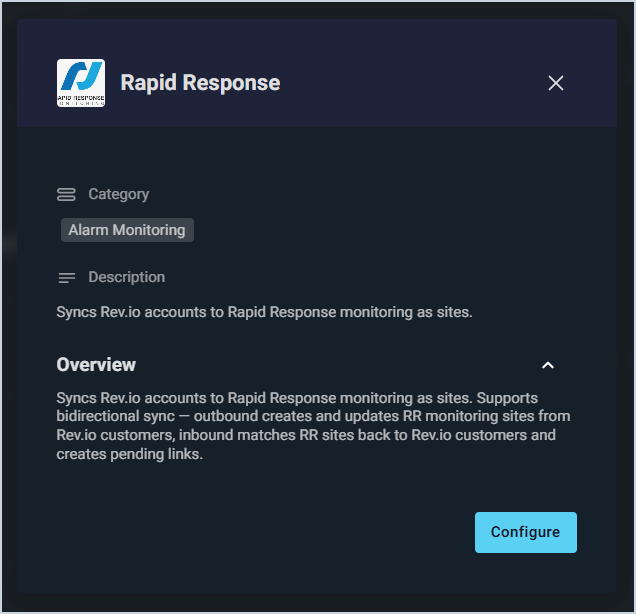
- Rev.io now integrates with Rapid Response, automatically syncing Rev.io customers to Rapid Response monitoring sites on an hourly schedule to keep account data aligned across both platforms. 📍Admin > Integrations Library > Marketplace tab > Alarm Monitoring section. [59735]
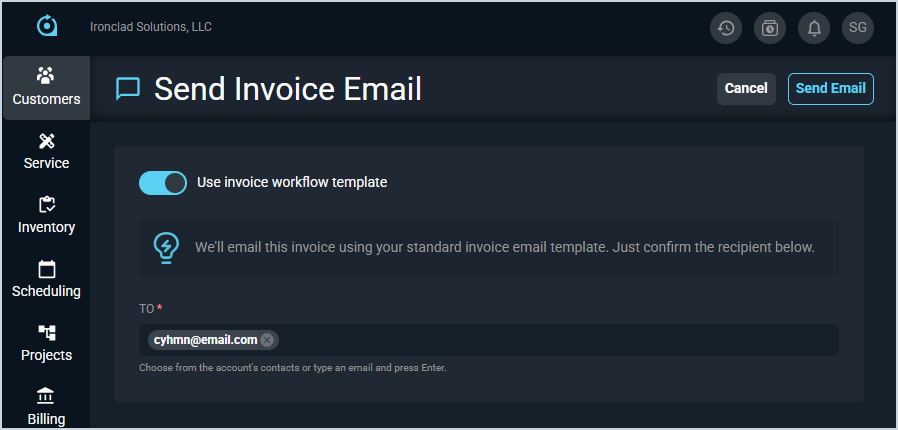
- Customer invoices can now be sent directly from the invoice email screen using your account's configured email template, with recipient suggestions pre-populated from the customer's billing email and contacts. 📍Billing > Invoice Management > Email Invoices tab > Menu icon at the end of a row > Email. [64484]
Analytics
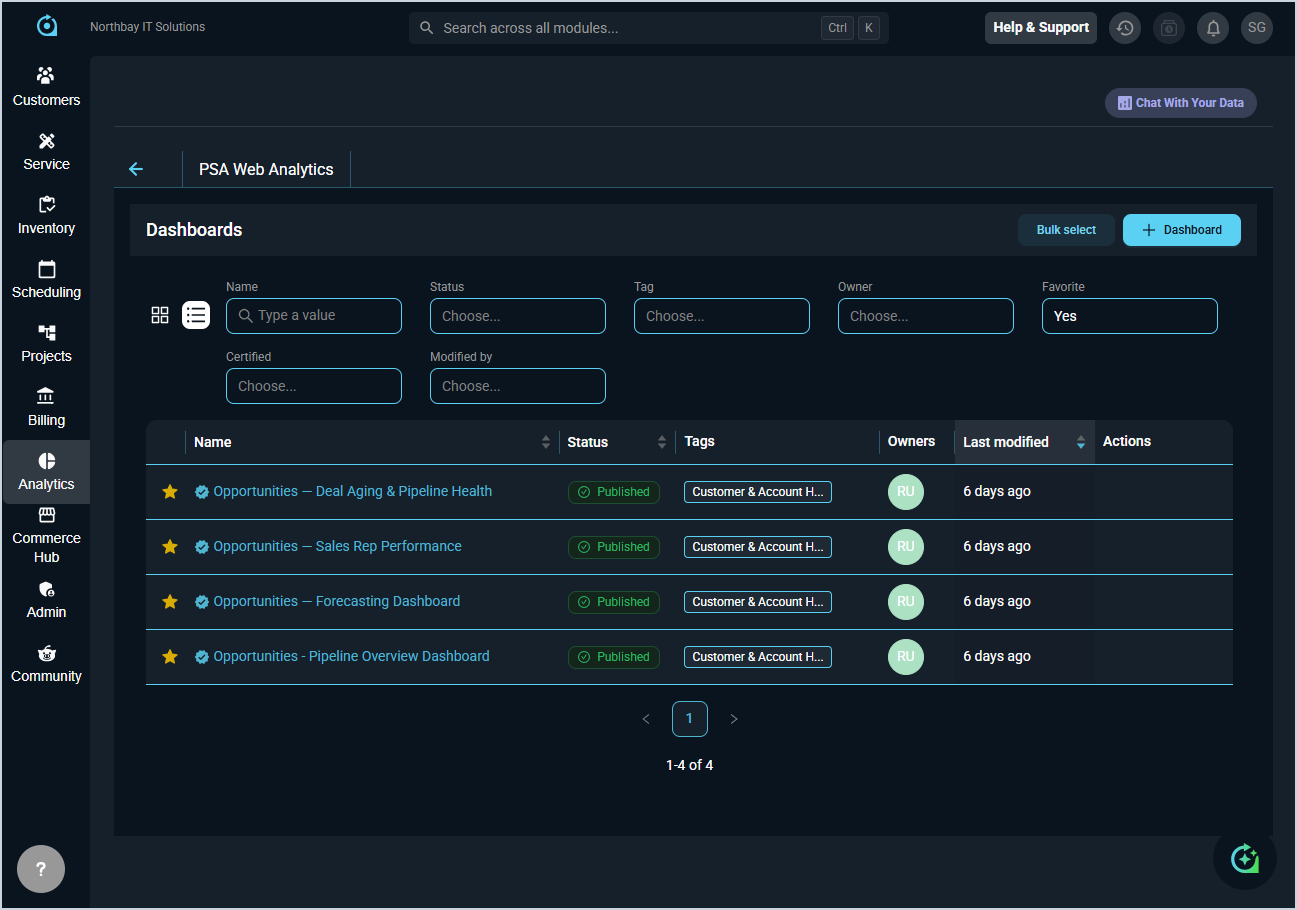
- Four new Opportunities dashboards are now available in the Analytics module: Pipeline Overview provides a snapshot of your current pipeline by stage and trend over time; Forecasting tracks open pipeline by forecast category and closed won revenue year-to-date; Sales Rep Performance shows individual and team performance including win rates and pipeline totals; and Deal Aging & Pipeline Health surfaces stale deals and at-risk opportunities by aging bucket and stage. 📍Analytics > Dashboards.
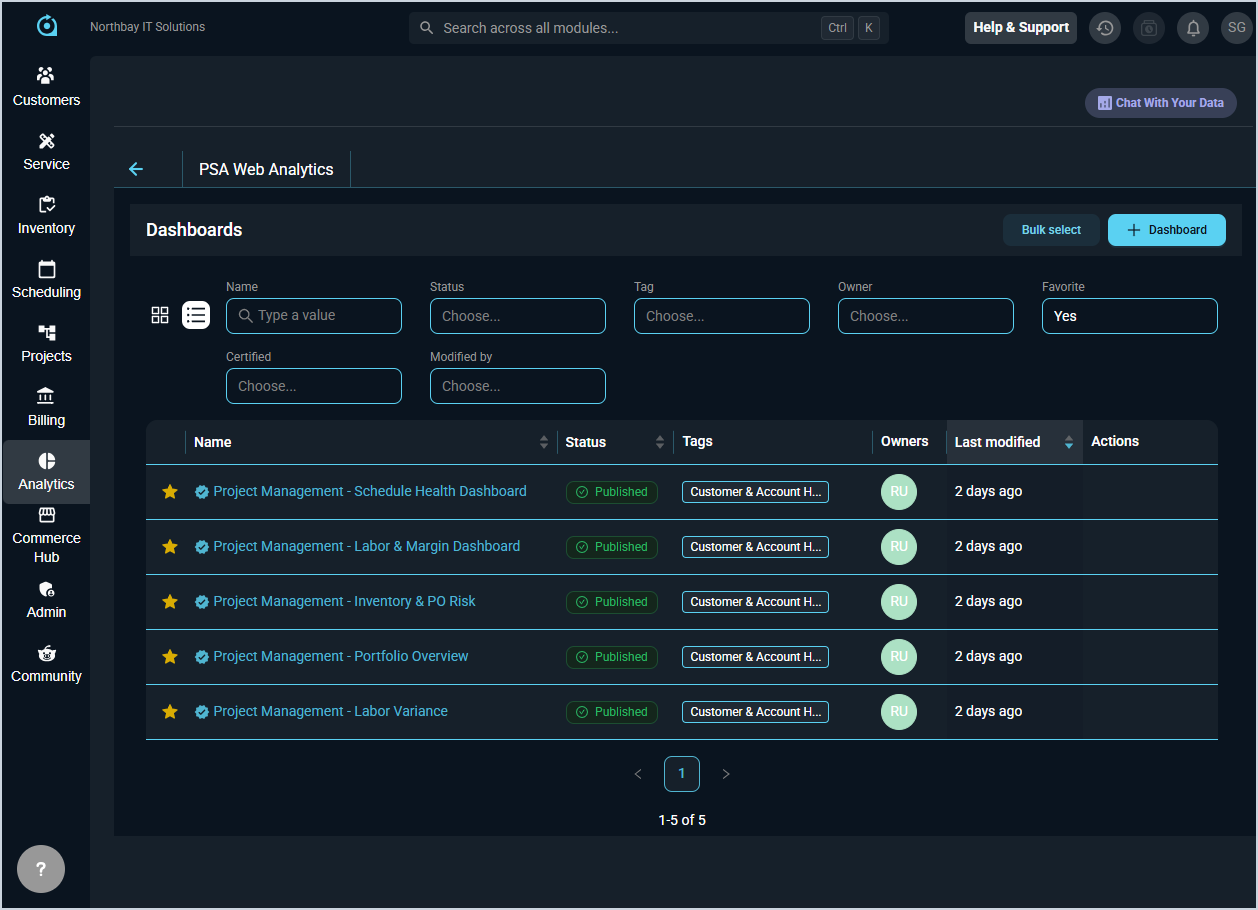
- Five new Project Management dashboards are also now available in the Analytics module: Portfolio Overview provides headline numbers and an attention queue ranking projects with warning signs; Schedule Health tracks overdue and upcoming milestones and identifies projects slipping against their baseline dates; Labor & Margin shows portfolio billing totals, margin percentages, and projects with the largest budget gaps; Labor Variance compares quoted versus actual hours per project with related labor cost, revenue, and margin; and Inventory & PO Risk identifies at-risk projects with backordered items tied to each project and phase. 📍Analytics > Dashboards.
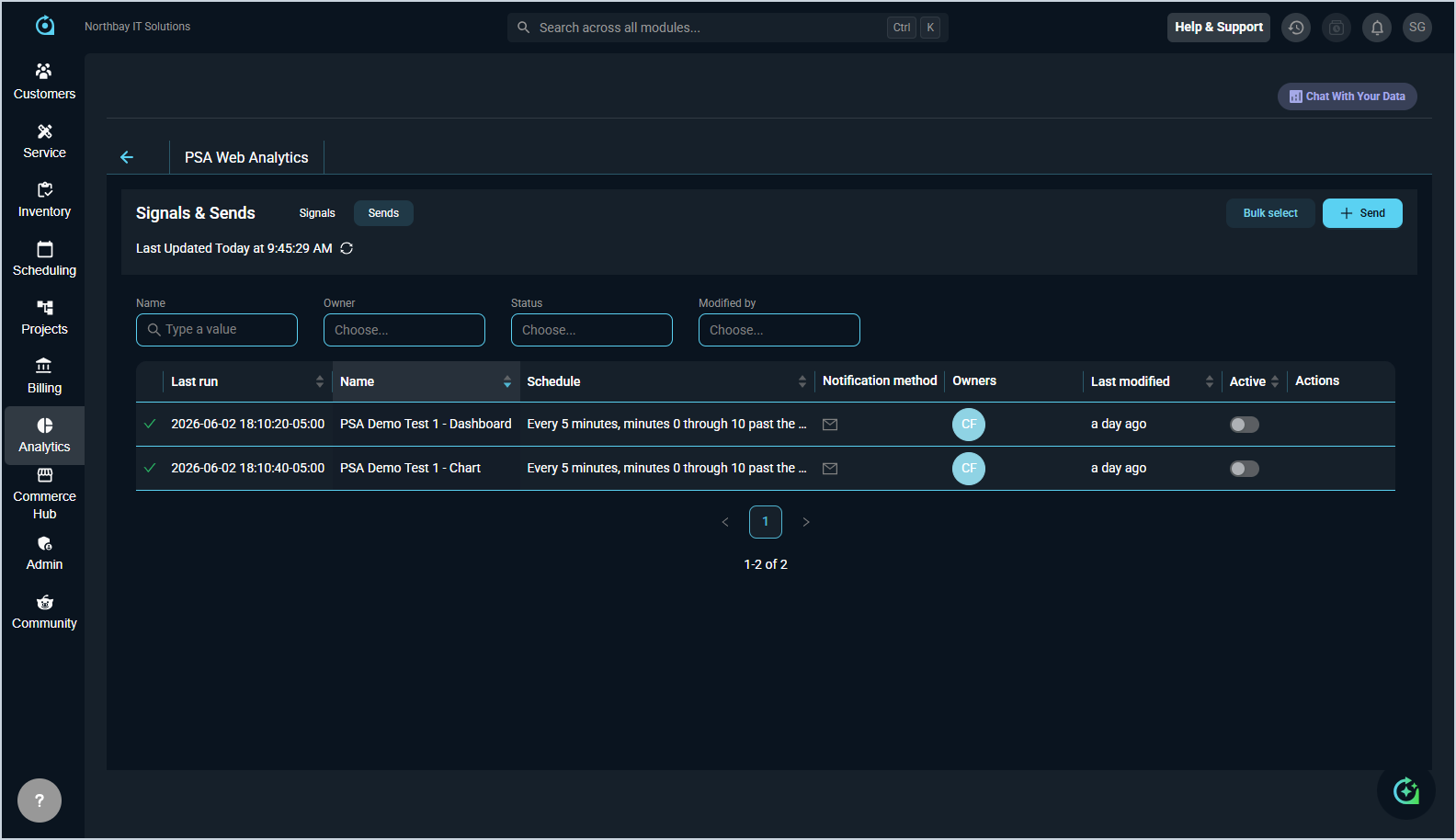
- Two new automated alerting features are now available in the Analytics module. The Sends tab allows you to email a PNG of any dashboard or chart, or a CSV of its data, to any recipients on a schedule you set. The Signals tab allows you to configure alerts and send an email only when a condition you define is met, such as open tickets exceeding a threshold. 📍Analytics > Signal & Send.
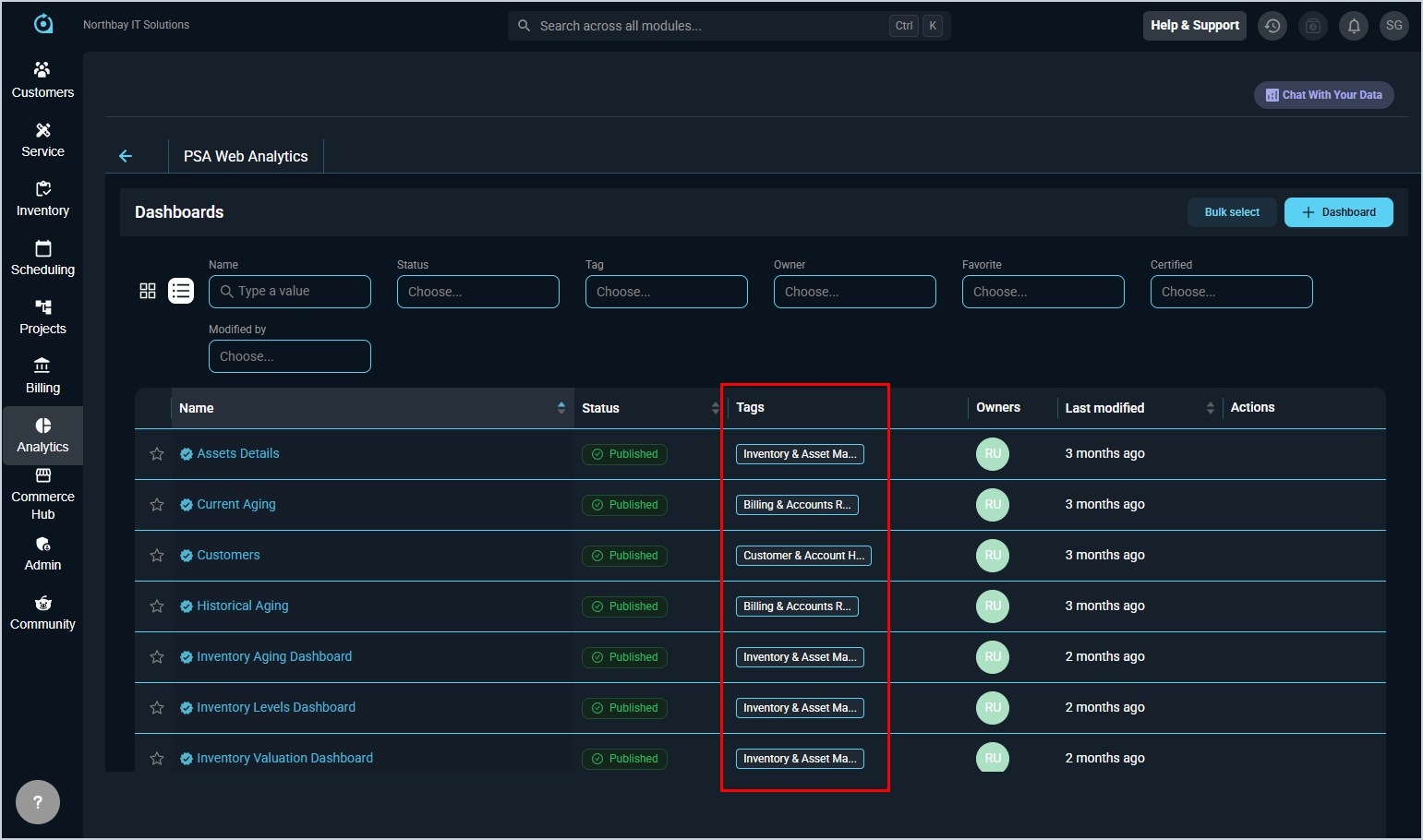
- Tags can now be applied to dashboards and charts in the Analytics module to organize content and control dashboard sharing. Five sharing tags automatically grant view access to matching user groups: Billing & Accounts Receivables, Revenue & Financial Performance, Customer & Account Health, Inventory & Asset Management, and Workforce & Time Utilization. Any additional tags you create are for organizational purposes only and do not affect access. Sharing tags only apply to users with view-only permission. Users with create, query, or signal-and-send permission can already see all dashboards regardless of tags. 📍Analytics > Dashboards or Charts.
Updates
- Several updates have been made to the Workflows experience based on early feedback. The Action Library and Flow Builder tabs have been swapped in navigation order, and Route Selection has been moved to the top of the Workflows tab on tickets for better visibility when gate logic is met. The Create Template button in the Action Library has been renamed to Add Action, and the Flow Builder grid now hides inactive flows by default, with the option to toggle them back on. New flows created in the Flow Builder now open directly in the edit area after saving the Name and Description, eliminating the need to click the Edit button manually. 📍Admin > Workflows. [64541, 64579]
- A direct URL link to your RMM portal can now be added to manual assets in the Device Details section, with an Open in RMM button available in both the Device Details subtab and the stage panel for quick navigation. 📍Customers > Assets List > Select an asset > Overview section > Device Details tab. [63309]
- Primary phone and fax numbers can now be added and managed directly on the New Customer and Edit Customer forms, and the Primary Phone column is now available in the Customer List as a sortable, searchable column. 📍Customers > Customer List > Primary Phone column or Add Customer button. [64395, 64429]
- When adding or editing parts and labor on a ticket, a description field is now available that pulls from the product catalog but can be customized for the specific ticket. The modified description is saved with the item, carries through to billing and invoicing, and displays in a new Description column in the parts and labor grid. 📍Service > Ticket List > Select a ticket > Parts & Labor tab > Description column or Add Product button. [64456]
- The Tickets tab on the customer profile now includes additional columns for primary contact, associated contacts, tags, primary tech, associated techs, user group, created date, and updated date. A new search field allows filtering by ticket ID, description, type, priority, severity, status, billing status, contacts, techs, and user group. 📍Customers > Customer List > Select a customer > Servicing section > Tickets tab. [63415]
- The time clock reason code setting has been moved from service settings to company settings, now appearing in a new Time Clock section under Company Holidays for easier access. 📍Admin > System Settings > Company category > Time Clock section. [64432]
Bug Fixes
- Internal emails sent using the company directory address book now correctly send a single email to each recipient instead of sending duplicate emails. [ADO-64504]
- Inbound email messages now correctly process when attempting to reopen closed tickets, either reopening the existing ticket or creating a new one as expected. [64341]
- SLA timers on tickets created from emails now count down correctly. [64348]
- When opening a ticket assigned to a customer without a user group or primary tech, all active users now appear in the primary tech dropdown. [64499]
- Clicking Cancel Changes or Back to Workflows when editing a workflow now correctly returns you to the Workflows list instead of displaying a 404 error page. [64506]
Mobile Updates
Due to App Store and Google Play approval processes, these updates may take time to appear in the app.
- Internal emails can now be composed and sent from the Internal tab on tickets in Rev.io Mobile, recorded as internal activity notes not visible to customers. [64231]
- SLA response and resolution timers are now visible on the ticket detail screen in Rev.io Mobile, showing real-time progress with elapsed time and the associated SLA policy name. [64233]
- Flagged customer notes now appear as a popup when opening a ticket in Rev.io Mobile, displayed sequentially with options to ignore for the current session, dismiss locally, or dismiss for all users with appropriate permissions. [64518]