
Check out the latest updates in Rev.io as of 5/21/26! NOTE: The release notes are still available directly in Rev.io, but we no longer push in-app notifications.
Interested in taking a deep dive on different features in Rev.io? Check out our new Power Hour webinar series!
New Features
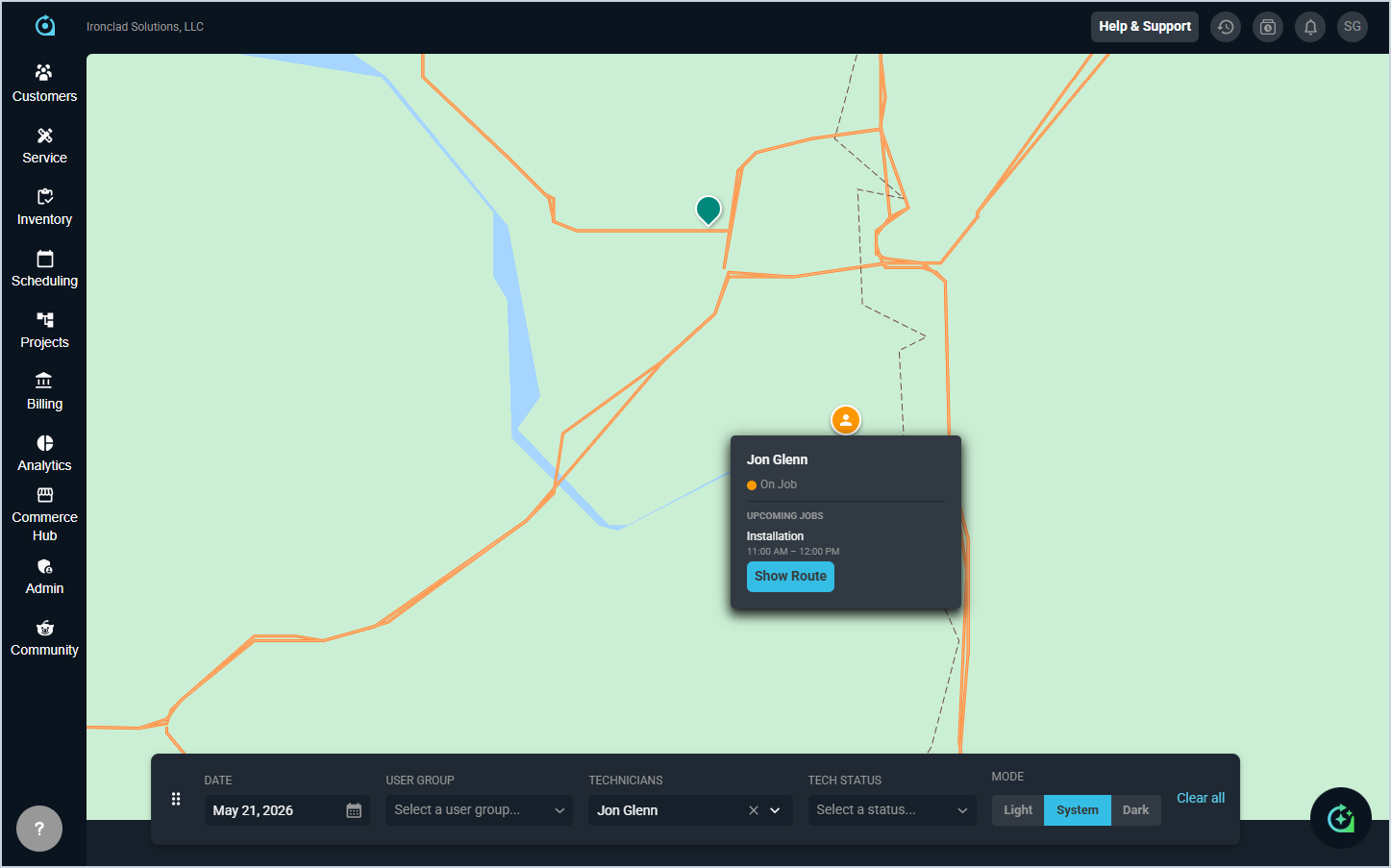
- The new Dispatch Map, accessed by clicking the View Map button on the dispatch board, provides real-time visibility into technician locations and ticket assignments throughout the day, color-coded by assigned technician. Click any map pin to view ticket details, or click a technician to see their current and next scheduled jobs. Filter by technician, user group, or status. [63554]
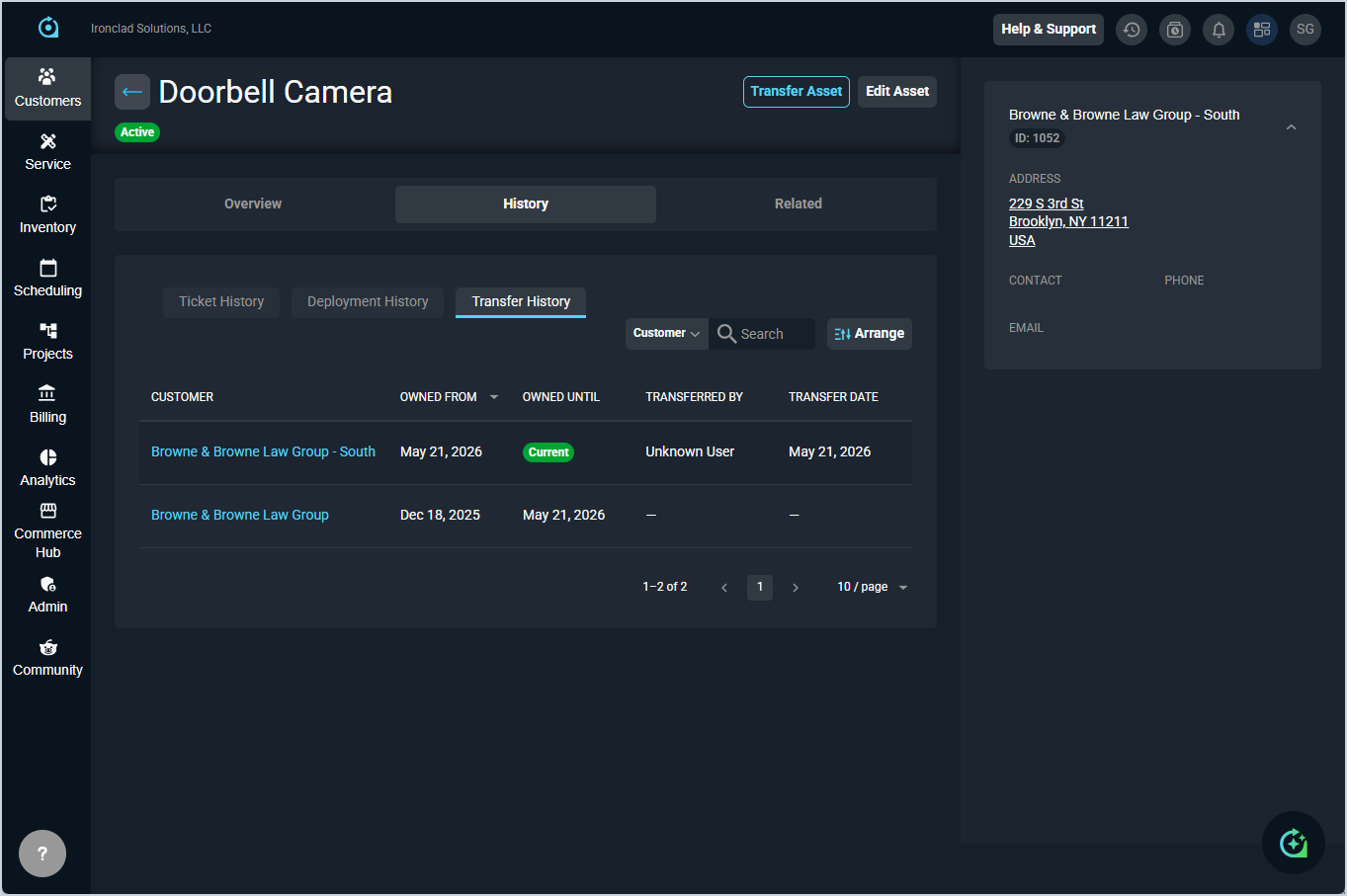
- Assets can now be transferred between customers using the new Transfer Asset action on the asset detail page. The transfer creates a linked copy on the destination customer while marking the original as Transferred, preserving full historical context on both records. The destination asset displays a Previously on [Source Customer] link, and a Transfer History sub-tab shows the complete chain of ownership with dates, users, and timestamps. Serial number searches return both source and destination assets, and the Ticket History sub-tab displays tickets from the asset's entire transfer chain across all customers. [63874, 63875, 63876, 63877, 63878, 63879, 64020, 64037]
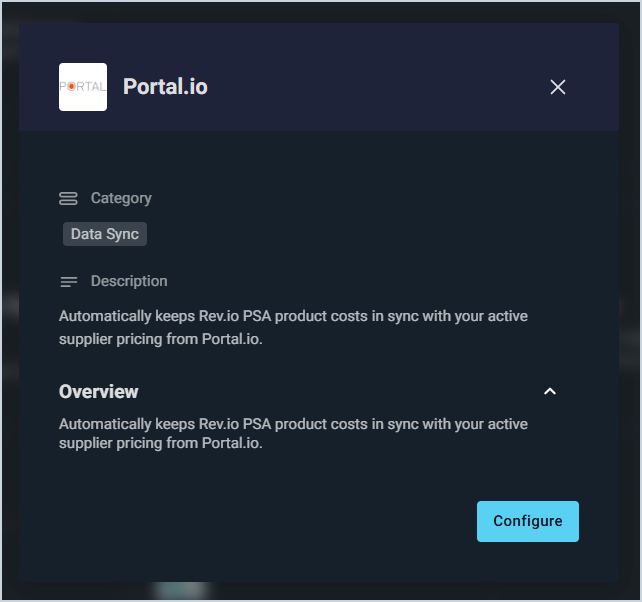
- Rev.io now integrates with Portal.io, automatically syncing product pricing from a catalog of over 1.6 million items across 1,200+ suppliers daily to the Purchasing tab. Pricing reflects your dealer-specific costs and can update existing products or add Portal as a new vendor by manufacturer part number. Setup requires an active Portal.io account and API credentials, configured through a wizard in the Integrations Library. [62408]
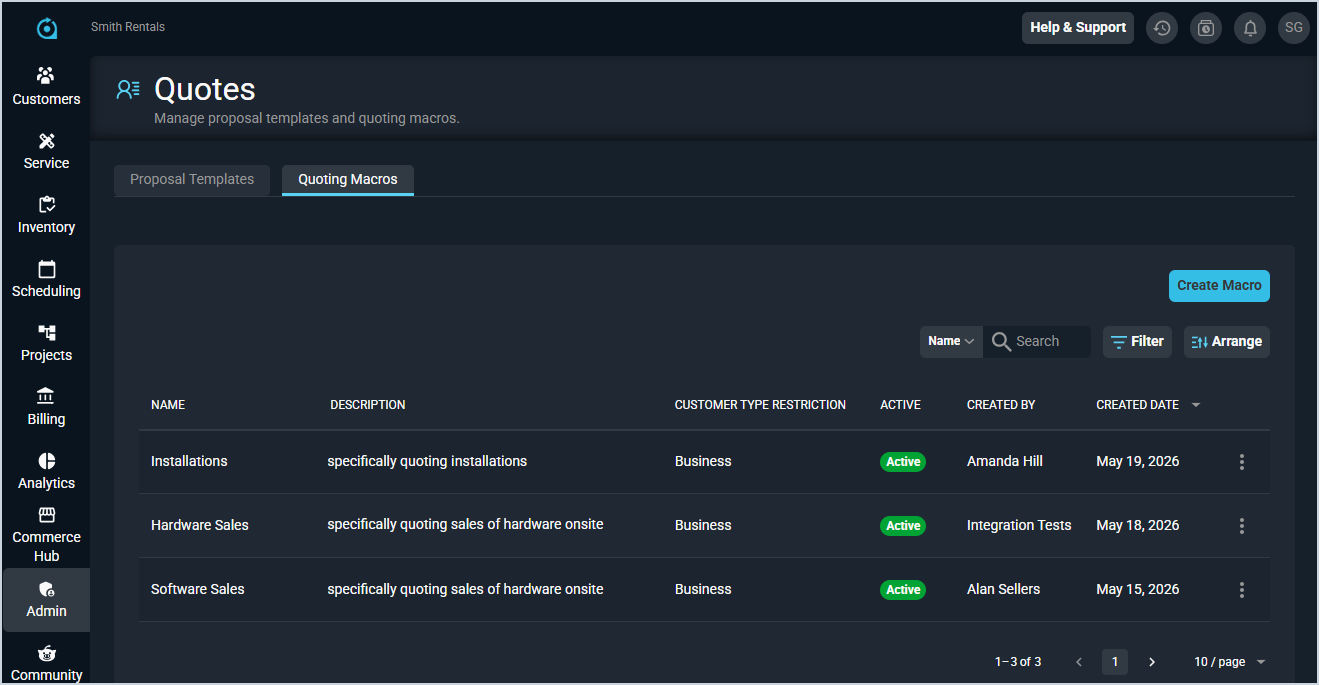
- Quote macros can now be created and managed to quickly apply reusable bundles of services, products, and packages to new quotes. When applied, all configured services and associated products are automatically populated, service addresses can be updated to match the customer, and financial totals calculate dynamically as the macro is built. Proposal templates can optionally be linked to be included when the macro is applied. [62974]
Updates
- The Timesheets screen now includes enhanced filtering by user, time entry type, and time entry reason, with the ability to save custom views for frequently used filter combinations. Timesheet data can also be exported in CSV, Excel, or PDF formats. [63307, 63320, 63322]
- Items serviced can now be added to tickets by selecting both customer assets and recurring services from the Items Serviced tab. New Symptoms and Resolution fields allow you to document work requested and performed for each item, creating a comprehensive service history within the ticket. [63577]
- Adding and editing items on the Overview tab of the customer profile now opens in a side panel rather than a modal or separate screen, allowing you to reference other information on the page while making changes.
- Items serviced records on tickets can now be edited from the kebab menu, with all saved data pre-populated in the form. When selecting an asset from a customer record on a ticket, the system now includes related items for consideration. [63884]
- The Ticket Summary widget on the ticket stage side panel now expands by default, and the user group assignment and primary technician can be updated directly from the card without entering edit mode. [64065]
- Ticket Status can now be updated from the Activity tab without requiring a note. [64089]
- Select the new Ticket User Group Assigned option from the Triggering Event dropdown to create workflow notifications when a user group is assigned to a ticket. Thanks to BankTec South for their feedback! [64018]
Bug Fixes
- SLA timers no longer incorrectly restart when a ticket is refreshed or reopened, and now run continuously following the defined SLA configuration. Thanks to Fuse.Cloud for their feedback! [63977]
- When a ticket is created from an incoming email, the system now correctly creates a non-contact associated contact record for the sender if one does not already exist. Thanks to Grahek Technology for their feedback! [64066]
- Signed quotes now correctly generate tickets and recurring services when completed. The Regenerate Ticket function now creates the ticket with all associated products included if one was not initially generated. Thanks to Class5 for their feedback! [64060]
Mobile Updates
Due to App Store and Google Play approval processes, these updates may take time to appear in the app.
- Serial number barcodes can now be scanned directly from the Reserve Inventory screen in Rev.io Mobile, with support for single and continuous scan modes and the ability to combine scanned and manually selected serial numbers. [56943]
- Products can now be created and edited from Rev.io Mobile with a structured form including pricing, inventory settings, and accounting details, with built-in validation to ensure data accuracy. [61637]
- Inventory quantities for both serialized and non-serialized products can now be adjusted directly from Rev.io Mobile, with support for entering serial numbers individually, selecting a location, updating costs, and providing a reason for each adjustment. [61638, 61768]