
Check out the latest updates in Rev.io as of 5/7/26! NOTE: The release notes are still available directly in Rev.io, but we no longer push in-app notifications.
New Features
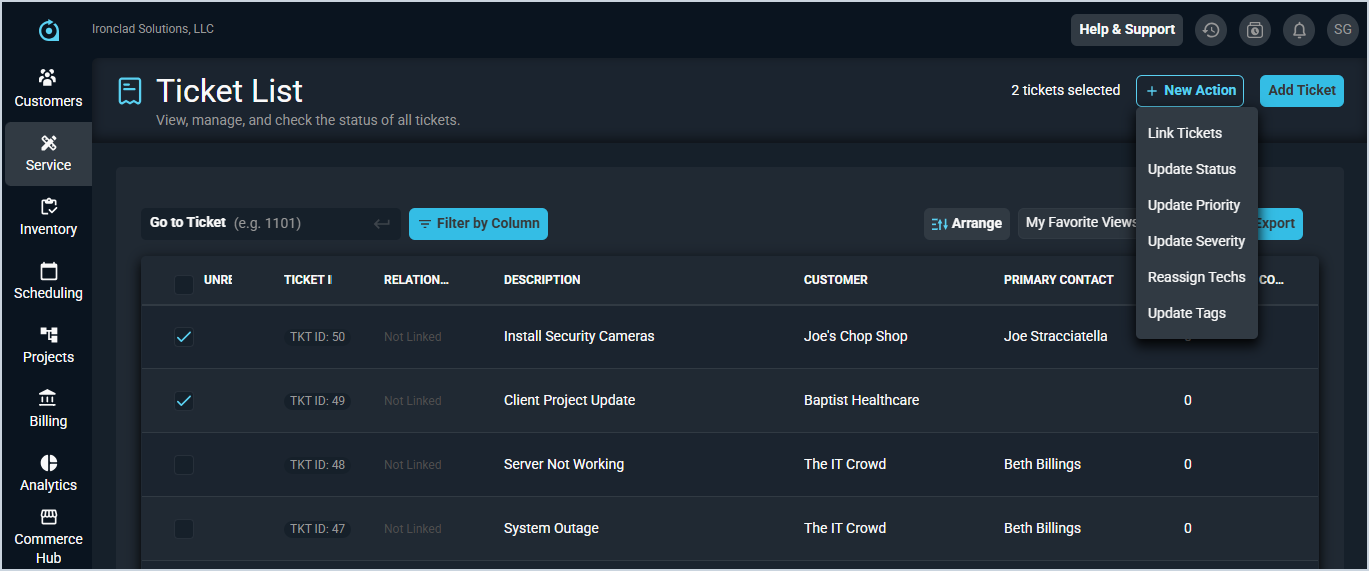
- Multiple tickets can now be updated at once from the ticket list by selecting two or more new or open tickets and choosing from actions including status, priority, severity, technician, tags, or linking tickets together. [62967]
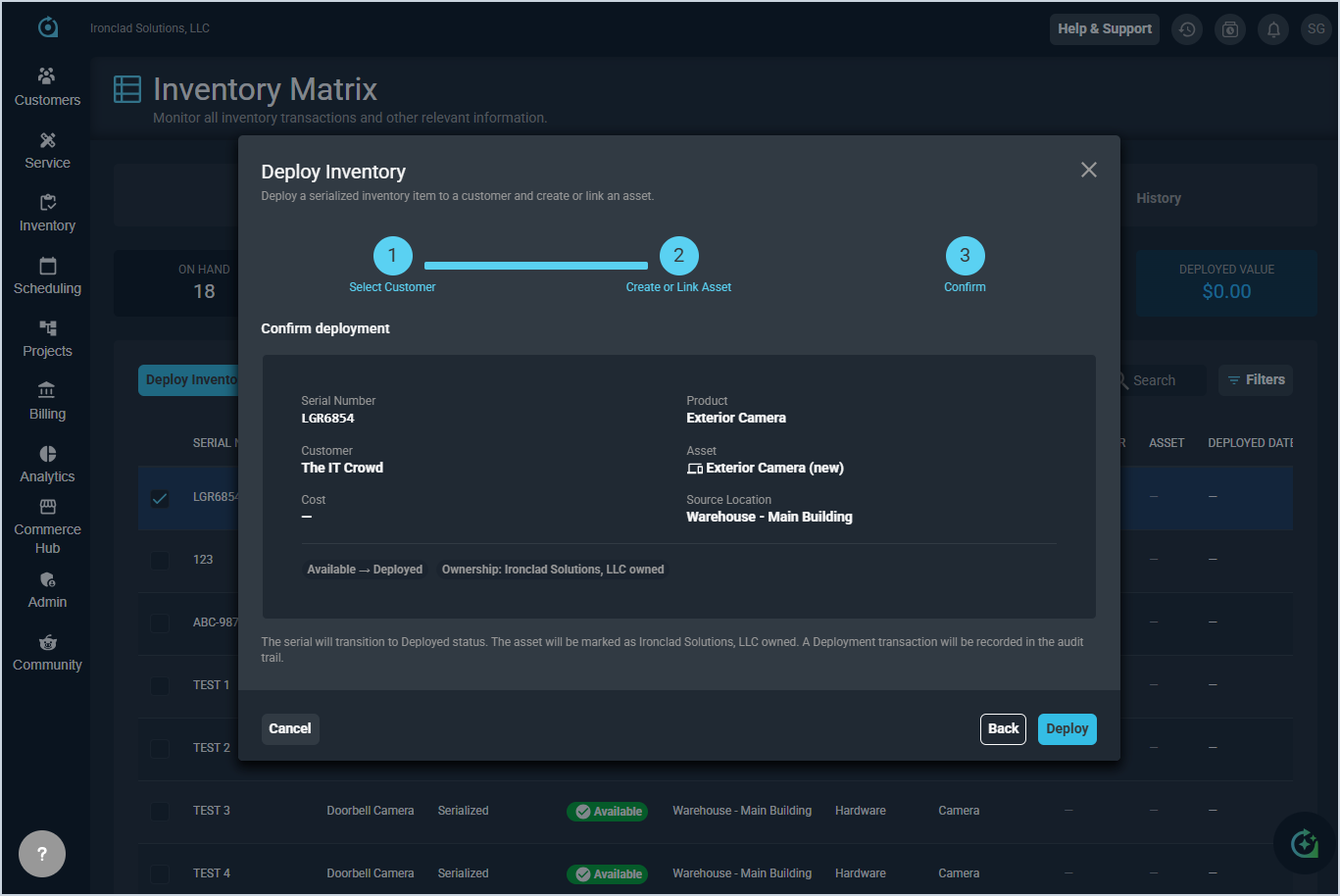
- Serial numbers with an Available Status can now be deployed directly from the Serial Numbers list using the Deploy action, requiring a destination customer and allowing optional notes. Deployed serial numbers can be returned to available inventory using the Return action, available in both the Serial Numbers list and the Asset Detail page. Both transactions are recorded in the Movement History. [63672, 63675, 63676]
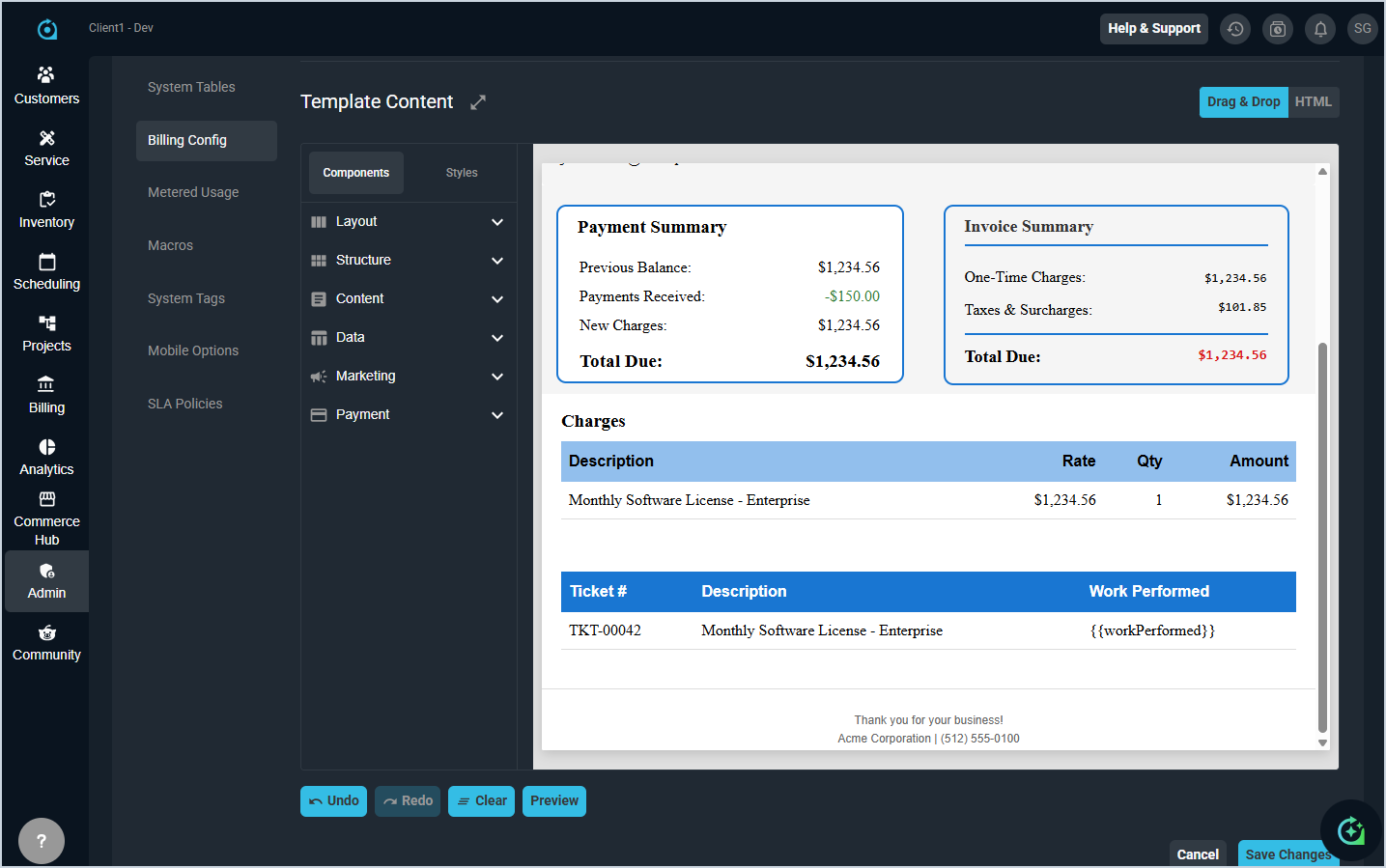
- A Work Performed column can now be included on the tickets table in custom one-time invoice templates. The field displays a maximum of 350 characters per ticket to maintain a consistent invoice layout. [62574, 63413]
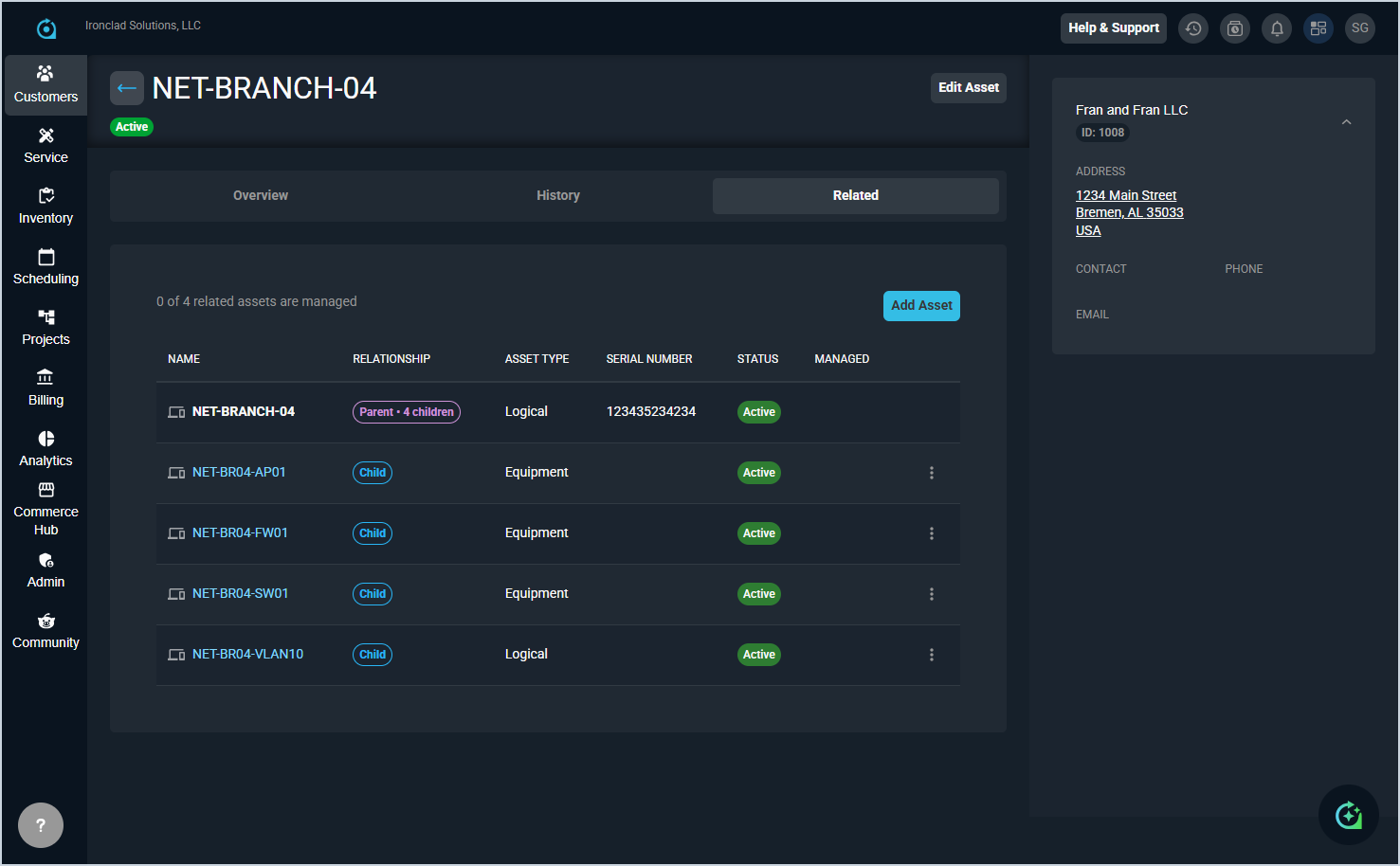
- A new Related tab on the Asset Detail page displays parent, child, and sibling assets with key details such as name, type, status, location, and serial number. Child assets can be linked or removed directly from this tab, and a summary indicates how many related assets are managed by an RMM integration. [63677, 63678, 63679, 63681]
Updates
- Several updates have been made to improve visibility and traceability of deployed inventory. [63613, 63614, 63615, 63617, 63668, 63669]
- The Serial Numbers list now includes Deployed as a status filter option, and the Serial Numbers tab in the Inventory Matrix displays the associated customer and asset for deployed serial numbers as clickable hyperlinks.
- The asset name in the Deployment Information section on the Serial Number Detail screen is also now a clickable link to the associated Asset Detail screen.
- Deploy and Return transaction events are now visible in the Inventory Movement History table, allowing you to track when serial numbers were deployed to a customer or field location. Each transaction displays with a distinct icon and chip label, showing transaction date, quantity, source and destination locations, serial numbers, notes, and user information - Pop-up alerts configured at the account level now appear when adding or opening a ticket in edit mode, with options to dismiss for all users, dismiss for yourself, or snooze for 30 minutes. Multiple alerts include paging functionality. [63230]
- In the Outbound Mailboxes tab in the Email category on the System Settings screen, you can now configure an unlimited number of outbound mailboxes, and the workflow default settings now display on a single pane for easier navigation and setup. When multiple outbound mailboxes are configured, you can select a specific mailbox as an override to the default. [63057, 63058]
- The Ticket List now includes three standard system views available to all users in the Views dropdown above the grid: Tickets Assigned to Me, Tickets Without a Customer, and Tickets Without a Primary Tech. These views cannot be edited or deleted, but can be saved as new custom views. [63414]
- When viewing a child asset, the sidebar now displays key details about its parent asset, including name, type, status, and child count, with a clickable link to the parent asset's detail page. [63680]
Bug Fixes
- The ticket list filter for Primary Tech not equals now correctly excludes tickets assigned to the selected technician. [63371]
- Columns in the ticket list can now be resized by dragging the column edges, with data automatically expanding to fill the adjusted width. [63412]
- Ticket fields displaying as encoded strings instead of readable text now display correctly. [63418]
- Pop-up messages not configured to display on tickets no longer appear incorrectly. [63472]
- Workflows with a Ticket Activity Note Created trigger and an Activity topic equals Email Received condition now fire correctly when an email is received on a ticket. [63547]
- Special characters in system notes on technology changes now display correctly. [63579]
- Ticket addresses in new or open states can now be updated without encountering a failed to save record error. [63645]
Mobile Updates
Due to App Store and Google Play approval processes, these updates may take time to appear in the app.
- Mobile users can now clock in and out from anywhere in the app, with a running timer displayed while clocked in and the option to add notes when clocking out. [60525]
- Payments can now be added on mobile by selecting an existing payment method and applying it to an invoice, with the full remaining balance automatically populated. [61206]
- A new Time Entry List screen displays entries as expandable cards with full details including start time, end time, billable status, and work performed. Entries can be edited or deleted based on permissions, and the list includes tabs for All, Ticket, and Admin entries plus an advanced filter. [62851]
- A customer's payment history can now be viewed on mobile using a card-based layout, with the ability to expand cards for full details and search by payment number, reference number, authorization code, or method. [62917]