
Check out the latest updates in Rev.io as of 4/30/26! NOTE: The release notes are still available directly in Rev.io, but we no longer push in-app notifications.
New Features
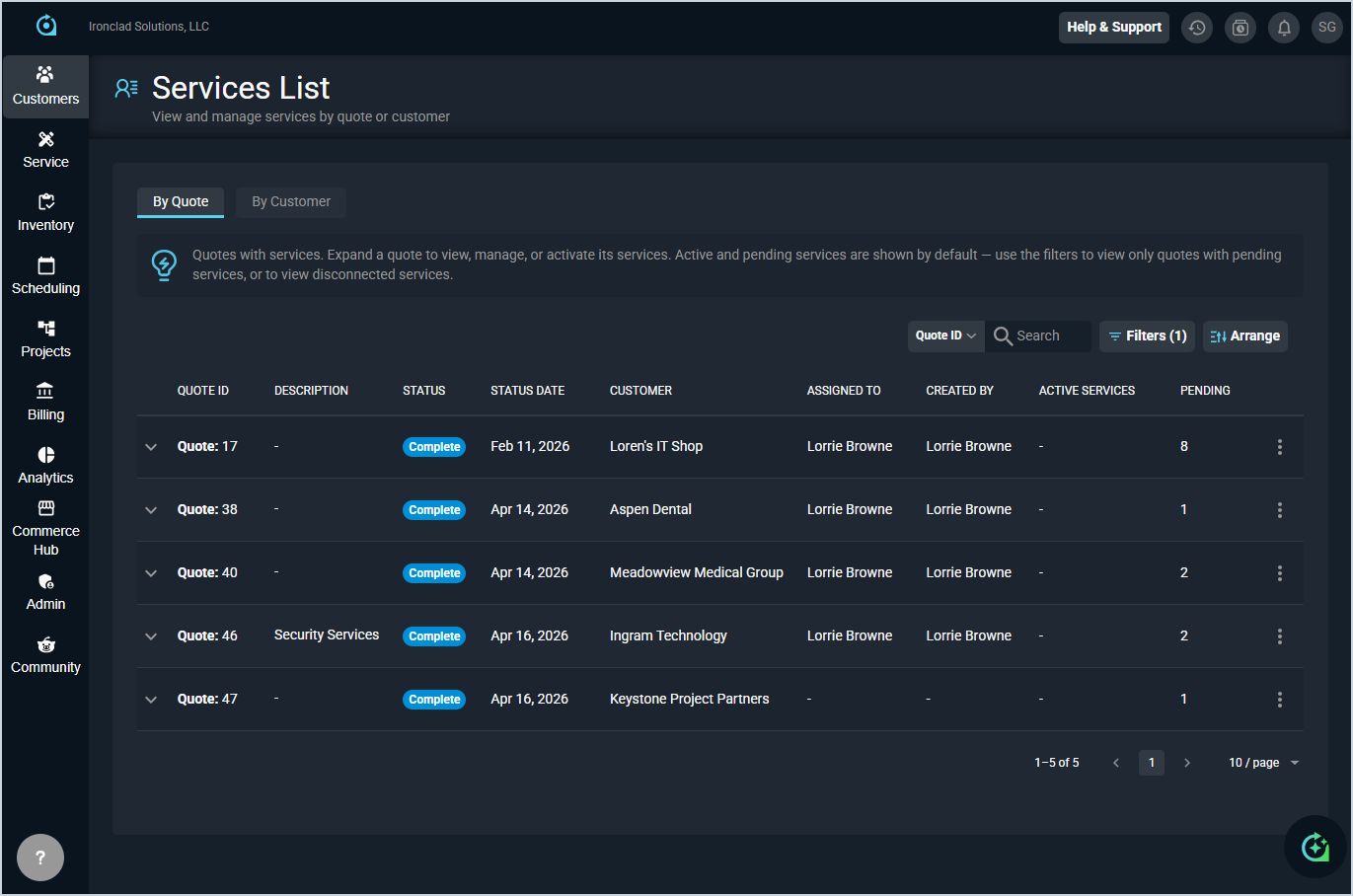
- The new Services List screen in the customer module provides a centralized view of all services created from quotes, allowing you to see pending services grouped by quote or customer and activate pending services directly without navigating to individual customer profiles. [62650]
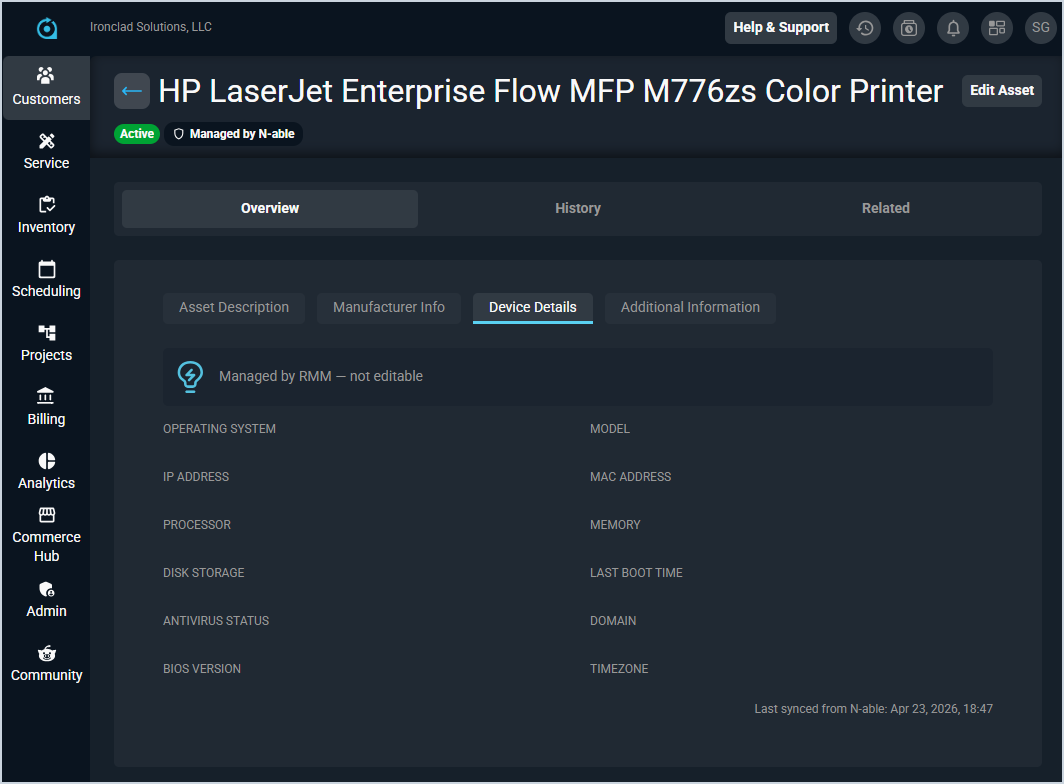
- Assets linked to an active RMM integration now display a managed indicator chip in the list and a Managed by [provider] indicator on the detail page header. A new Device Details subtab on the asset detail page displays RMM-sourced information such as operating system, IP address, model, processor, etc., along with a footer showing when the data was last updated and its source. Device details can also be entered and updated manually on assets without an RMM integration. The asset list can be filtered by managed status, and a new RMM Quick View card on the asset detail sidebar surfaces key device information at a glance without navigating to the Device Details tab. [63093–63099]
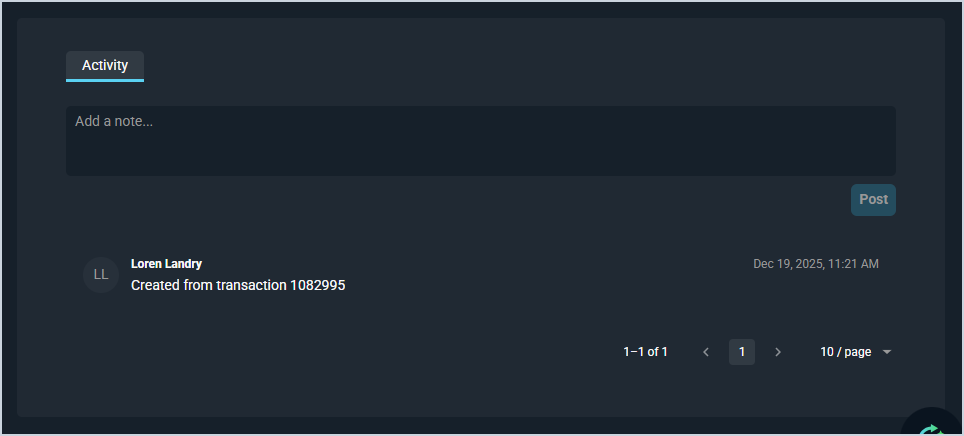
- A new Activity section on the asset detail page provides a running feed for logging and viewing notes over time, displayed in reverse chronological order with author and timestamp. Existing notes have been automatically migrated to the feed. [63377]
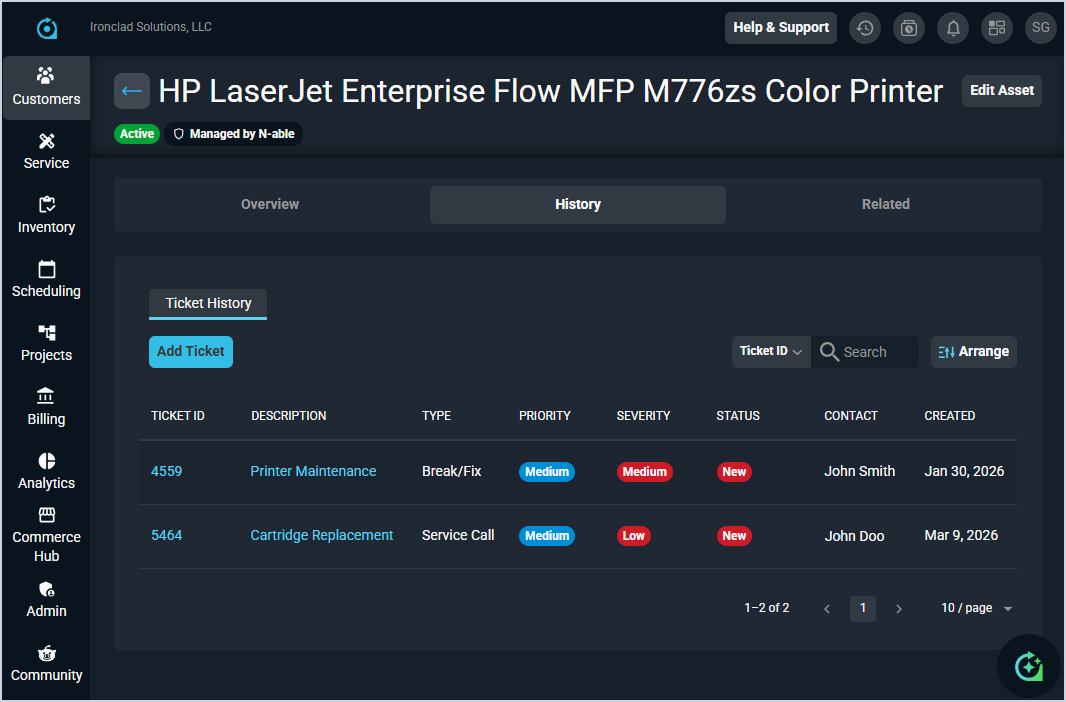
- A new History tab on the asset detail page displays a complete ticket history for the asset, with the option to create new tickets directly from that view with the asset and customer information pre-populated. [63375]
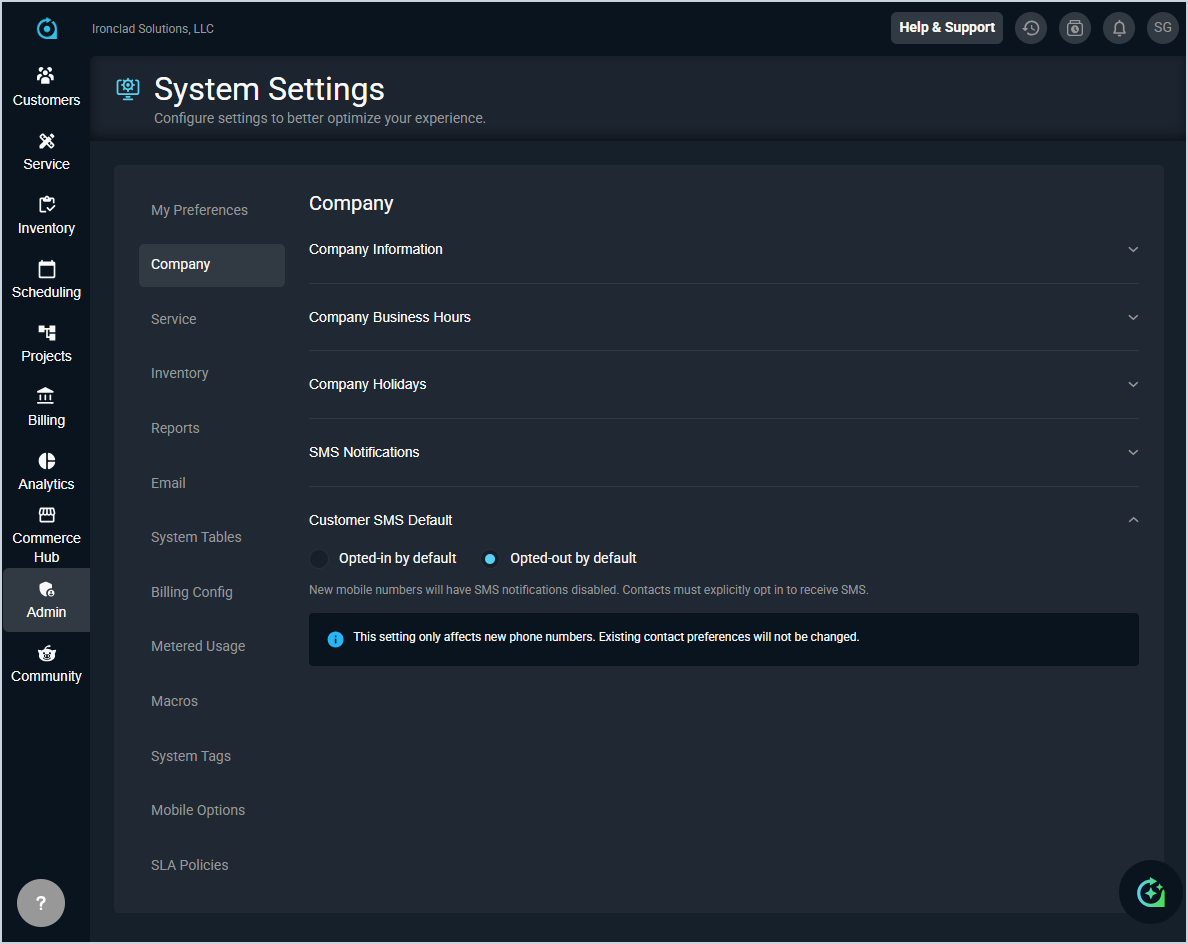
- You can now configure whether contacts should automatically opt in to receive SMS messages using the new Customer SMS Default option in the Company category on the System Settings screen. New numbers will default to opted-in. However, customers can now reply STOP to opt out of SMS messages, extending this capability beyond internal users. If a portal user’s email or mobile number matches an existing contact on the same customer account, the records will now be automatically linked and updates to email or mobile number will stay in sync across both record.
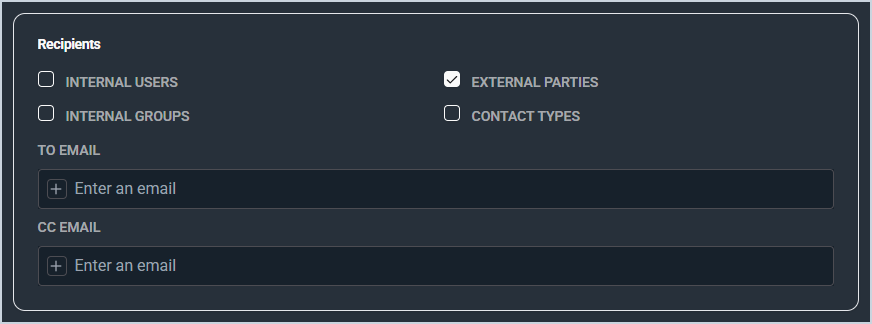
- The Contact Types and External Parties fields have been added when configuring workflow reactions so administrators can now notify contacts outside your organization. The Contact Types field includes contacts from the customer account even if they are not directly tied to the triggering event. The External Parties field includes all relevant contacts associated with an event, like primary or associated contacts on a ticket. [59408]
Updates
- Documents from the Proposals tab on the customer can now be migrated to the new Quotes tab with full data, formatting, and product selections preserved. [62029]
- When a proposal is marked as completed in the new quoting process, the system now automatically creates a ticket containing all one-time items from the associated quote. If there are no one-time items, no ticket is created. [62821]
- The new Add Related Account button on the Related Accounts tab allows you to link child accounts and related accounts directly from the customer record without switching to Rev.io Billing. [62845]
- SLA workflow triggers now fall under the ticket area and use ticket conditions and email tokens, allowing more targeted SLA breach workflows based on ticket-specific criteria. [62926]
- Inbound emails on tickets now display with improved formatting for better readability. [63001]
- Customer account notes can now be configured to display pop-up alerts when users open tickets for that customer, in addition to the existing customer-level alert option. Alerts can be dismissed for all, dismissed for yourself, or snoozed for 30 minutes based on permissions. [62486]
- Invoices can now be searched by invoice ID and filtered by created or due date ranges directly from the Invoices tab in the customer Billing section. [62959]
- Inventory API endpoints are now available in the Developer Portal. [61501]
Bug Fixes
- The Save button is now properly disabled when adding a new address to a quote without completing the required Line 1 field. [62816]
- The Bill Profile edit page now prevents saving a profile with Type set to Cycle when no cycle rows have been added, preventing the creation of corrupt bill profiles that could block service activation. [63183]
Mobile Updates
Due to App Store and Google Play approval processes, these updates may take time to appear in the app.
- Opportunities can now be created, edited, and deleted in Rev.io Mobile, including updating stage and status values and adding activity notes. [61631]
- Invoices can now be viewed and shared in Rev.io Mobile through a card-based interface, with options to expand details, download, and email invoices with custom recipients and messages directly from the app. [61633]
- Full opportunity details can now be viewed in Rev.io Mobile by tapping any opportunity, including core fields, custom fields, and an activity feed that loads additional items as you scroll. [62558]
- Tickets can now be filtered by user group in Rev.io Mobile, showing only groups you are assigned to. [63114]
- Tapping an address on a contact card on Android no longer incorrectly displays a 'Maps Not Available' error. [63315]