
Check out the latest updates in Rev.io as of 4/23/26! NOTE: The release notes are still available directly in Rev.io, but we no longer push in-app notifications.
New Features
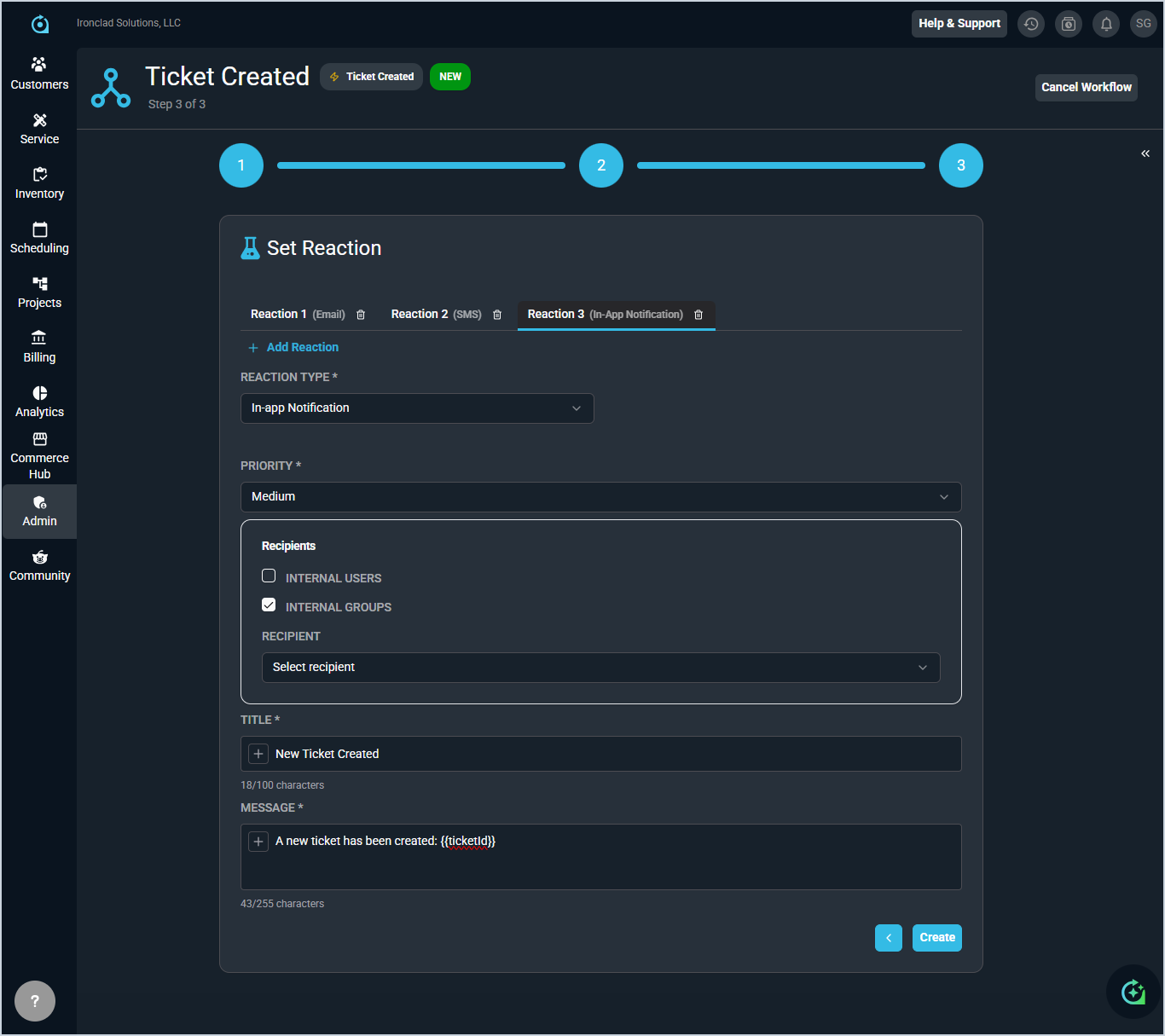
- Multiple response types can now be configured for a single workflow trigger and condition combination, allowing email, SMS, and in-app notifications to be sent simultaneously without creating duplicate workflow rules. For example, you can now set different messages for internal and external parties, or for both email and SMS, all within the same workflow. [62643]
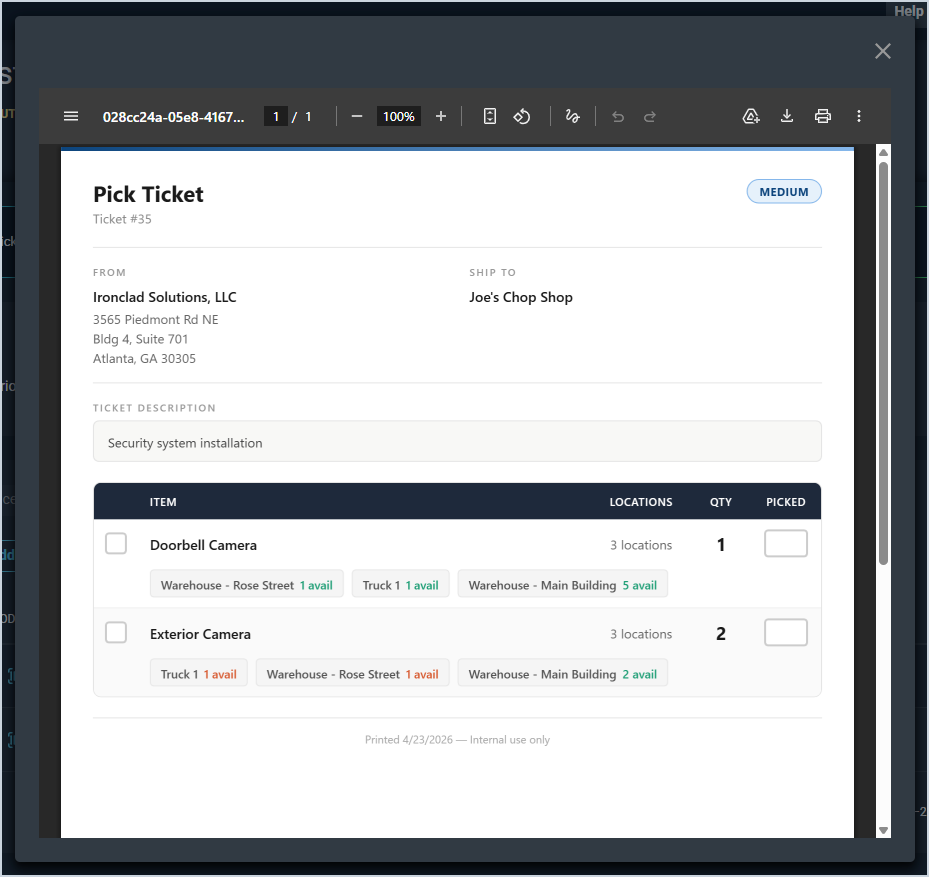
- Users can now generate a pick ticket PDF directly from the Parts and Labor tab on a service ticket, showing unreserved inventory-managed products, required quantities, available warehouse locations, stock levels, and ticket details including priority, assigned technician, and ship-to address. [62694]
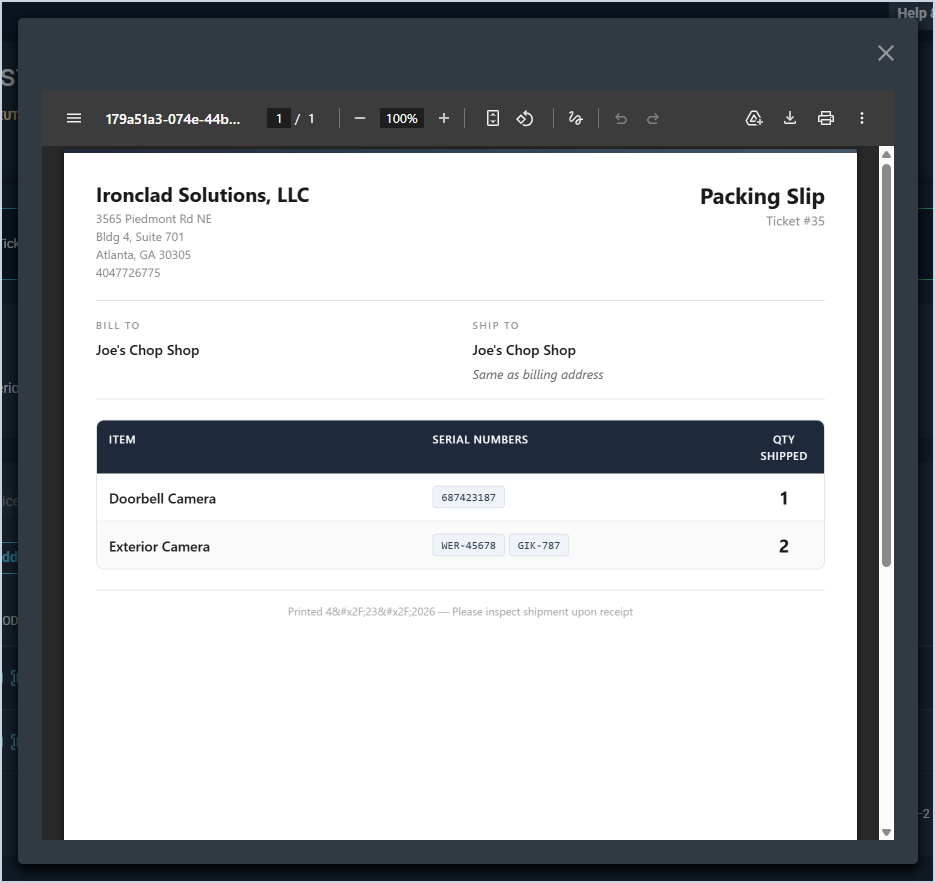
- A packing slip PDF can now be generated directly from a ticket's Parts & Labor section, displaying company information, ticket details, billing and shipping addresses, and a complete list of reserved inventory items with serial numbers and quantities. [62807]
- Non-contact email addresses from inbound emails now appear in the Associated Contacts section on tickets as blue-outlined badges, and can be added to workflow email recipients just like regular contacts. In a future release, you will be able to configure workflow notifications using these non-contact email addresses. [62433]
Updates
- A Download Failed Records button now appears on the Review step of bulk imports when validation errors are present, allowing you to download a CSV of only the failed rows, correct them offline, and re-upload without starting over. [62152]
- The ticket list now includes dropdown filters for billing status, primary tech, associated technicians, and associated contacts, along with a quick search field for navigating directly to a ticket by ID. [62761]
- Administrators can now control which roles can view hourly rates on time entries through a new permission in the Time Management permissions section. [62924]
- Reviize is now available on activity notes within sales opportunities, allowing you to refine your sales communication before posting. [62682]
- Pending services can now be activated directly from the customer's Recurring Services tab via the row menu, and the separate Pending Services tab has been removed. [62606]
- When creating a purchase order from a ticket with Drop Ship Address as the shipping method, the Ship To Address field now automatically defaults to the ticket's service address. [62689]
- The Time Entry List now includes dropdown filters for billable status, type, reason, and tech/user fields. [62762]
Bug Fixes
- When changing a ticket status from a time log entry, the Status dropdown now shows only active statuses, and SLA timers correctly respond to status changes. [62706]
- Status changes made from the Activity tab on tickets now save correctly and update the ticket status card. [62937]
- Copying a service on a quote no longer causes package products to be duplicated. [62817]
- Creating a quote through the Opportunities tab no longer duplicates the service address in the Addresses card. [62858]
- The Service Identifier field on quotes no longer loses focus after each keystroke. [62720]
Mobile Updates
Due to App Store and Google Play approval processes, these updates may take time to appear in the app.
- Rev.io Mobile now automatically sends SMS notifications to customers when a technician starts traveling to a job site, including an estimated arrival time when GPS data is available. At this time, the ETA is based off the distance between the technician and the job site. In a future release, the ETA will also factor in routing and traffic. [61629]
- Technicians now receive a reminder in Rev.io Mobile when exiting a tracked visit without creating a time log, with options to create the time log immediately, dismiss the reminder, or be reminded later. [62180]
- When Auto Stop Travel Timer is enabled in the Mobile Options category on the System Settings screen in the web application, the travel timer in Rev.io Mobile now automatically stops when a technician enters a customer geofence and creates a corresponding time log using the configured default log reason. [62261]
- Tickets can now be sent to billing directly from the Tickets screen using the Send to Billing action, validating billable items and required data before updating the billing status. [62263]
- Rev.io Mobile users with the appropriate permission can now generate an invoice directly from a ticket using the Invoice Ticket button, updating the billing status to Invoiced and locking further modifications to parts, labor, and time logs. [61203]
- Non-email activity notes can now be deleted directly from the ticket view in Rev.io Mobile using the kebab menu. A confirmation modal prevents accidental deletions, and an audit entry is created capturing the deletion details. [60773]
- The ticket overview in Rev.io Mobile now includes a summary analysis window with dropdown navigation to jump between sections, filtering by 30, 60, or 90 days, and purchase orders grouped by Status. [61179]
- Macros can now be applied when creating or editing tickets in Rev.io Mobile to quickly populate ticket fields with standardized values. [61204]