
Check out the latest updates in Rev.io as of 4/16/26! NOTE: The release notes are still available directly in Rev.io, but we no longer push in-app notifications.
New Features
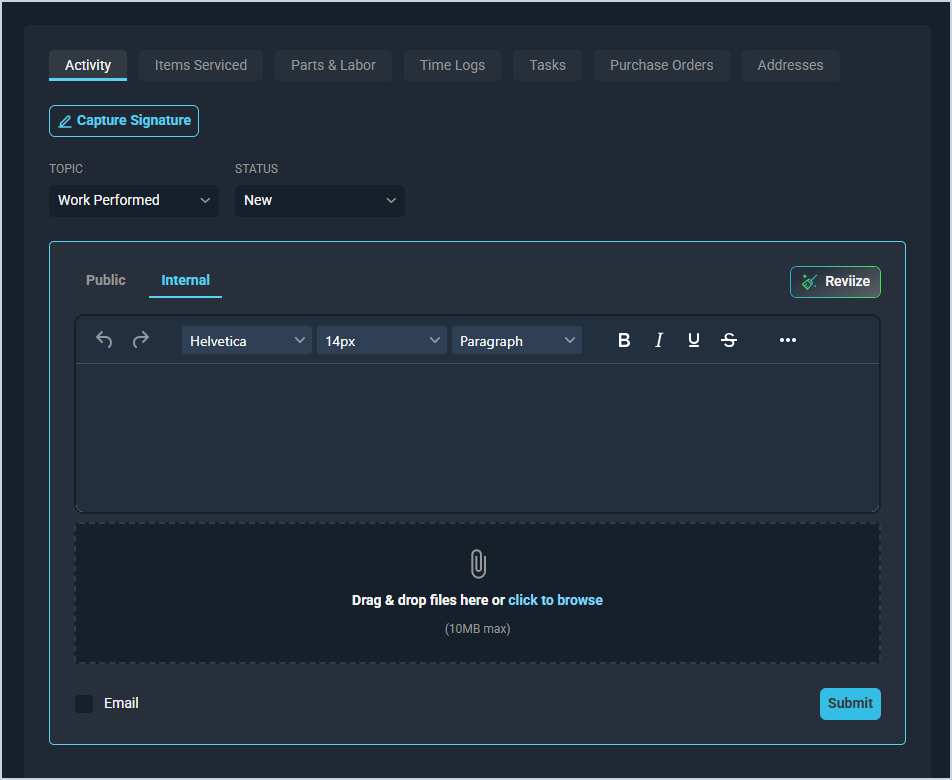
- Emails can now be sent directly from the Internal section on the ticket Activity tab, keeping email conversations recorded as internal activity visible only to application users. The activity note area features a full editor with rich text, company directory access, and Reviize functionality when the email checkbox is selected. Replies are automatically recorded as internal notes, unread internal emails display an indicator in the ticket list, and you can mark them as read or reply directly. [61844]
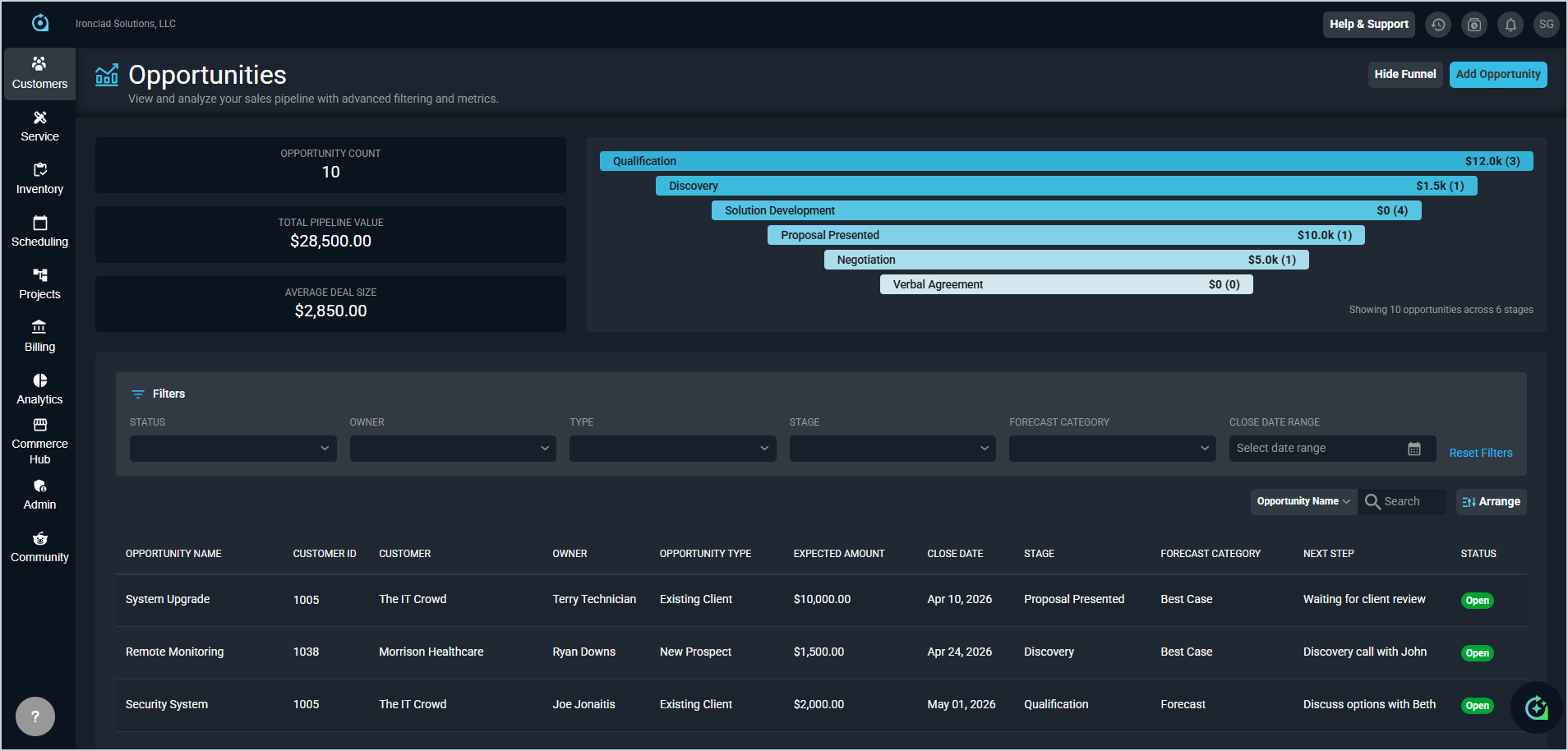
- The new Forecast Category and Next Step fields can be assigned when creating or editing an opportunity, viewed on the opportunity detail page, and are available as sortable, filterable columns in the Opportunities list. Administrators can manage forecast categories in System Tables, with default options of Pipeline, Best Case, and Forecast. Categories can be added, edited, or deactivated while preserving historical data. [62167, 62168, 62169, 62170, 62171, 62172, 62173, 62176, 62177]
Updates
- Administrators can now control who can edit and delete time entries and time clock entries through new permissions in the Time Management permissions section. These permissions have been granted by default for all existing roles to avoid impacting current functionality. Users without the appropriate permissions will see disabled options with tooltips explaining the restriction. [62235, 62236]
- The customer Recurring Services tab now includes a multi-status filter for viewing active, pending, and disconnected services simultaneously, replacing the previous binary hide inactive toggle. [61888]
- When creating proposals, the system now prevents duplicate contact email addresses, locks the primary customer contact, and shows role assignment options only when relevant to the selected template. [62429]
- Ticket insights in the signature section now display more reliable ticket summary information. [62471]
- The Inventory Matrix now includes a multi-select location filter to narrow columns by location, with totals updating to reflect the selection. [62573]
- Inventory History is now accessible as a tab within the Inventory Matrix page. [62575]
- A Quote column now appears in the customer Services tab showing the source quote as a clickable link for services created from approved quotes. [62213]
- The Back button when creating a quote from the Quote List now reads "Back" and returns you directly to the Quote List. [62099]
- The PSA API Ticket Endpoint now includes a Quote ID field for linking tickets to quotes. [62413]
- A new Opportunity Forecast dropdown endpoint is now available in the API. [62277]
- A new API endpoint allows regeneration of tickets and contracts for completed documents. [62599]
- The API now returns a Quote ID field for services created from approved quotes. [62213]
Bug Fixes
- HTML content in emails now renders correctly when converted to tickets, ensuring formatted content and links display properly in the ticket view. [62220]
- Batch taxation for quotes now processes correctly when using the TEX tax provider. [62438]
- The company directory in the ticket email address book now correctly displays only active application users. [62491]
- Applying an activity macro to a ticket no longer clears previously entered custom field data and addresses. [62687]
- Emails on tickets can now be marked as read without encountering an error. [62704]
Mobile Updates
Due to App Store and Google Play approval processes, these updates may take time to appear in the app.
- The Rev.io Mobile app now includes a Recently Viewed overlay for quick access to recently opened customers and tickets. The list can be filtered by customers or tickets, displays timestamps, and can be cleared in a single action. [61205]