
Check out the latest updates in Rev.io as of 4/9/26! NOTE: While the release notes are still available directly in Rev.io, we will no longer push in-app notifications.
New Features
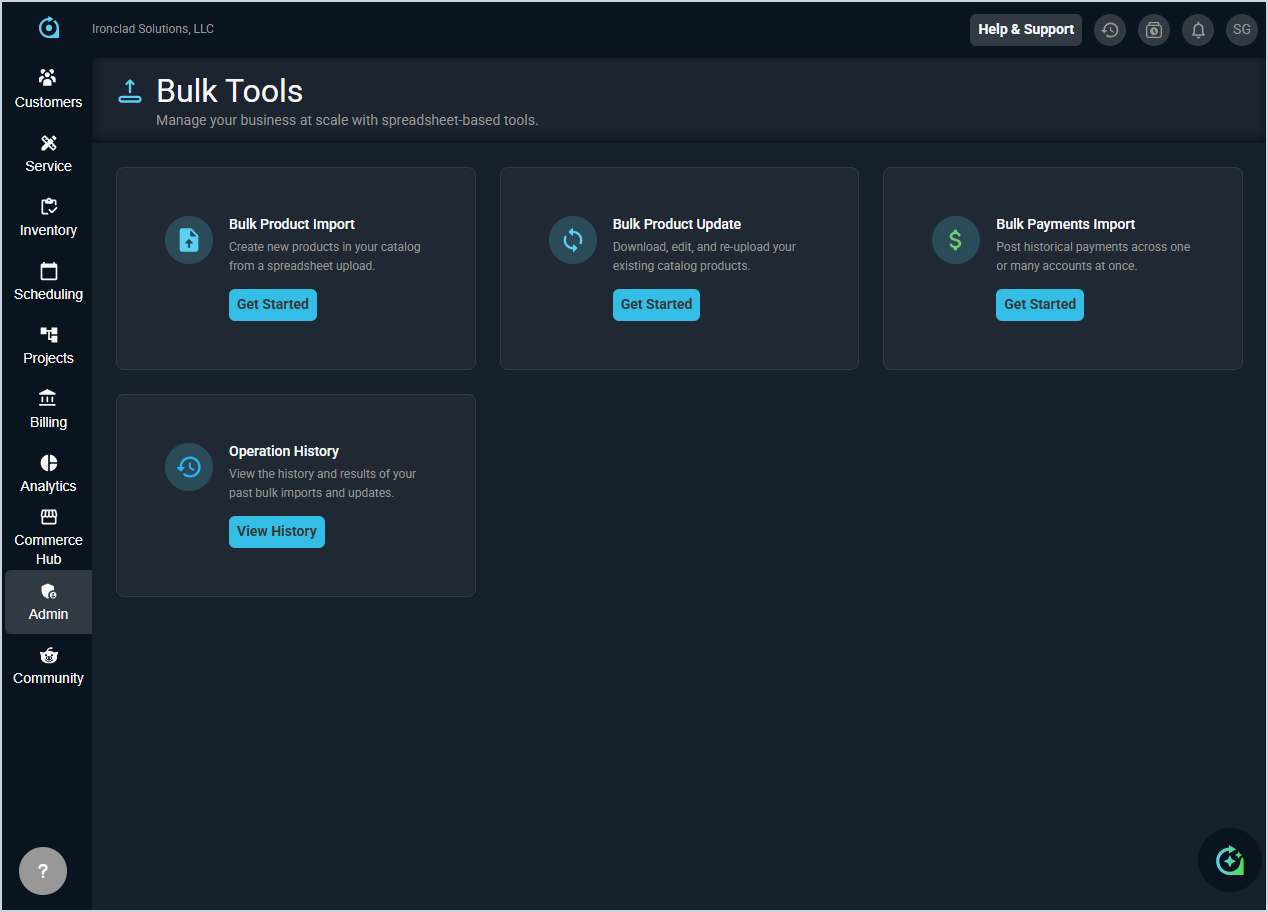
- A new Bulk Tools section is now available in the PSA Admin sidebar, with role-based access control and audit logging for all bulk operations. [61426] Current tools include:
- Product Import. Upload a CSV or Excel file to add new products, with drag-and-drop support, inline error correction, and results summary. [61427]
- Product Update. Download your product catalog, make changes in bulk, and upload the modified file. Only fields you modify are updated; all other product data is preserved. [61428]
- Payment Import. Import historical payment records from legacy systems using CSV or Excel files, with automatic validation against customer bill profiles. [61429]
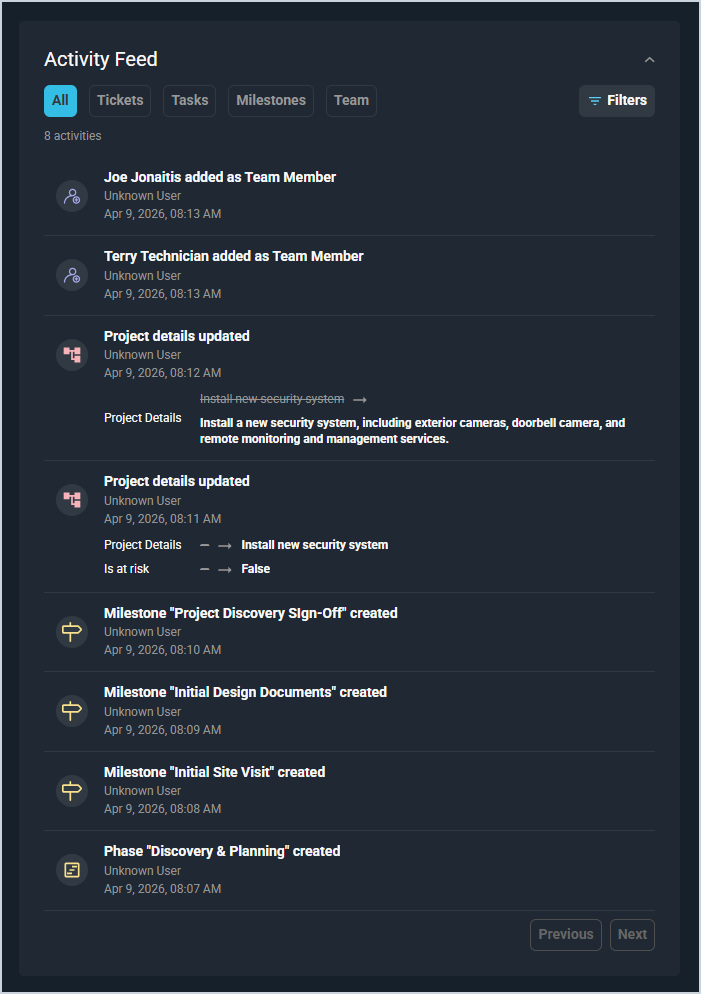
- The new Activity Feed on the project detail screen aggregates all project activity into a single chronological timeline, automatically capturing events from tickets, tasks, time entries, purchase orders, and billing. You can filter by event type, date range, or team member to quickly see what has changed since your last visit. [61326]
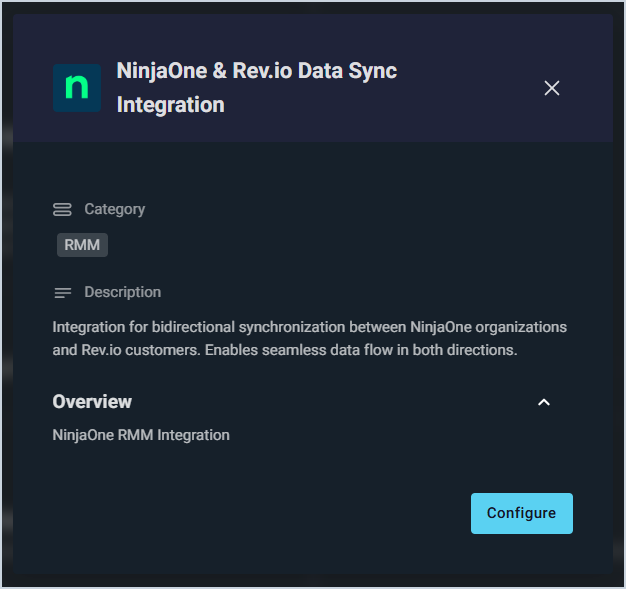
- Rev.io now integrates with NinjaOne, a cloud-based IT operations platform that helps MSPs and IT teams monitor, manage, and secure endpoints from a single dashboard. The integration provides bidirectional synchronization between NinjaOne organizations and Rev.io customers, keeping data consistent across both platforms in real time. [28565]
Updates
- You can now assign a default primary technician to each customer on the customer Service Information tab, and when a ticket is created for that customer either manually, through email, or via the portal, the system will automatically assign the designated technician to the ticket. [61817]
- When creating a new business or residential customer, the system now checks for potential duplicates before saving the record and displays a warning if matches are found based on name and billing email or address, allowing you to view the existing customer, proceed with creating the new record anyway, or return to the form to make changes. [61829]
- The Opportunities list page now includes a funnel visualization that displays your pipeline by stage, showing dollar values and opportunity counts for each tier. You can click any funnel tier to filter the table to that specific stage, or click it again to clear the filter and view all opportunities. [61974]
- You can now view and override the service address on recurring services directly from the services listing and forms, allowing you to specify which customer address each service should be associated with instead of defaulting to the customer's primary service address [62224].
- You can now include the Work Requested field in workflow email notifications using a new token available in the token drop-down menu for all ticket related workflows. When a ticket triggers a workflow, the token populates with the work requested information from that ticket. [61759]
- The Assign Ticket on Email Domain Match setting has been moved from the Service System Settings to the Email System Settings under the Inbound Email Options tab. When you change this setting, it now automatically updates the corresponding option on each mailbox to match, ensuring all mailboxes stay synchronized with the system level setting. [61745]
- When generating a proposal document, recipient fields are now automatically populated from the quote contact information, including first name, last name, email, and phone number. Users can select from existing contacts instead of manually entering recipient details, reducing errors from duplicate data entry while retaining the ability to edit any auto-populated fields before finalizing. [62098]
- You can now select and save a country code when creating or editing contacts and quote contacts, ensuring complete address information throughout the system. [62228]
- The proposal column header on both the quote detail page and customer quote-documents page now displays as Title instead of Name or Description to accurately reflect that it shows the proposal title entered during creation. [62240]
- When creating a quote, the Description field is now included in the initial creation request, eliminating the need for you to edit the quote to add it later. [62260]
- Quote product API responses now include an indicator showing whether a product was added as part of a package or manually added, and the package product column in the quote products table displays this information correctly. [62269]
- The Sales Opportunity API endpoints are now available in the Developer Portal, making it easier for developers to discover and integrate with opportunity data in their applications. [62505]
- The Developer Portal now includes API endpoints for assets and purchase orders, making it easier for developers to discover and reference these endpoints when building integrations with the system [61462].
- During Outlook or Google Calendar configuration, you will be prompted to select a customer to be the default for any calendar item that does not have an associated customer. [59618]
Bug Fixes
- The Topic field on the ticket Activity tab now correctly defaults to Work Performed and excludes the system-only Email Received option. [61841]
- The Email option in the Service System Settings screen now properly saves changes when you update the checkbox value instead of reverting to the previous setting. [61912]
- Asset Type filters now correctly return only matching assets when searching or filtering on the Customers Assets screen and customer Assets tab, instead of returning all assets regardless of the selected type [62032].
- The ticket list now correctly displays tickets in a closed state when all filters are removed, ensuring that users can view the complete list of tickets without unexpected filtering. [62166]
- Time logs associated with tickets in a closed or billed state can no longer be edited or deleted from the time entries list view to prevent unauthorized modifications to completed work. [62223]
- Tasks from tickets that span multiple days now display correctly on the dispatch board for all scheduled days, matching the behavior shown in calendar view. [62270]
- Hyperlinks in workflow automations now correctly retain their links and support dynamic tokens, allowing you to generate deep links to specific records such as tickets. For example, inserting a token into the URL field will automatically populate the correct ID when the workflow triggers. [61702]