
Check out the latest updates in Rev.io as of 4/1/26!
Early Access
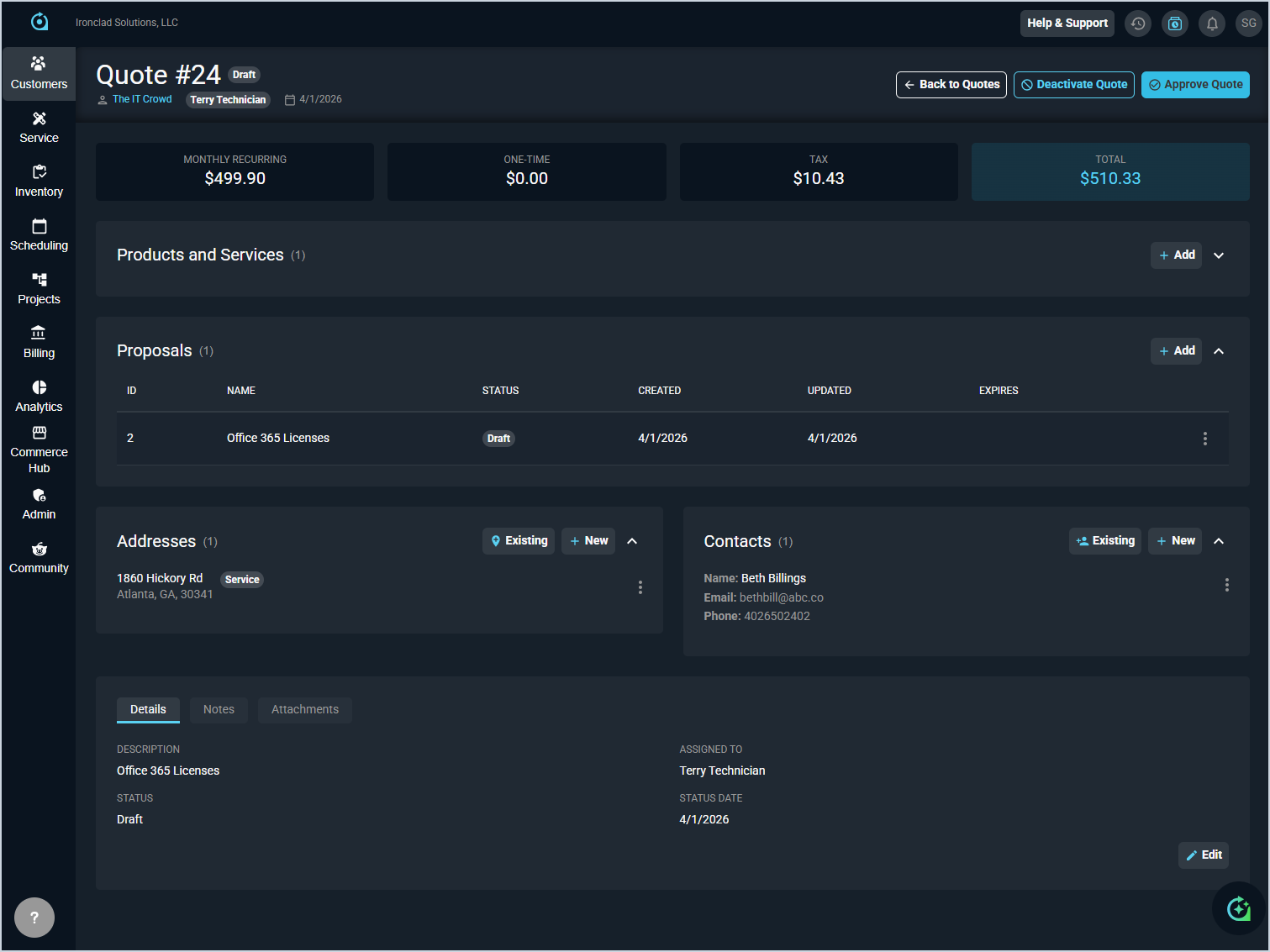
- The quoting experience has been rebuilt directly within the application for a more streamlined workflow and better product catalog integration. Updates include a new quote creation screen, a new Quote Detail screen, a dedicated Quote List screen, and renamed Proposal Templates (formerly Quote Templates) which can be added and customized when creating new quotes. Existing quotes can be opened in the new quote detail screen for visibility, and new quotes created in the updated experience are more streamlined from the start.
With the new quoting experience, you can also create a quote directly from an opportunity using the Quotes tab on the Opportunity Detail screen, which automatically associates the quote with the opportunity and pre-populates the customer information. This tab eliminates the need to manually link quotes to opportunities after creation and allows you to manage multiple quotes for a single deal in one place. [61066]
Take a look at this quick overview video to see what the new screens look like. Full training and documentation will be coming soon. If you'd like early access to the updated quoting experience in your instance, click the Help & Support button in Rev.io, select the New Idea subject, and let us know you'd like the new quotes experience enabled.
New Features
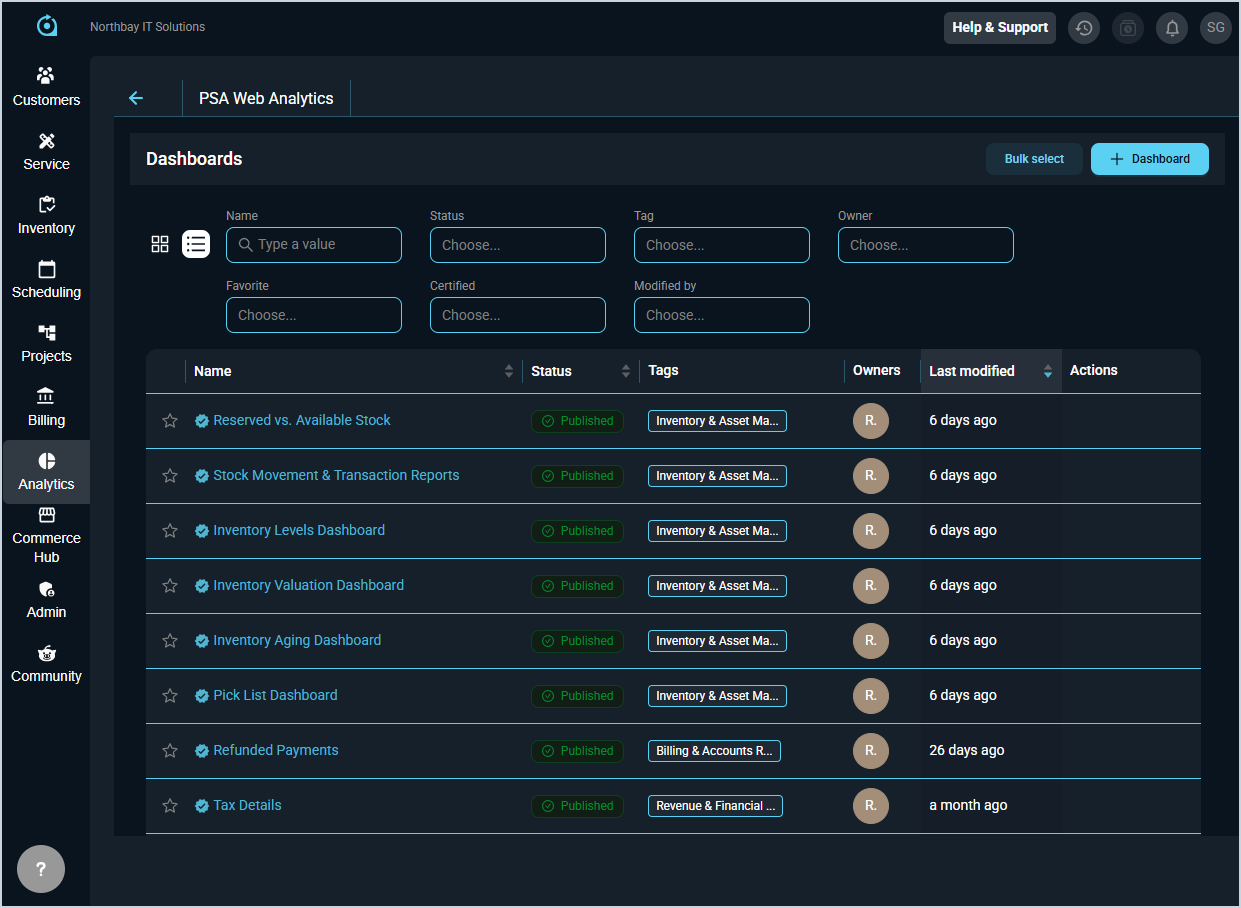
- Six new inventory dashboards are now available in the Analytics module: Inventory Aging, Inventory Valuation, Inventory Levels, Stock Movement & Transaction Reports, Reserved vs. Available Stock, and Pick List Dashboard. These dashboards give teams real-time visibility into inventory health, valuation, stock levels, and movement across locations.
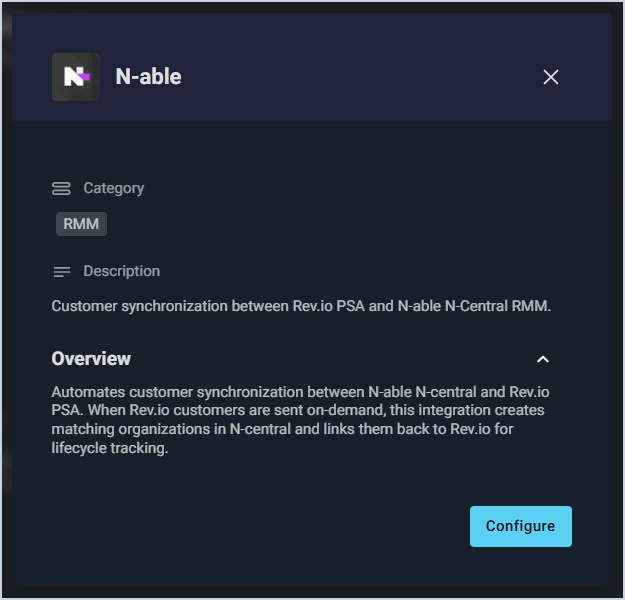
- Rev.io now integrates with N-able N-central, a remote monitoring and management (RMM) platform used by managed service providers to monitor and manage customer IT environments. The integration automates customer synchronization between the two platforms. When customers are pushed from Rev.io, matching organizations are automatically created in N-central and linked back to Rev.io for lifecycle tracking. [58754]
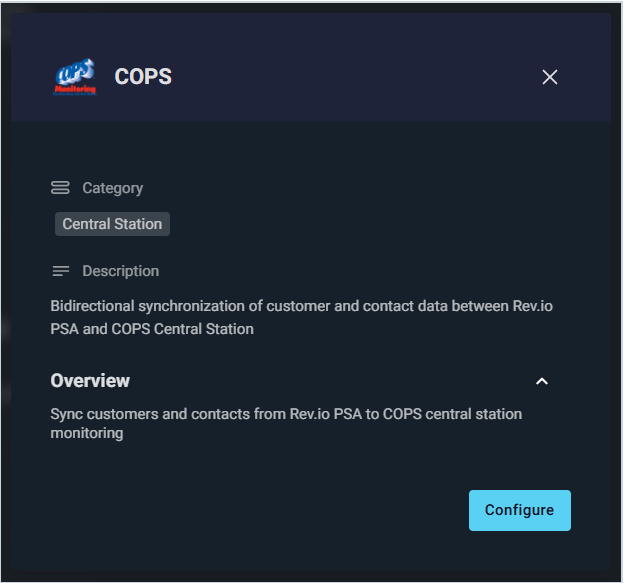
- Rev.io now integrates with COPS, a cloud-based central station professional monitoring platform. The integration supports one-way customer sync from Rev.io to COPS and bidirectional contact sync between the two platforms. Once configured, changes sync in real time via webhooks, and contact data from COPS syncs automatically each morning at 6 AM ET. [59091]
Updates
- You can now control which users can create, view, edit, and delete opportunity records in the system using the new Opportunities permissions section. Users only see opportunity-related screens, menu items, and buttons when they have the appropriate permissions assigned to their role. [61077]
- Users can now update the Status of service products for a single product, an entire service, or multiple services at once, providing greater flexibility in managing customer products [59956].
- Tickets can now be reopened within a configurable time period after closing, giving users flexibility to address issues that resurface shortly after resolution. [61174]
- The ticket list view now shows both date and time in the Updated column, the Tags column label has been corrected, and the redundant Filter button has been removed. The Filter by Column button remains available for filtering tickets. [61856]
- On the customer profile Summary tab, you can now click the Parent Account field to navigate directly to the parent account's profile, making it easier to move between related customer records. [62010]
- Revii can now clock you in and out on request. If you're already clocked in, Revii will offer to clock you out and prompt you to add notes to your time entry. [61834]
Bug Fixes
- The system now properly preserves all ticket data including contacts, technicians, and custom fields when updating addresses on tickets. Previously, editing addresses would cause data loss on the Edit Ticket screen. [61944]
Mobile Updates
Due to App Store and Google Play approval processes, these updates may take time to appear in the app.
- Administrators can now configure GPS tracking, geofencing, automatic ticket status transitions, and default time log reasons for mobile technicians through the new Mobile Options category on the System Settings screen in the web application. [60243]
- Rev.io Mobile now supports geofencing for technicians with GPS tracking enabled. When a technician enters or exits a geofenced customer location, an activity log is automatically created capturing the technician name, customer name, and customer address. If geofencing cannot be initialized due to missing GPS coordinates, Rev.io Mobile displays a notification banner and logs an activity entry documenting the issue. [61693]
- Technicians can now use hands-free voice commands in Rev.io Mobile through Revii, with real-time spoken and text feedback. [56351]
- Rev.io Mobile now supports viewing and updating tickets offline, including status, notes, time entries, custom fields, and customer signatures. Changes sync automatically when connectivity is restored. [59659]
- Products can now be browsed, searched, and viewed offline in Rev.io Mobile using cached data. Sections requiring live data, such as inventory quantities, are disabled until connectivity is restored. [59846]
- Customers visited today or associated with today's tasks are cached for offline access in Rev.io Mobile, with local search and filtering available. [59944]
- Today's calendar tasks can be viewed and edited offline in Rev.io Mobile, with changes syncing automatically on reconnect. [59946]