
Check out the latest updates in Rev.io!
New Features
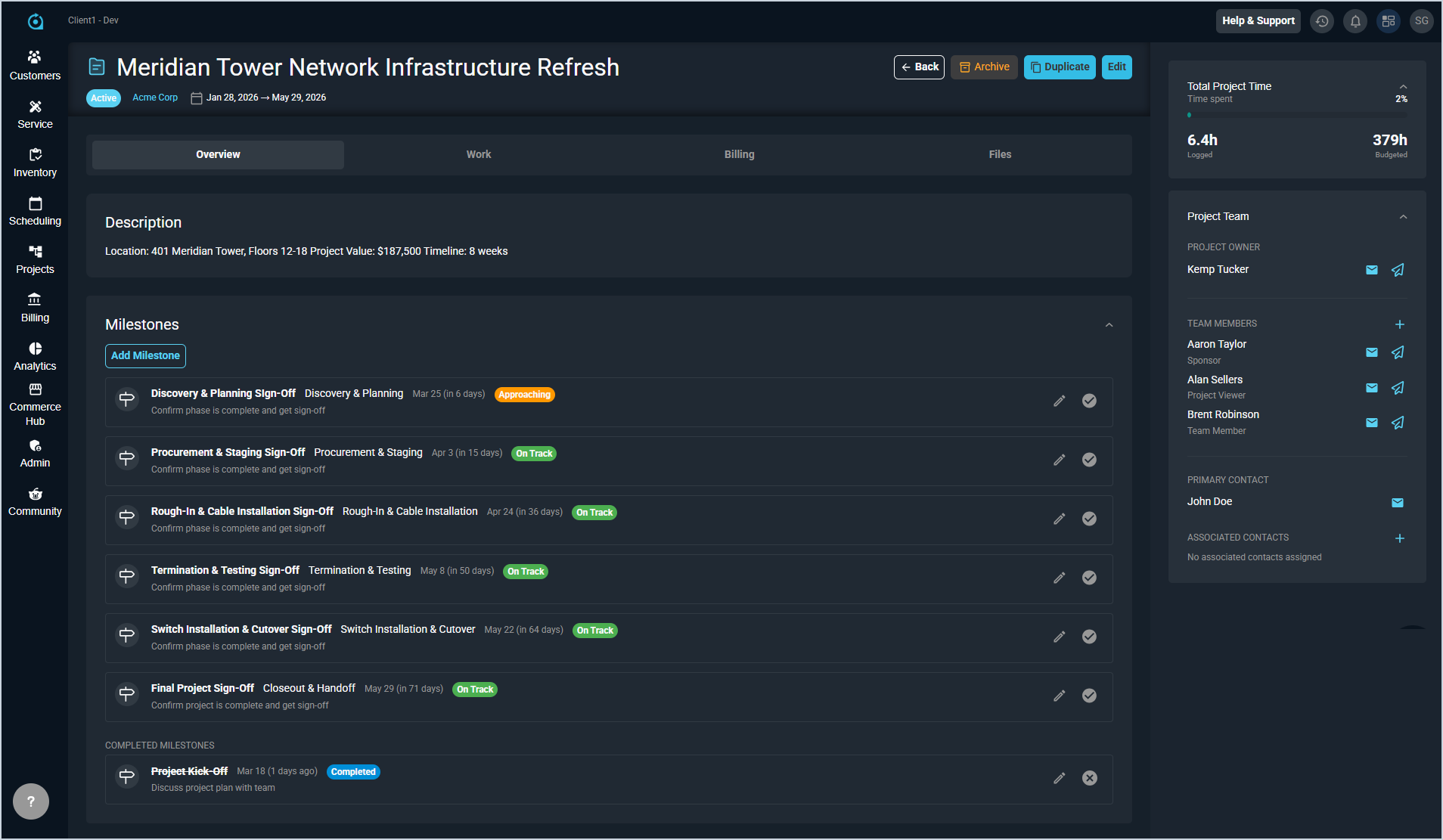
- Projects now support Milestones, which allow project managers to track critical dates and deadlines at a glance. Unlike tasks, milestones have no duration or assignees; they simply act as point-in-time markers. Milestones are visible on the project detail page, the projects list, and the Gantt chart. [ADO-60181]
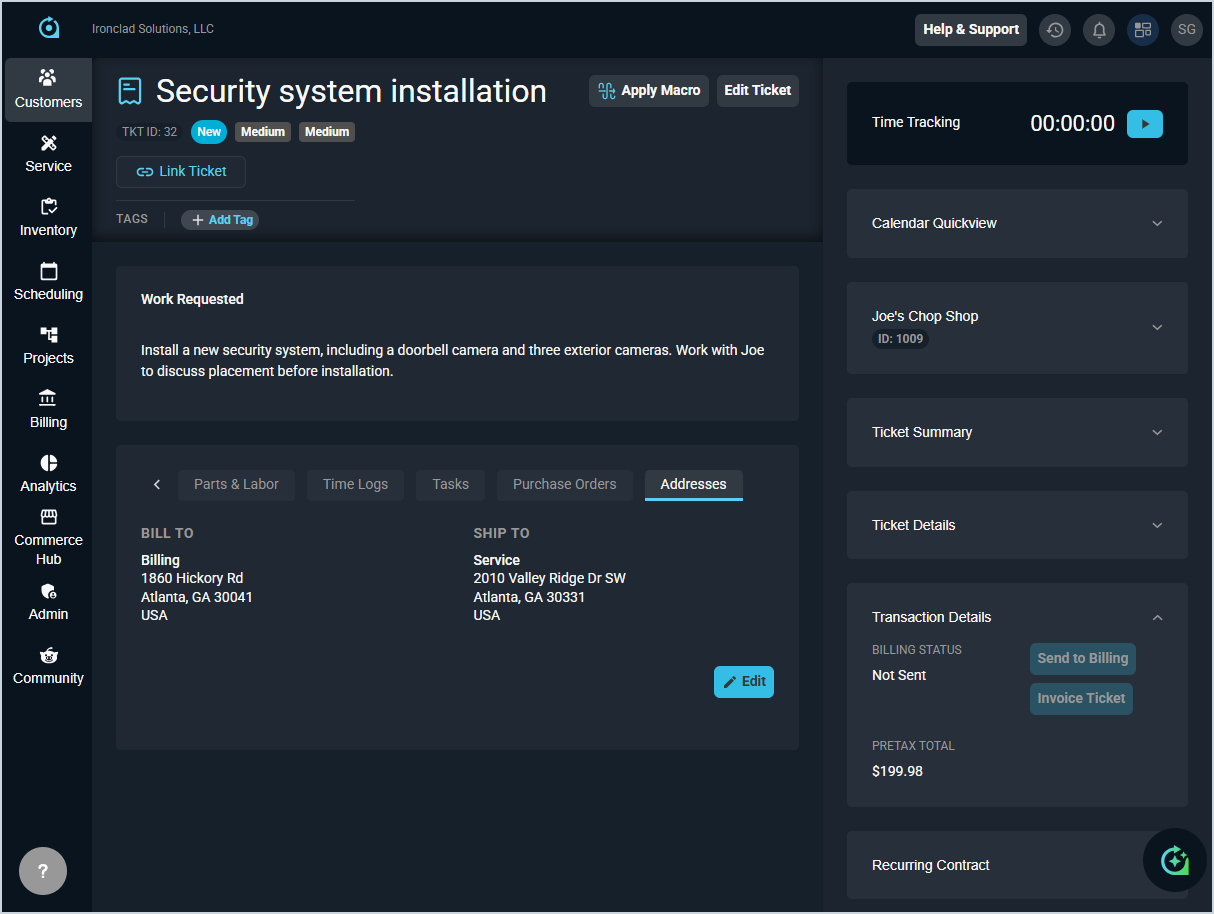
- Tickets now include an Addresses tab showing the customer's bill-to and ship-to addresses, automatically pulled from the customer's default settings when a ticket is created. Each address field is clearly labeled (Billing for the invoicing address and Service for the delivery/service location) and includes a tooltip explaining its use. Addresses can be edited to any address associated with the customer account. [ADO-61313, 61596]
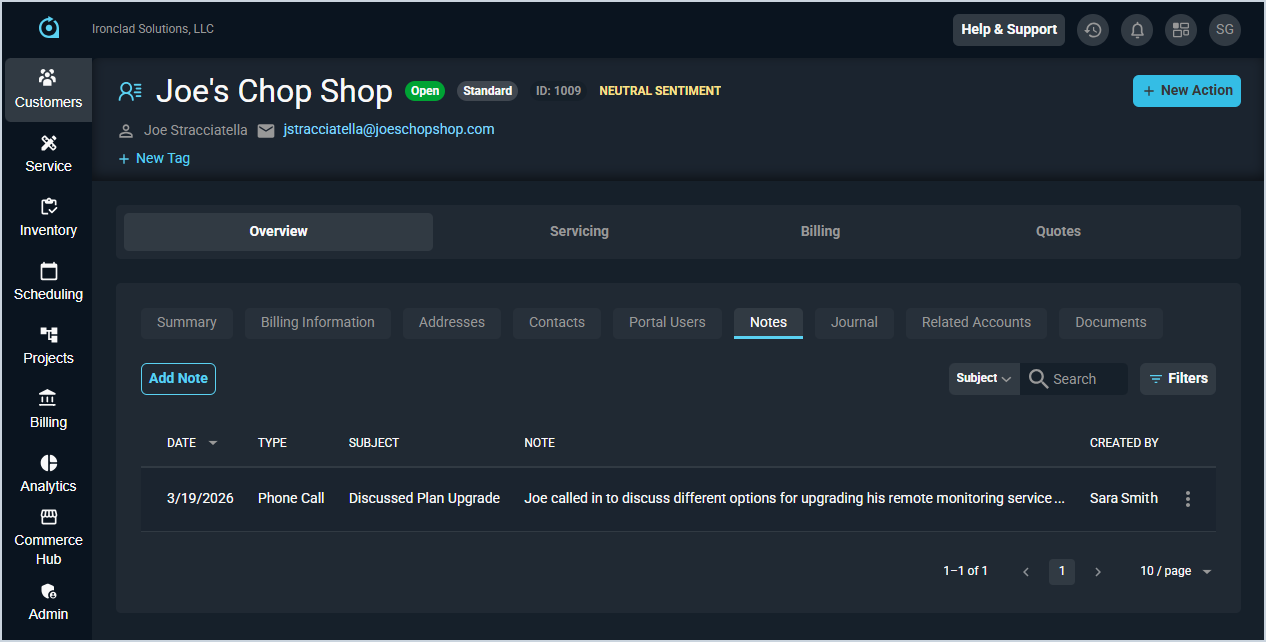
- The new Notes tab is now available on the customer profile screen, making it easier to add notes and mark them as High Priority. This tab will eventually replace the Journal tab. [ADO-60509]
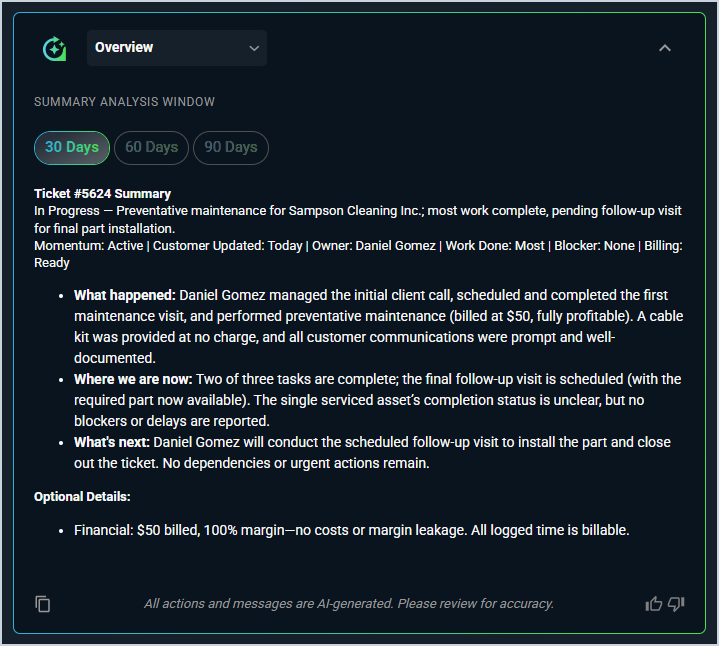
- Tickets now include a collapsible AI-powered summary at the top of each ticket, giving managers a quick overview without reviewing each section individually. Summaries cover Activity Notes, Items & Services, Parts & Labor, Time Logs, Tasks, Purchase Orders, and Additional Information. Ticket summaries are also available in Revii via voice or text. Try prompts like "summarize ticket 123" or "summarize parts and labor for ticket 123."
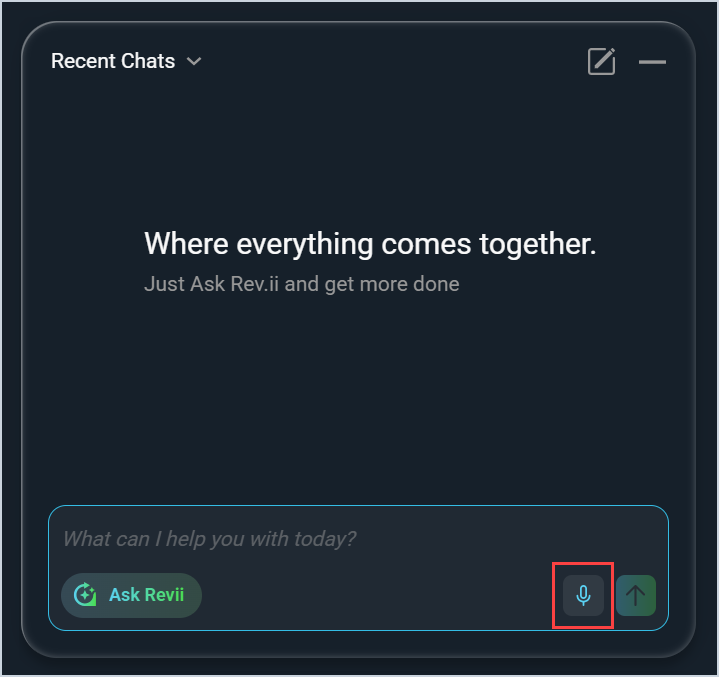
- Revii Voice Duplex is now available in the Revii chat window, enabling hands-free, real-time two-way voice conversations with the Revii AI chat agent. You can choose from seven voice options with adjustable speech speed, and let auto-detection handle the rest. To enable Voice Duplex, open Revii and click the microphone icon. Voice and speed settings are available in the top right of the Revii window.
Updates
- The Journal tab now displays existing journal entries in read-only mode during the transition to the new Notes tab. In a future release, existing journal entries will be migrated to the Notes tab. A banner also displays on the Journal tab directing users to use the Notes tab instead for a better experience. [ADO-61353, 61524]
- The Journal - Action Type section on the Customer tab in the System Tables category on the System Settings screen has been renamed Note Type to match the new Notes tab on the customer. [ADO-60807]
- Client administrators can now show or hide the Contacts section in the Customer Portal using the new toggle on the Portal Configuration screen. [ADO-61088]
Bug Fixes
- When clicking the menu icon on the ticket list, the system will now properly displays the menu options instead of incorrectly navigating to the ticket detail view. [ADO-60567]
- When logging into the system, the SMS opt-in pop-up will now only appear once instead of reappearing on every subsequent login after being saved. [ADO-61407]
- Clicking the Send to Billing button on a ticket now creates transactions with taxes properly applied to parts and labor line items when applicable. [ADO-61466]
- When voiding a ticket that is in an open or new state, the system no longer displays an incorrect permission error message about reopening closed tickets. The void operation now completes successfully without showing false error messages. [ADO-61473]
- The Void Status option has been removed from the status dropdown on the ticket activity tab, as this option did not function properly from this view and tickets should only be voided through the appropriate workflow [ADO-61474].
- The Work Requested field and activity card now remain intact when you assign a ticket to a customer or transfer a ticket from one customer to another. [ADO-61510]
Mobile Updates
Due to App Store and Google Play approval processes, these updates may take time to appear in the app.
- Users can now receive push notifications on their mobile devices with the ability to tap and navigate directly to the relevant ticket. The system supports both iOS and Android platforms, manages notification preferences, tracks delivery status, and synchronizes unread badge counts across multiple devices. [ADO-56675]
- Rev.io Mobile now displays inventory and serialized item icons on parts and labor items in the selection list when adding or editing items, and on the ticket detail screen. [ADO-61374]
- The customer list in Rev.io Mobile now displays the Custom Account Number instead of the Customer ID when they differ, and the customer summary screen includes a dedicated Account Number field below the Customer ID for easier reference. [ADO-61525]