
Check out the latest updates in Rev.io!
New Features
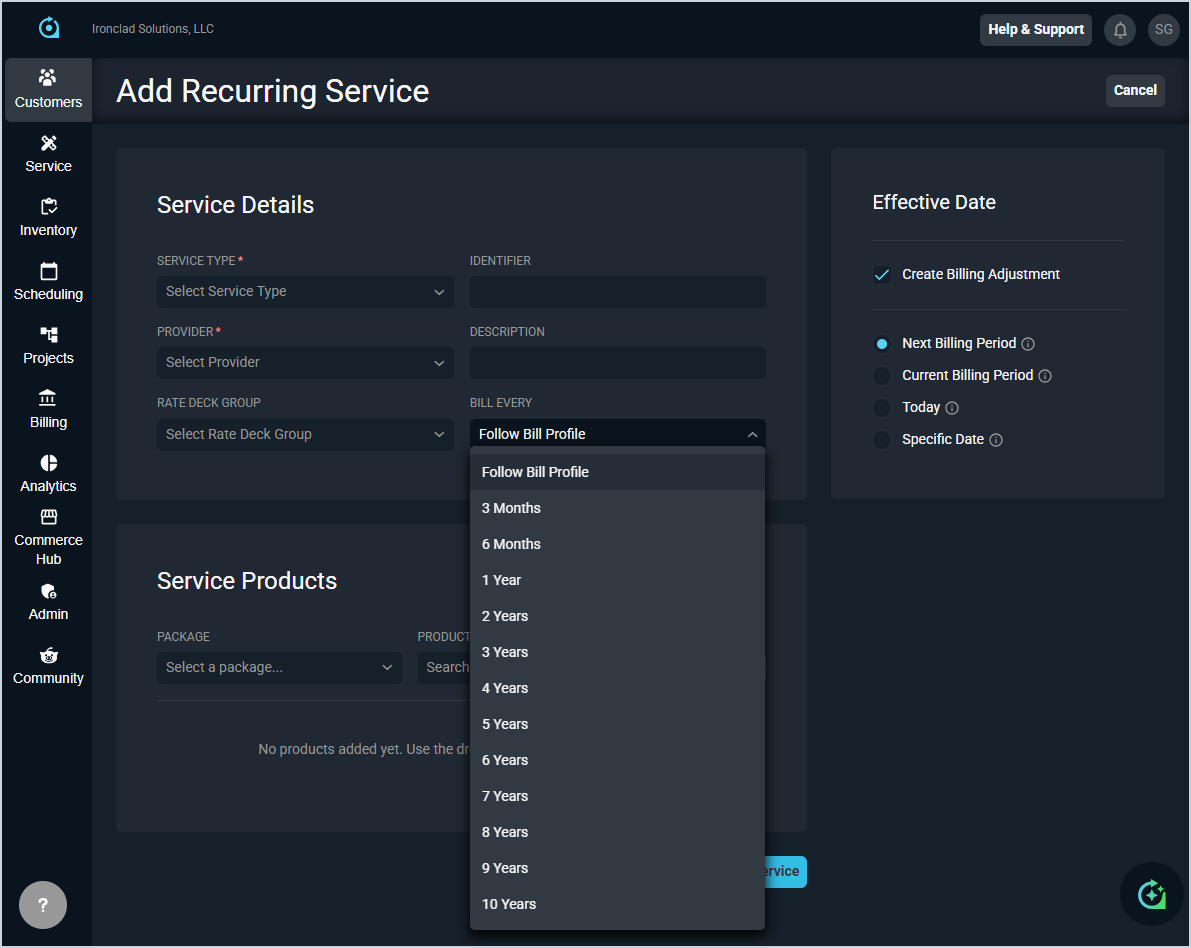
- You can now define custom billing intervals for recurring services using the Bill Every field in the Add/Edit Recurring Service screen, allowing you to set billing schedules from three months up to 10 years to better align with customer agreements and diverse contract structures. [ADO-59690]
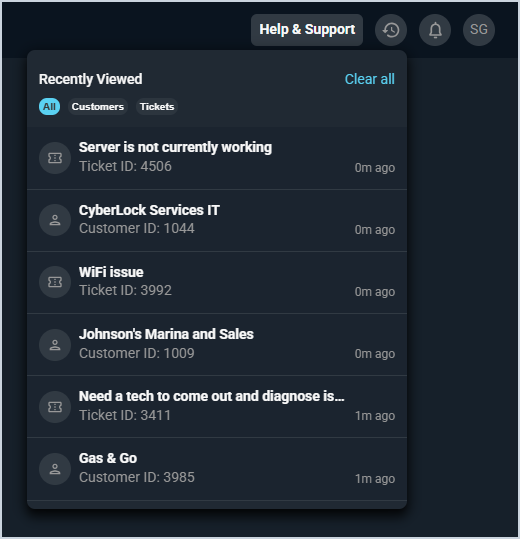
- The new Recently Viewed icon in the top toolbar gives you quick access to your most recently visited Customers and Tickets all in one place, without having to search for them again. Recent history for additional record types will be available in future releases.
Updates
- The Add Field button in the Custom Fields Manager now features updated styling that matches the rest of the application, and the Save Changes button remains disabled until you make a change to the field. [ADO-58900]
- When adding or editing custom fields with the Multi-Select Field Type, the Min Selections and Max Selections options have been moved to the Additional Field Settings section to improve usability by reducing clutter. [ADO-59025]
- When a ticket is created from an inbound email, the system now automatically assigns the primary contact based on the sender's email address if it matches a contact at the customer account. Additionally, any CC'd email addresses that match contacts at that customer are automatically added as associated contacts on the ticket. If a ticket is created without an assigned customer and you later assign it to a customer account, the system automatically populates the primary and associated contacts based on the original email addresses. [ADO-60987]
- The favicon for the PSA application has been updated to reflect the current branding, making it easier to identify your PSA tab when you have multiple browser tabs open. [ADO-61093]
Bug Fixes
- Access to the Audit Logs screen now respects user permissions, allowing authorized users to view logs without generating a 403 - Forbidden error. Thanks to Jack LaForce for his feedback! [ADO-61191]
- When adding or editing custom fields with the Multi-Select Field Type, the Min Selections and Max Selections options now prevent you from entering conflicting values. [ADO-59160]
- Custom fields with the Checkbox Field Type now align with the neighboring fields instead of the neighboring headings. [ADO-59161]